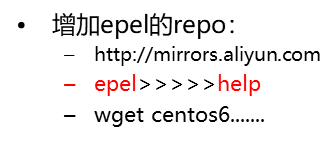
yum命令:
yum repolist 显示所有仓库
yum clean all
yum makecache 将服务器上的软件包信息,现在本地缓存以提高搜索安装软件速度
yum update
查询:
yum list  仓库里的所有包
yum search    -yum search man.pages
yum info
安装&卸载:
yum install
remove|erase
yum命令:分组
yum grouplist
yum groupinfo
yum groupinstall 安装组		 yum groupinstall “Chinese Support”
yum groupremove
yum groupupdate
配置本地yum仓库
yum 的 repo 变成aliyun || 本地DVD
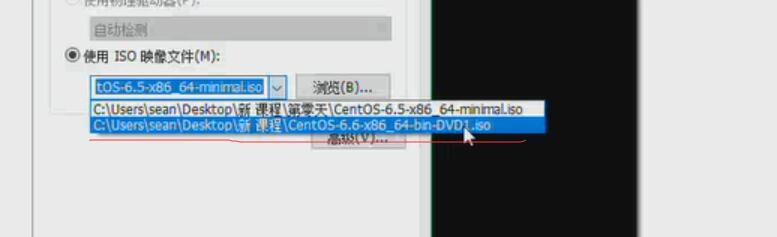
-umount /mnt
-mount /dev/cdrom /mnt
例:装Apache
-ll httpd*     显示这组包,Apache在linux中就叫httpd
-cd  httpd-2.2.15.....  ·         将这组包复制到家目录
-rpm -i httpd-2.2.15....    安装这组包。但是安装这组包还需要别的包,这就需要yum仓库
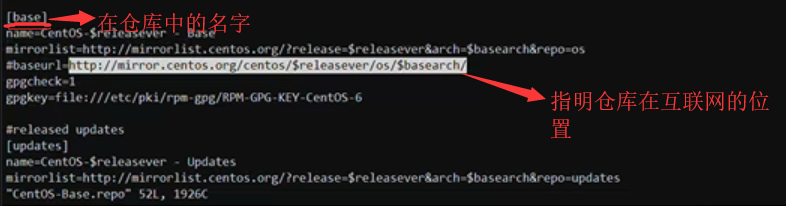
-cd /etc/yum.repos.d    通过repo知道仓库在哪儿
-ll
-vi centOS.base.repo    查看第一个
国内yum源
使用ali(国内的)仓库 opsx.alibaba.com/mirror
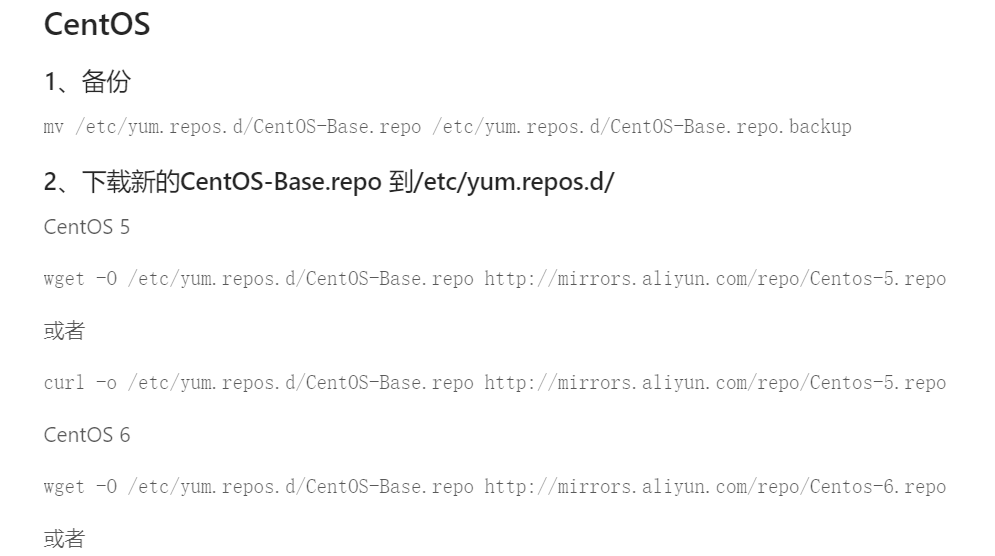
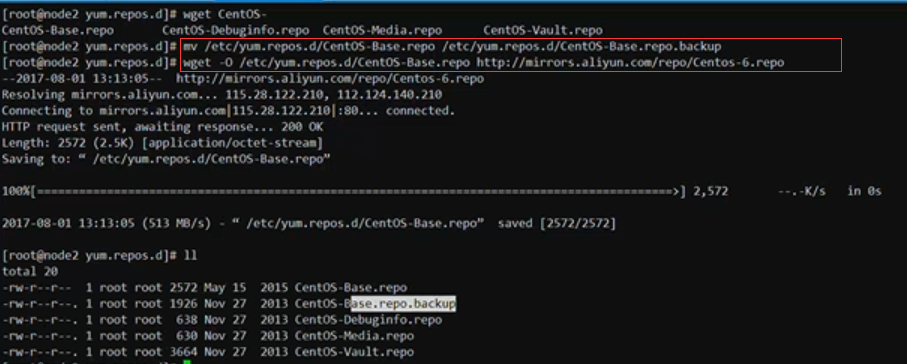
-vi CentOS-Base.repo
-yum clean all    清理yum缓存信息
-yum makecache

-cd /etc/yum.repos.d
-ll
-vi localhttpd.repo
-mv localhttped.repo sxt.repo   可改名
Yum客户端需编辑配置文件
-cd /mnt
-ll
-cd /etc/yum.repos.d
-ll

# yum clean all
# yum makecache
# yum repolist
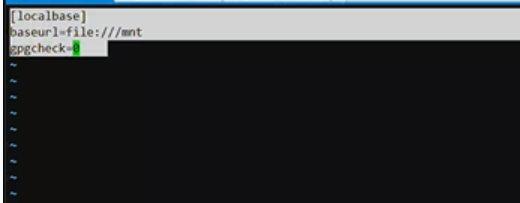
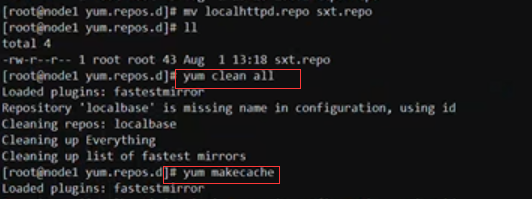
-yum install man
-yum repolist   安装完后输入以下命令
-LANG=zh_CN.UTF-8  之后就能中文显示了