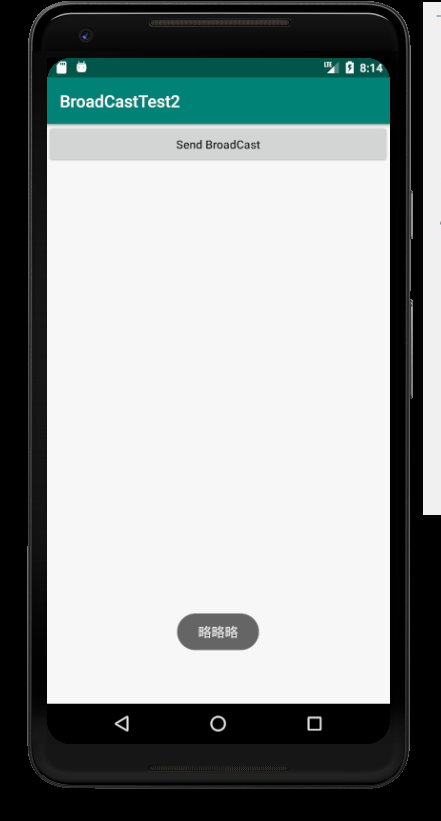
一个安卓初学者的试水,7.0以后的好像会被系统拦截,稍后再研究...
创建MyBroadcastReceiver public class MyBroadcastReceiver extends BroadcastReceiver {
@Override
public void onReceive(Context context, Intent intent) {
    Toast.makeText(context,intent.getStringExtra("info"),Toast.LENGTH_SHORT).show();
}
}
配置Androidmanifest.xml
<uses-permission android:name="com.android.action.SEND_NNN"/>


<application
    android:allowBackup="true"
    android:icon="@mipmap/ic_launcher"
    android:label="@string/app_name"
    android:roundIcon="@mipmap/ic_launcher_round"
    android:supportsRtl="true"
    android:theme="@style/AppTheme">
    <activity android:name=".MainActivity">
        <intent-filter>
            <action android:name="android.intent.action.MAIN" />

            <category android:name="android.intent.category.LAUNCHER" />
        </intent-filter>
    </activity>

    <receiver
        android:name=".MyBroadcastReceiver"
        android:enabled="true"
        android:exported="true"
        android:permission="com.android.action.SEND_NNN">
        <intent-filter>
            <action android:name="com.android.action.NNN"/>
        </intent-filter>
    </receiver>
</application>
在activity_main.xml中写一个按钮点击发送广播
<Button
    android:id="@+id/button"
    android:layout_width="match_parent"
    android:layout_height="wrap_content"
    android:textAllCaps="false"
    android:text="Send BroadCast"/>
最后在MainActivity中注册点击事件
public class MainActivity extends AppCompatActivity {
@Override
protected void onCreate(Bundle savedInstanceState) {
    super.onCreate(savedInstanceState);
    setContentView(R.layout.activity_main);
    /*Intent intent = new Intent();
    intent.setAction("com.broadcast.test");
    intent.putExtra("info","略略略");
    sendBroadcast(intent);*/
    Button button = (Button) findViewById(R.id.button);
    button.setOnClickListener(new View.OnClickListener() {
        @Override
        public void onClick(View v) {
            Intent intent = new Intent();
            intent.setAction("com.android.action.NNN");
            intent.putExtra("info","略略略");
            sendBroadcast(intent);
        }
    });
}
}
然后就可以了