WZChartsViewWidget
- 一. V 1.0.0 版已有内容
- 二. V 1.0.0 版已有内容
- 三. V 1.0.0 版已有功能
- 四. V 1.0.0 版其他工具类
- 五. V 1.0.0 版思路
- 六. V 1.0.0 版待优化
- 七. V 1.0.0 版 Example
- 八. V 1.0.0 版 Icon
一. V 1.0.0 版已有内容
| 图表类型 |
XY 坐标 |
动画 |
颜色 |
尺寸 |
其他 |
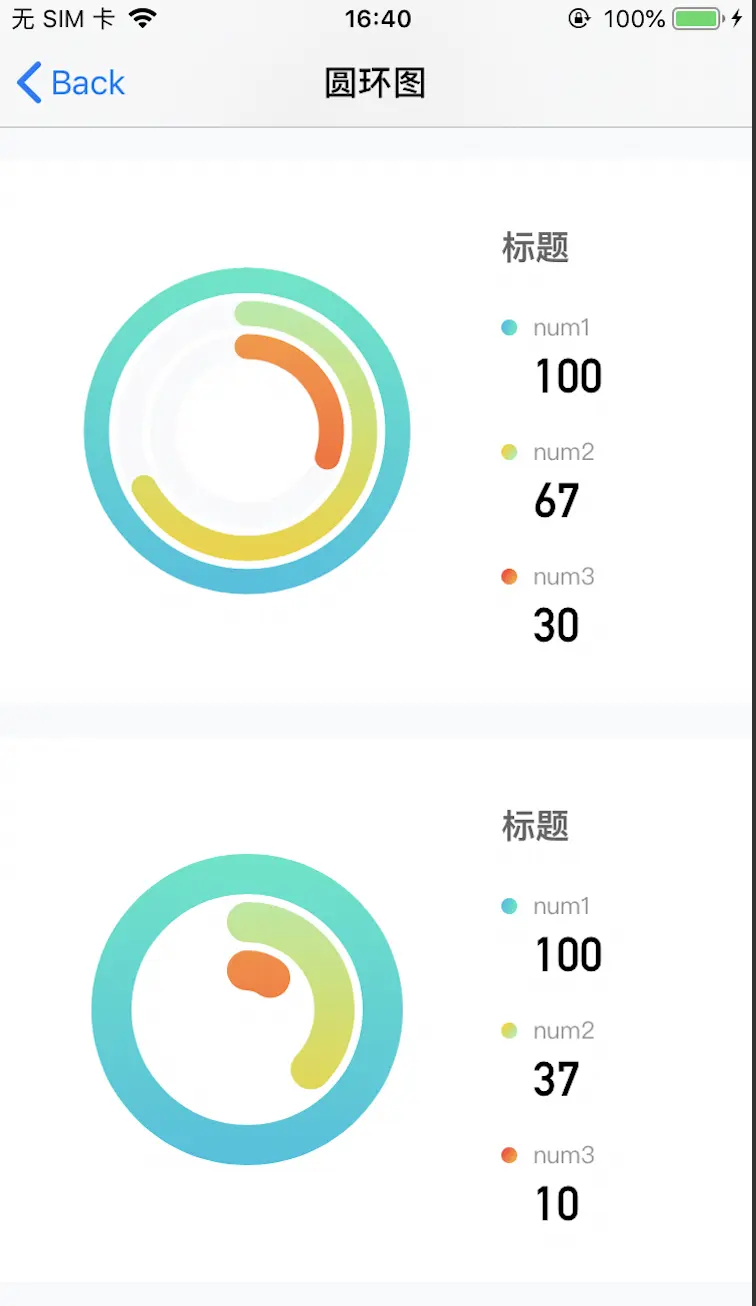
| 圆环图 |
暂无 |
是否动画,时间 |
环形及背景颜色,可渐变 |
环个数,环宽度,环间距离 |
是否有背景环 |
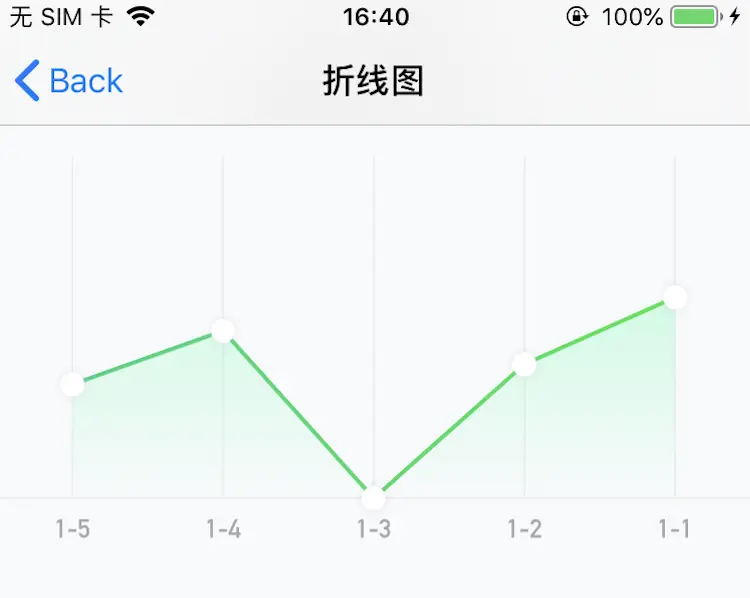
| 折线图 |
1.上 X 轴是否显示,线宽,线色; 2.下 X 轴是否显示,线宽,线色; 3.Y 轴是否显示,线宽,线色; 4.下 X 轴坐标高度,坐标颜色,坐标字体,坐标选中色; 5.Y 轴线选中色 |
是否动画,时间 |
折线及背景颜色,可渐变 |
折线宽度 |
折点按钮,一屏显示个数 |
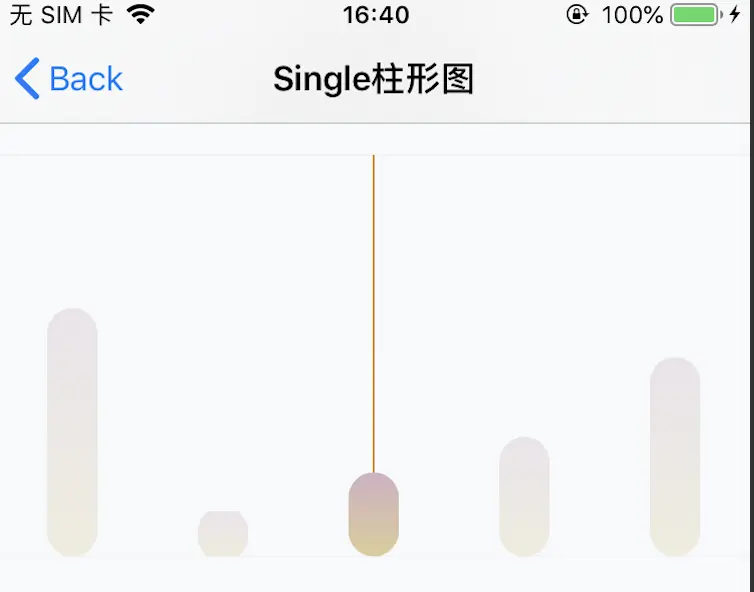
| 单/双柱形图 |
同上 |
是否动画,时间 |
背景颜色,可渐变 |
柱形宽度 |
一屏显示个数,透明度,柱形偏移 |
| 复合图(看你怎么自己合成) |
同上 |
同上 |
同上 |
同上 |
同上 |
二. V 1.0.0 版样式功能配置
| 图表类型 |
配置文件 |
备注 |
| 圆环图 |
WZRingAnimParams |
就用一次的话,直接配置文件里面改贼方便,多个就自己新建改吧 |
| 折线图 |
WZLineViewParams |
同上 |
| 单/双柱形图 |
WZColumnViewParams |
同上 |
| 复合图(看你怎么自己合成) |
看你怎么自己合成 |
同上 |
三. V 1.0.0 版已有功能
| 图表类型 |
功能 |
备注 |
| 圆环图 |
动态改变圆环弧度 |
无 |
| 折线图 |
按钮点击事件,获取折点坐标添加东西,右滑加载 |
啊,目前数据只能从右到左添加 |
| 单/双柱形图 |
按钮点击事件,获取顶点坐标添加东西,右滑加载 |
同上 |
| 复合图(看你怎么自己合成) |
看你怎么自己合成 |
同上 |
四. V 1.0.0 版其他工具类
| 类名 |
功能 |
备注 |
| CALayer+ShadowRadius.h |
添加阴影和圆角 |
优化了离屏渲染 |
| UIFont+SystemFontName.h |
全局改变系统字体 |
无 |
| UIResponder+Router.h |
页面传递方法 |
传递方法不复杂时用比delegate简单方便 |
| UIImage+Gif.h |
UIImage转gif |
无 |
五. V 1.0.0 版思路
- 图表类根据设计需求不同,其实不太好复用,所以思路比较重要。
1. 圆环图
- 通过 WZRingShapeLayer 来制定一个圆环,随后在 WZRingChartsView 中配置需求。
@interface WZRingShapeLayer : CALayer

/**
 创建单个圆环

 @param frame 位置
 @param cellWidth 宽度
 @param colorArray y颜色
 @param radius 半径
 @return CALayer
 */
- (instancetype)init:(CGRect)frame cellWidth:(float)cellWidth colorArray:(NSArray <UIColor *> *)colorArray radius:(float)radius;

/**
 环动画

 @param percent 环百分比
 @param animation 是否动画
 @param duration 动画时间
 */
- (void)wzRingShapeLayerRingChangeWithPercent:(double)percent animation:(BOOL)animation duration:(float)duration;

@end
@interface WZRingChartsView : UIView

- (instancetype)initWithFrame:(CGRect)frame animParams:(WZRingAnimParams *)animParams;

- (void)updateWZRingChartsViewWithPercentArray:(NSMutableArray<NSNumber *> *)percentArray;

@end
2. 折线图/柱形图/复合图
- 通过 WZChartsBaseBackView 作为父类,随后在各自图表中作为子类根据需求设计。
- 子类设计详见 雯子Cyan的图表框架 中。
@interface WZChartsBaseBackView : UIView

// 图表显示宽度
@property (readonly) CGFloat xAxisWidth;
// 图表总宽度
@property (readonly) CGFloat xAxisTotalWidth;
// 图表显示高度
@property (readonly) CGFloat yAxisHeight;
// 图表显示y轴条数
@property (readonly) NSInteger yShowCount;
// 图表y轴条数
@property (readonly) NSInteger yTotalCount;
// 图表y轴起始位置
@property (readonly) CGFloat yStartWidth;
// 图表y轴间距
@property (readonly) CGFloat yEachWidth;

@property (strong, nonatomic) UIScrollView *scrollView;
// y轴线条数组
@property (strong, nonatomic) NSMutableArray<CAShapeLayer *> *lineShapeLayerArray;
// 最后处于选中状态的y轴线
@property (strong, nonatomic) CAShapeLayer *lastLineShapeLayer;
// 下x轴CATextLayer数组
@property (strong, nonatomic) NSMutableArray<CATextLayer *> *bottomTextLayerArray;
// 最后处于选中状态的下x轴CATextLayer
@property (strong, nonatomic) CATextLayer *lastbottomTextLayer;

// 创建Y轴线 count(默认0条) showCount(默认0条)
-(void)createGridYAxisLineWithCount:(NSInteger)count showCount:(NSInteger)showCount ifShow:(BOOL)ifShow lineWidth:(float)lineWidth lineColor:(UIColor *)lineColor;
// 创建上X轴线(默认无)
-(void)createGridTopXAxisLineWithLineWidth:(float)lineWidth lineColor:(UIColor *)lineColor;
// 创建下X轴线(默认无)
-(void)createGridBottomXAxisLineWithLineWidth:(float)lineWidth lineColor:(UIColor *)lineColor;
// 创建下X轴线文字高度/文字样式
- (void)createBottomTextViewWithHeight:(float)height textColor:(UIColor *)textColor textFont:(UIFont *)textFont;

// 更新下X轴线文字及线条数
- (void)updateBottomTextViewWithTextArray:(NSMutableArray<NSString *> *)textArray lineCount:(NSInteger)lineCount;

@end
六. V 1.0.0 版待优化
- 渐变效果都是靠遮照生成的,有离屏渲染问题。ps 中有多种画法,但是感觉原理还是和 mask 有关,andriod 的 paint 可以直接设置渐变色,不知道内部原理跟 mask 有关吗。直接获取 CGContextRef 要在 drawRect 中画,但是动态的会影响性能,可能不行。
- 多条折线,目前仅一条,应该把折线分离出。
七. V 1.0.0 版 Example
- 已经可以自定义很多了,看你怎么用
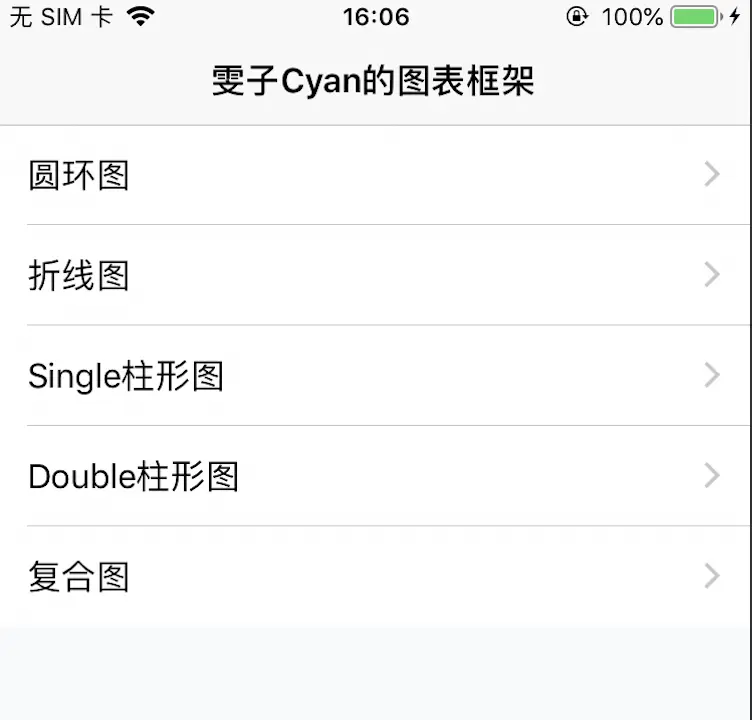
- WZRingChartsViewController -- 圆环图
- WZLineViewController -- 折线图
- WZSingleColumnViewController -- Single柱形图
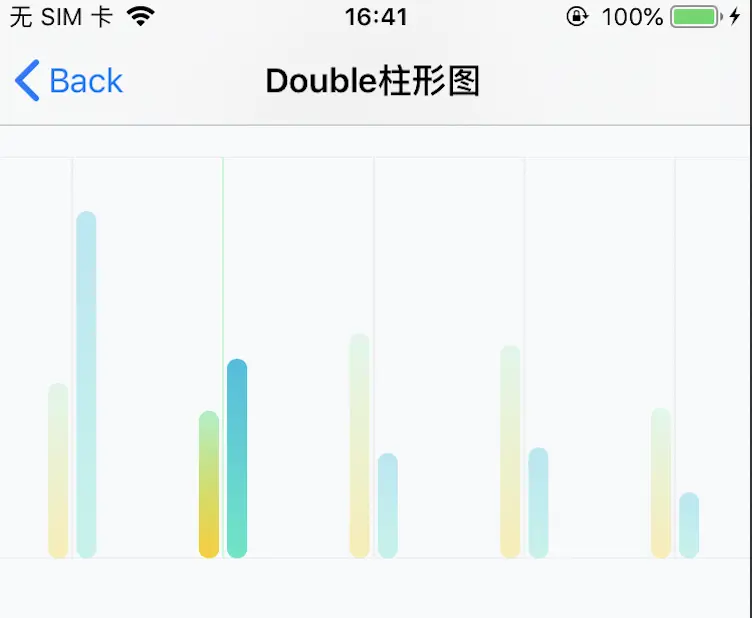
- WZDoubleColumnViewController -- Double柱形图
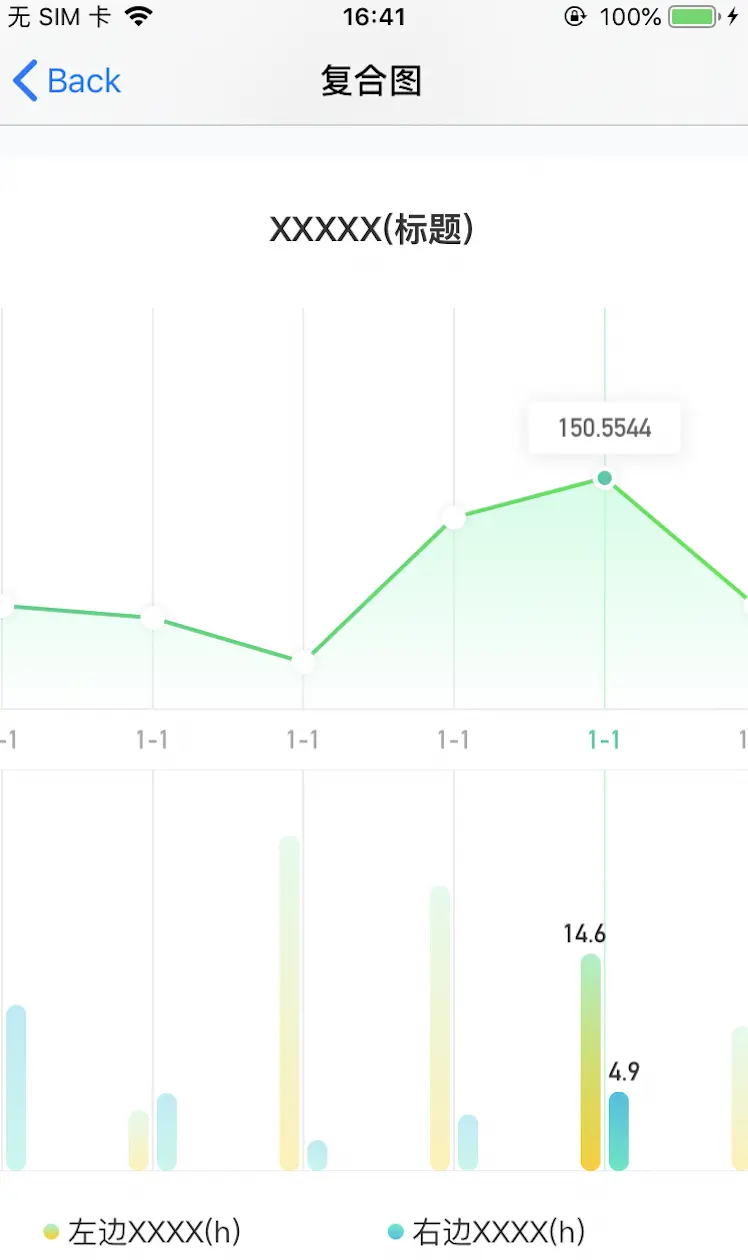
- WZGroupChartsViewController -- 复合图
八. V 1.0.0 版 Icon