有哪些参数
· this.props.match.match
· this.props.match.location
· this.props.match.history
也就是如果我们没用react-router中的route组件包裹组件,我们就需要通过上面形式获得url的信息,都是在match里面;而如果我们了react-router的route组件,我们就可以直接通过this.props.match,this.props.location,this.porps.history来获取url信息。
具体分析
在react组件的componentDidMount方法中打印一下this.props,控制台可以看到:
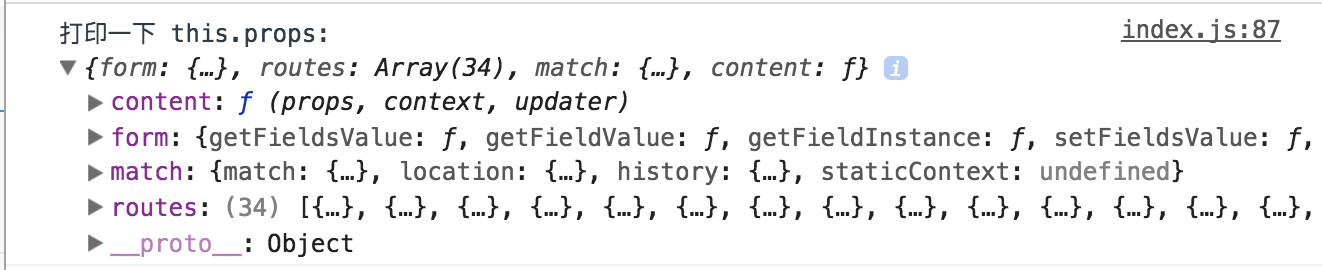
可以看到页面的URL信息全都包含在match字段中,以地址为例
localhost:3000/app/knowledgeManagement/modify/STY20171011124209535/3/1507701970070/0/?s=1&f=7
其中各个参数定义对应如下
localhost:3000/app/knowledgeManagement/modify/:studyNo/:stepId/:randomNum/:isDefault/?s=&f=
打印出this.props.match:
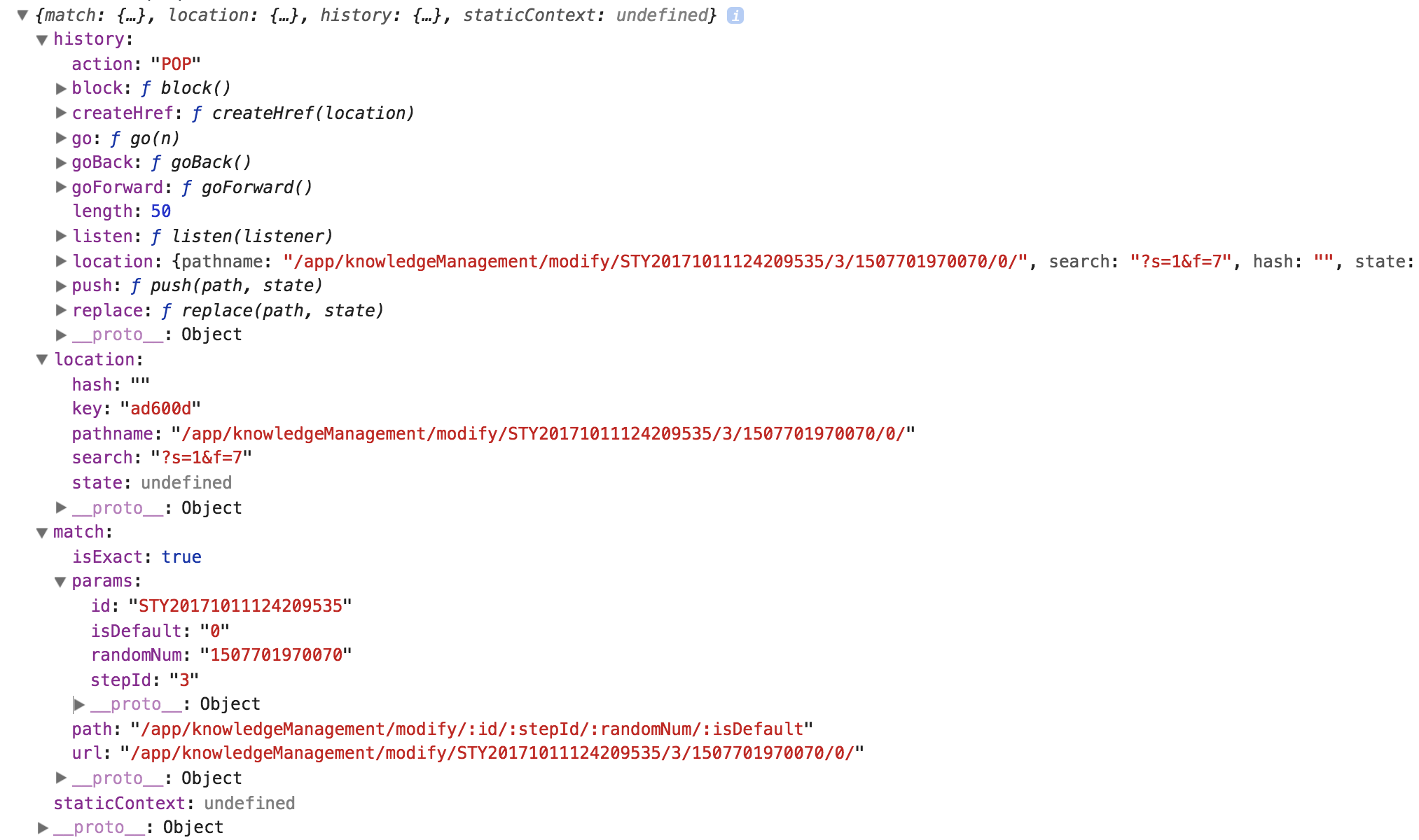
可以看到this.props.match中包含的URL信息是很丰富的,其中
-
history:包含了组件可以使用的各种路由系统的方法,常用的有 push 和 replace,两者都是跳转页面,但是 replace 不会引起页面的刷新,仅仅是改变 url。
-
location:相当于URL 的对象形式表示,通过 search 字段可以获取到 url 中的 query 信息。(这里 state 的含义与 HTML5 history.pushState API 中的 state 对象一样。每个 URL 都会对应一个 state 对象,你可以在对象里存储数据,但这个数据却不会出现在 URL 中。实际上,数据被存在了 sessionStorage 中)(参考: 深入理解 react-router 路由系统)
-
match:包含了具体的 url 信息,在 params 字段中可以获取到各个路由参数的值。
通过以上分析,获取 url 中的指定参数就十分简单了,下面是几个例子
// localhost:3000/app/knowledgeManagement/modify/STY20171011124209535/3/1507701970070/0/?s=1&f=7
// localhost:3000/app/knowledgeManagement/modify/:studyNo/:stepId/:randomNum/:isDefault/?s=1&f=7

// 获取 studyNo
this.props.match.match.params.studyNo // STY20171011124209535

// 获取 stepId
this.props.match.match.params.stepId // 3

// 获取 success
const query = this.props.match.location.search // '?s=1&f=7'
const arr = query.split('&') // ['?s=', 'f=7']
const successCount = arr[0].substr(3) // '1'
const failedCount = arr[1].substr(2) // '7'