

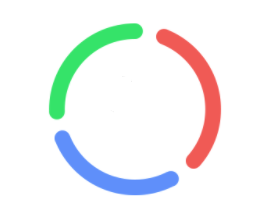
项目需要实现一个三色圆环,下面UI 效果:(部分细节已隐藏)
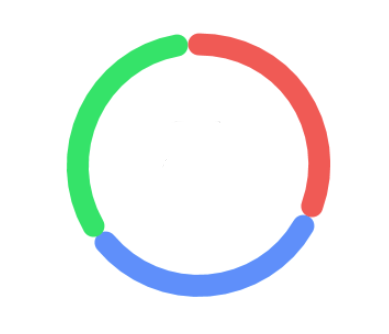
下图是实现之后的布局预览效果:
<?xml version="1.0" encoding="utf-8"?>
<LinearLayout xmlns:android="http://schemas.android.com/apk/res/android"
    android:layout_width="match_parent"
    android:layout_height="140dp"
    android:background="@color/white"
    android:gravity="center"
    android:orientation="horizontal">
    <CustormChartView
        android:id="@+id/ccv_percent"
        android:layout_width="120dp"
        android:layout_height="120dp" />
</LinearLayout>
具体实现代码
public class CustormChartView extends View {
    private final float PROGRESS_DEFAULT = 330;
    private Paint paint;
    /**
     * 第一个环的进度百分比
     */
    protected float wProgress;
    /**
     * 第二个环的进度百分比
     */
    protected float dProgress;
    /**
     * 第三个环的进度百分比
     */
    protected float lProgress;


    public CustormChartView(Context context) {
        this(context, null);
    }

    public CustormChartView(Context context, @Nullable AttributeSet attrs) {
        this(context, attrs, 0);
    }

    public CustormChartView(Context context, @Nullable AttributeSet attrs, int defStyleAttr) {
        super(context, attrs, defStyleAttr);
        this.wProgress = 1f / 3f * PROGRESS_DEFAULT;
        this.dProgress = wProgress;
        this.lProgress = wProgress;
        paint = new Paint();
        paint.setStyle(Paint.Style.STROKE);
        paint.setAntiAlias(true);
        paint.setStrokeCap(Paint.Cap.ROUND);
    }

    @Override
    protected void onMeasure(int widthMeasureSpec, int heightMeasureSpec) {
        super.onMeasure(widthMeasureSpec, heightMeasureSpec);

        int screen = Math.min(getScreen().widthPixels, getScreen().heightPixels);
        int width = screen * 2 / 3;
        int height = width;
        int widthMode = MeasureSpec.getMode(widthMeasureSpec);
        int heightMode = MeasureSpec.getMode(heightMeasureSpec);
        if (widthMode == MeasureSpec.EXACTLY) {
            width = MeasureSpec.getSize(widthMeasureSpec);
        }
        if (heightMode == MeasureSpec.EXACTLY) {
            height = MeasureSpec.getSize(heightMeasureSpec);
        }

        setMeasuredDimension(width, height);

    }

    @SuppressLint("DrawAllocation")
    @Override
    protected void onDraw(Canvas canvas) {
        super.onDraw(canvas);
        int circularWidth = 20;
        RectF rectF = new RectF(getPaddingLeft() + circularWidth / 2,
                getPaddingTop() + circularWidth / 2,
                getWidth() - getPaddingRight() - circularWidth / 2,
                getWidth() - getPaddingBottom() - circularWidth / 2);
        paint.setStrokeWidth(circularWidth);
        paint.setColor(Color.RED);
        canvas.drawArc(rectF, 30, wProgress, false, paint);
        paint.setColor(Color.BLUE);
        canvas.drawArc(rectF, 30 + wProgress +10 , dProgress, false, paint);
        paint.setColor(Color.GREEN);
        canvas.drawArc(rectF, 30 + wProgress + dProgress +20 , lProgress, false, paint);
    }

    private DisplayMetrics getScreen() {
        Resources resources = getResources();
        DisplayMetrics dm = resources.getDisplayMetrics();
        return dm;

    }

    @Keep
    public void setProgress(float wProgress, float dProgress, float lProgress) {
        this.wProgress = PROGRESS_DEFAULT * wProgress /100;
        this.dProgress = PROGRESS_DEFAULT * dProgress /100;
        this.lProgress = PROGRESS_DEFAULT * lProgress /100;
        invalidate();
    }
最终运行效果和UI设计效果一致。
