由于阮一峰的写的圣杯布局,有点小问题:中间内容过少,造成显示样式不美观
原因:header和footer高度不固定(flex:1)
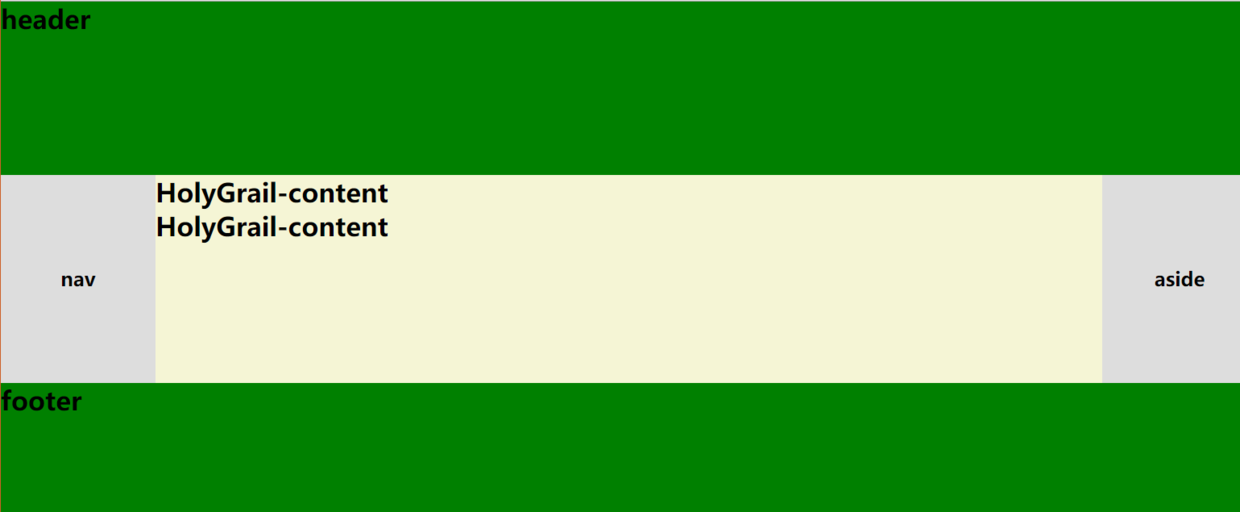
我就做了下修正,顺便也学习阮大神圣杯布局
HTML,为什么这样写,简单说就是语义化
好处:便于浏览器,搜索引擎解析
<body class="HolyGrail">
    <header>...</header>
    <section class="HolyGrail-body">
        <main class="HolyGrail-content"></main>
        <nav class="HolyGrail-left"></nav>
        <aside class="HolyGrail-right"></aside>
    </section>
    <footer>...</footer>
</body>
style
        .HolyGrail {
            display: flex;
            min-height: 100vh;
            flex-direction: column;
        }

        header,
        footer {
            min-height: 80px;
        }

        .HolyGrail-body {
            display: flex;
            flex: 1;
        }

        .HolyGrail-content {
            flex: 1;
        }

        .HolyGrail-left,
        .HolyGrail-right {
            flex: 0 0 100px;
        }

        .HolyGrail-left {
            /* 导航放到最左边*/
            order: -1;
        }
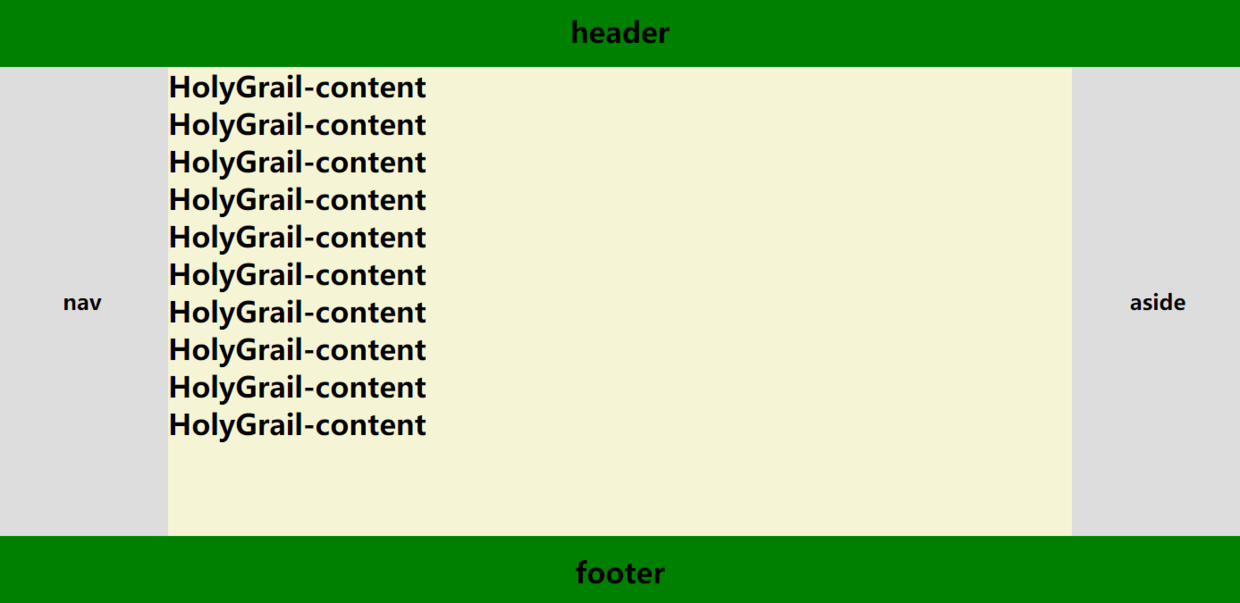
效果:
源代码:
<!DOCTYPE html>
<html lang="en">

<head>
    <meta charset="UTF-8">
    <meta name="viewport" content="width=device-width, initial-scale=1.0">
    <meta http-equiv="X-UA-Compatible" content="ie=edge">
    <link rel="stylesheet" href="https://yarnpkg.com/en/package/normalize.css">
    <title>Document</title>
    <style>
        html * {
            margin: 0;
            padding: 0;
        }

        .HolyGrail {
            display: flex;
            min-height: 100vh;
            flex-direction: column;
            background: #ddd;
        }

        header,
        footer {
            min-height: 80px;
            background: green;
            line-height: 80px;
            text-align: center;
        }

        .HolyGrail-body {
            display: flex;
            flex: 1;

        }

        .HolyGrail-content {
            flex: 1;
            background: #f5f5d5;
        }

        .HolyGrail-left,
        .HolyGrail-right {
            flex: 0 0 12em;
            display: flex;
            justify-content: center;
            align-items: center;
        }

        .HolyGrail-left {
            /* 导航放到最左边*/
            order: -1;
        }
    </style>
</head>

<body class="HolyGrail">
    <header>
        <h1>header</h1>
    </header>
    <div class="HolyGrail-body">
        <main class="HolyGrail-content">
            <h1>HolyGrail-content</h1>
            <h1>HolyGrail-content</h1>
        </main>
        <nav class="HolyGrail-left">
            <h1>nav</h1>
        </nav>
        <aside class="HolyGrail-right">
            <h1>aside</h1>
        </aside>
    </div>

    <footer>
        <h1>footer</h1>
    </footer>
</body>

</html>