一、
- 今天想把写好的代码push到gitlab上去,发现push许久出现链接超时的情况,具体bug如下:
ssh: connect to host gitlab.com port 22: Bad file number fatal: Could not read from remote repository.
Please make sure you have the correct access rights and the repository exists.
废话不多说,解决办法:
在windows用户目录.ssh下新建一个config文件,该文件是没有后缀名的,记住不是txt文件,然后输入内容:
##########################################################

Host gitlab.com
  Hostname altssh.gitlab.com
  User git
  Port 443
  PreferredAuthentications publickey
  IdentityFile ~/.ssh/id_rsa

##########################################################
测试是否成功,输入下面命令:
ssh -T git@gitlab.com
出现welcome yourUserName即可!
- gitlab配置ssh key问题
当一个ssh key在gitlab平台上配置超过1次,报出以下错误:
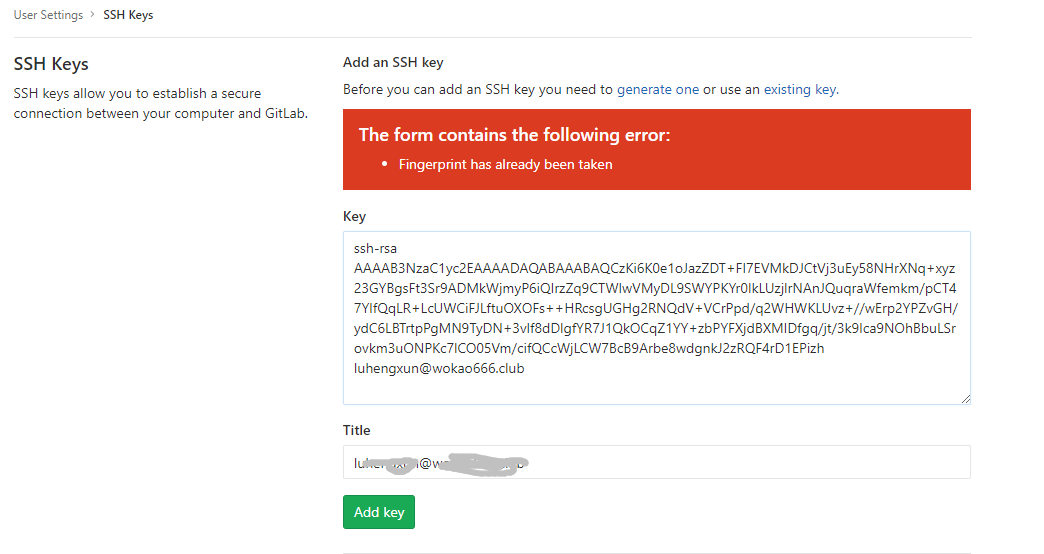
解决:一个key只能使用一次
二、文件名字太长
当我执行git add -A是提示文件名字太长,报错如下:
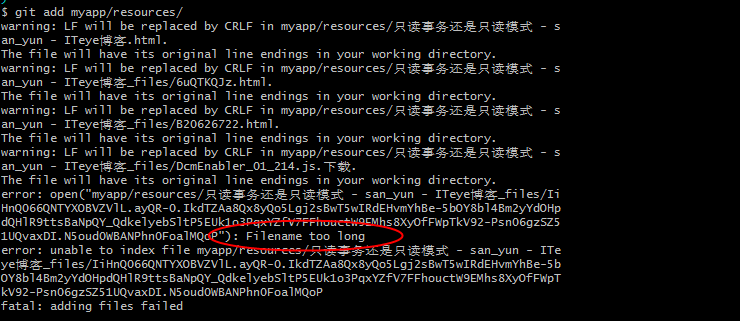
解决办法:
打开git bash,直接执行git config --global core.longpaths true,然后再次git add -A即可