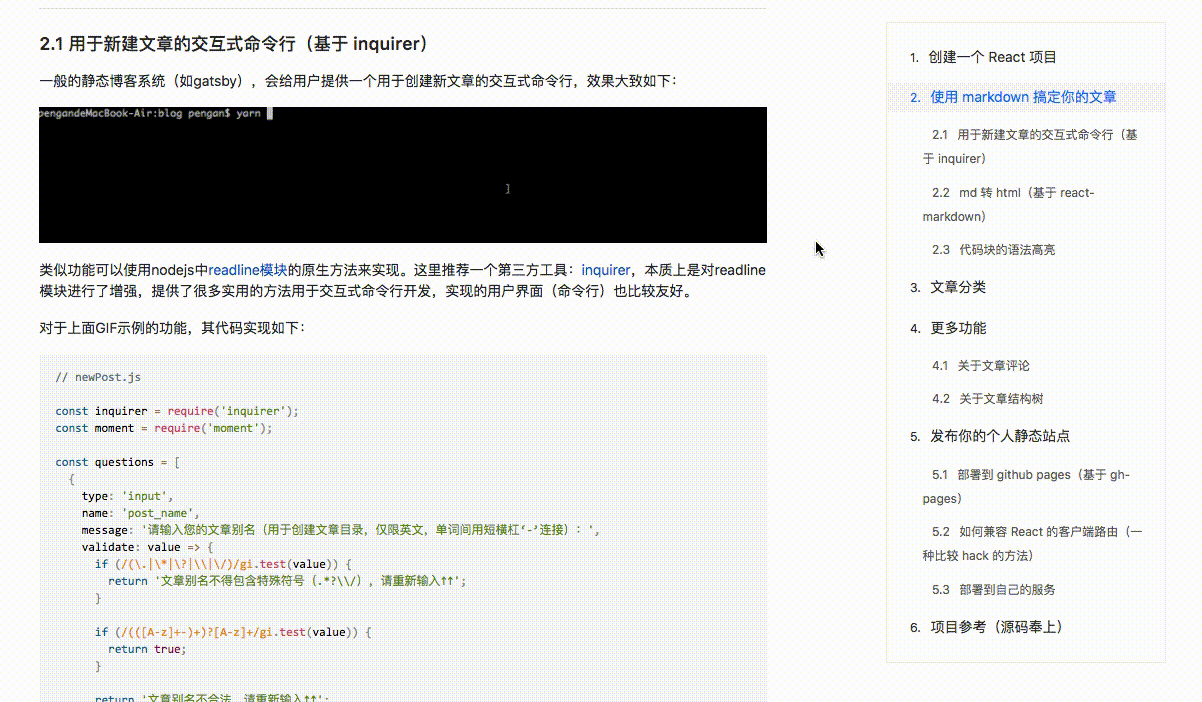
这可能是最实用的markdown文章结构树组件,使用此组件,你可以:
- 为读者显示文章目录
- 点击目录跳转到文章对应内容
- 分享带锚点hash值的url给读者
Best markdown navigation bar for React.
Install
yarn add markdown-navbar
or
npm install markdown-navbar
Usage
import MarkNav from 'markdown-navbar';
import 'markdown-navbar/dist/navbar.css';

const content = '## Heading One...\n\n## Heading Two...\n';

<MarkNav
  className="article-menu"
  source={content}
  headingTopOffset={80}
/>
Screenshots
Options
| Property | Data Type | Default Value | Description |
|---|---|---|---|
| className | string | "" | The className that defines the outermost container of navbar |
| source | string | "" | Markdown text content |
| headingTopOffset | number | 0 | Anchor displacement relative to the top of the window (for the anchor jump) |
| updateHashAuto | boolean | true | Automatically update the hash value of browser address when page scrolling if true |
| declarative | boolean | false | Use the text of the title from Markdown content as the hash value for the anchor if true |
| ordered | boolean | true | Whether the title contains a numerical prefix, such as: 1. 2. 2.2 |
License
MIT