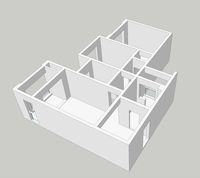
在Sketchup编程中,图层、Group(组)、Component(组件)能够很好对我们绘制的一些特定的点、线进行定义、管理和操作,比如我们通过 Sketchup 读取出下载到的CAD户型图,算法分析出这套户型的门窗,将这些代表门窗信息的线段设置为我们自己定义的图层。
图层:
# Sketchup 常用类别的使用
model = Sketchup.active_model
entities = model.entities
sel = model.selection
layers_arr = model.layers
list = model.definitions

# 图层
my_face = entities.add_face [[0,0,0],[100,0,0],[100,100,0],[0,100,0]]
new_layer = layers_arr.add "my_face"
# 设置图层
# 注意:这里只是设置了面的图层,并不包含形成面的线
my_face.layer = new_layer
# 设置图层状态
# my_face.layer.visible = false
Group:
line1 = entities.add_line [[0,0,100],[40,0,100],[20,20,100],[0,0,100]]
line2 = entities.add_line [[5,5,100],[15,15,100],[10,10,150],[5,5,100]]
group1 = entities.add_group [line1,line2]
group1.description = "这是个描述"

# 锁定集合  不能再进行更改
group1.locked = true
puts group1

my_face.pushpull -10
my_face_group = entities.add_group my_face.all_connected

# 对集合进行操作
my_face_group2 = my_face_group.copy

move_tran = Geom::Transformation.translation [0,100,0]
rotation_tran = Geom::Transformation.rotation [0,0,0],[1,0,0],90.degrees

tran = move_tran*rotation_tran
my_face_group2.transform! tran
关于 group 的缺点:
1、group 是独立存在的,不能与其他项目共用。
2、group进行复制后,更改了不会对所有的复制体进行更改。
Components(组件) :
是功能更强大的 group,它存储了元件的信息列表ComponentDefinition和实体对象Componentlnstance。
# 建立 components
# 1、直接将 group 转换为 components
my_face_component = my_face_group2.to_component

# 2、从 ComponentDefinition 进行新建,也可从 Components 文件夹中进行导入 skp文件

# 假设此处有 Box.skp 存在于 Components文件夹中
file_path = Sketchup.find_support_file "Box.skp", "Components/"

comp = list.load file_path

tran1 = Geom::Transformation.translation [0,200,0]
tran2 = Geom::Transformation.translation [200,0,0]
tran3 = Geom::Transformation.rotation [200,200,0],[0,0,1],45.degrees
tran4 = Geom::Transformation.translation [200,200,0]
inst1 = entities.add_instance comp,tran1
inst2 = entities.add_instance comp,tran2
inst3 = entities.add_instance comp,tran3*tran4