一直对一些问题没有去深的研究,有人说Intellij好,有人说MyEclipse好,有人说Eclipse好,其实萝卜青菜各有所爱,只是看大家使用的习惯或者说公司用什么,你不能左右的时候,请去适合周围的环境,当我们说建立一个类的时候,最后去重写其toString方法,但是我们是否考虑过生成自己喜欢的风格呢? 下面我就来介绍一下使用Eclipse定制生成toString模版
Eclipse官方文档
这里我借鉴了 https://help.eclipse.org/neon/index.jsp?topic=%2Forg.eclipse.jdt.doc.user%2Freference%2Fref-dialog-tostring.htm 文档说明,稍后再来回顾
定制toString模版图解
-
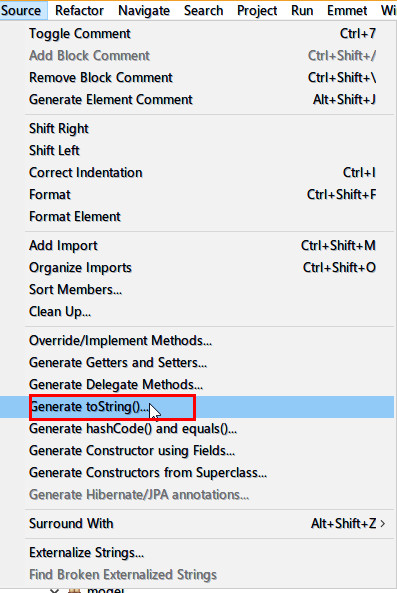
1.点击toString方法
-
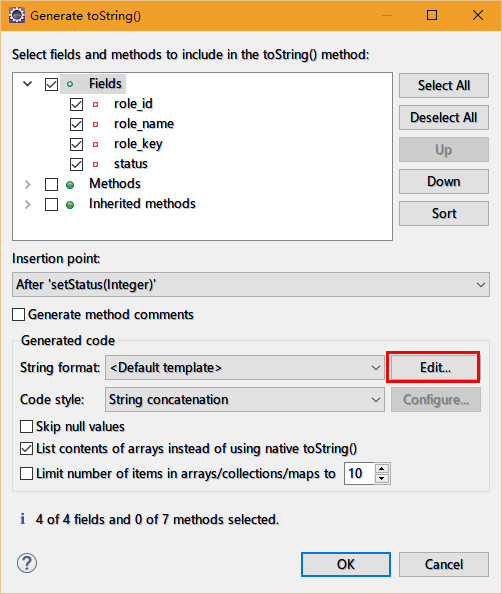
2.点击编辑按钮
-
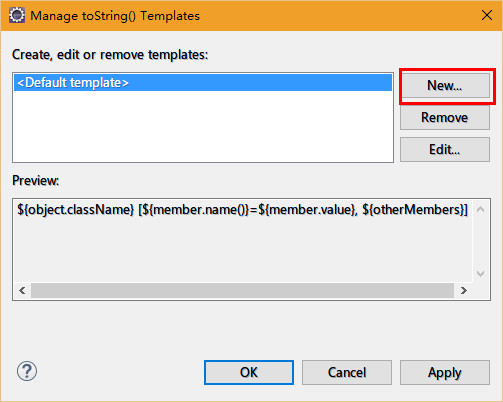
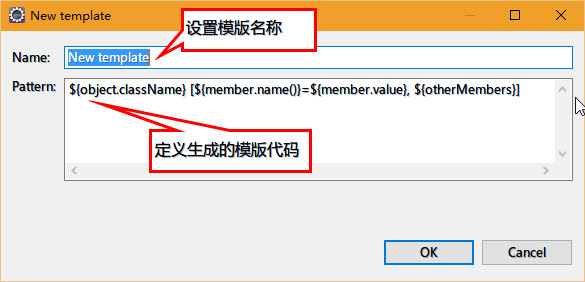
3.点击New按钮设计新的规则
-
4.定制生成Json格式的规则策略
{"className":"{object.getClassName}","{member.name()}":"{member.value}","{otherMembers}"}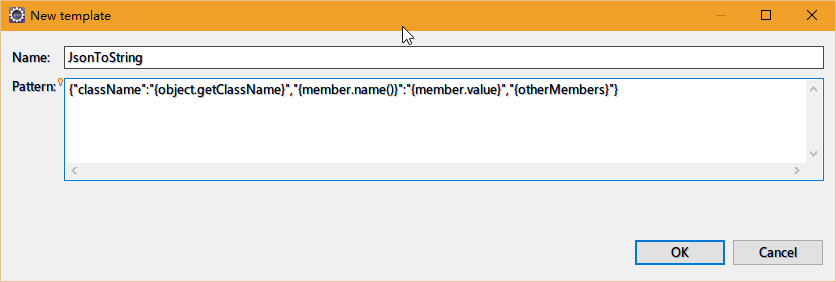
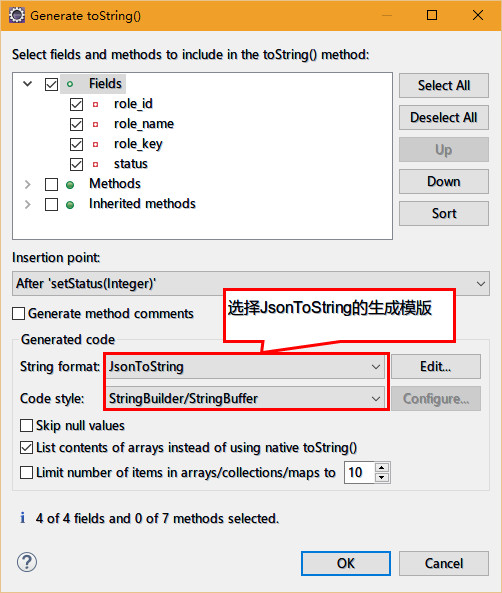
点击OK完成,之后需要在toString的页面设置
-
5.最后一步设置
-
6.生成效果如下
	@Override
	public String toString() {
		StringBuilder builder = new StringBuilder();
		builder.append("{\"");
		if (this.role_id != null) {
			builder.append("role_id\":\"");
			builder.append(this.role_id);
			builder.append("\",\"");
		}
		if (this.role_name != null) {
			builder.append("role_name\":\"");
			builder.append(this.role_name);
			builder.append("\",\"");
		}
		if (this.role_key != null) {
			builder.append("role_key\":\"");
			builder.append(this.role_key);
			builder.append("\",\"");
		}
		if (this.status != null) {
			builder.append("status\":\"");
			builder.append(this.status);
		}
		builder.append("\"}");
		return builder.toString();
	}
模版属性简单说明
${object.className} |
inserts the class name as a simple String |
|---|---|
${object.getClassName} |
inserts a call to this.getClass.getName() |
${object.superToString} |
inserts a call to super.toString() |
${object.hashCode} |
inserts a call to this.hashCode() |
${object.identityHashCode} |
inserts a call to System.identityHashCode(this) |
${member.name} |
inserts the first member's name |
${member.name()} |
inserts the first member's name followed by parenthesis in case of methods |
${member.value} |
inserts the first member's value |
${otherMembers} |
inserts the remaining members. For each member, the template fragment between the first and the last ${member.*} variable is evaluated and appended to the result. The characters between the last ${member.*} and ${otherMembers} define the separator that is inserted between members (${otherMembers} must stand after the last ${member.*} variable). |