笔者前阵子在抽取pdf文字时,碰到了一个棘手的问题:无法直接编辑加密的pdf文本。

什么是加密的pdf?加密的pdf 分为两类:第一种为pdf在打开需要密码;第二种是在pdf的操作受到了限制,需要密码才能解除限制。本文讨论第二种情况。
来看看一篇加密的pdf文档有哪些权利受到了限制(访问文档属性-->安全信息)。
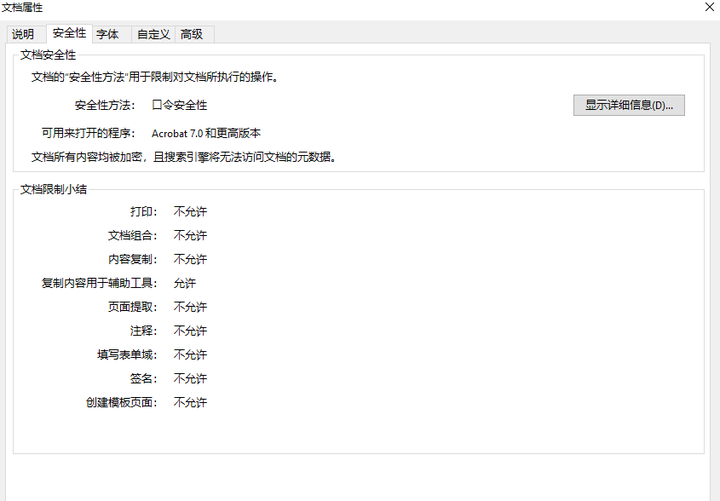
连打印都不允许……这,有点过了,毕竟招股书是公开的文档。
那么究竟如何去除加密的pdf文档的密码?注意,这里是去除,而不是破解。文章讨论将带有密码保护的pdf转化为没有密码保护的pdf,而不是如何获取密码。
--方案1--
推介一个网站【I LOVE PDF】
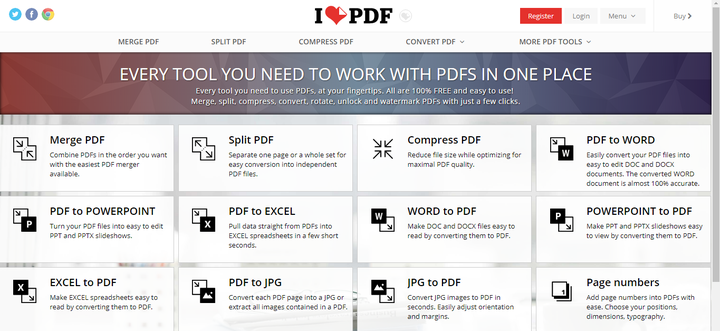
利用这个网站,你只需要上传文件,就能对pdf进行切割、合并、破解、转化为word等操作……挺棒的,免费,无需注册!
但是,如果有超过10M的文件,网站是不受理的;如果你有100份文件,那么就得上传100次……尺有所长,尺有所短,网站已经尽力了,毕竟设计初衷不是为了大批量处理文件。涉及机密文件,建议不要上传……
--方案2--
对于切割合并等基础操作,使用库pypdf操作即可--详情可查看笔者之前的文章《利用python处理PDF文本》。
对于密码解除,笔者尝试了诸多方案。这里就不废话了,直接上干货--qpdf。
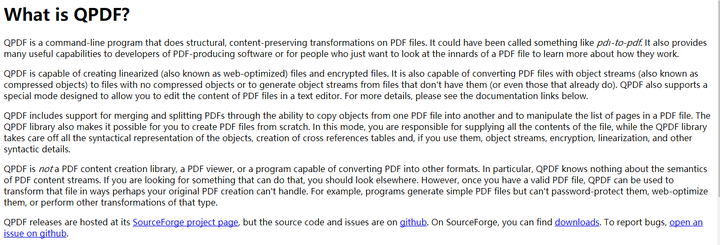
以上是官网对于QPDF介绍。简言之,qpdf是一款可以移除密码的在命令行终端操作的软件。
qpdf 的优势:
- 破除 256-bit encryption keys and AES
- 破除 default RC4 with 40, 128 or 256 bit key lengths
命令行语法如下:

其中:
- infilename 是指导入的文件的名字,也就是需要移除密码的文件
- outfilename:经过处理之后的需要导出的文件的名字,也就是最终你要的文件的名字
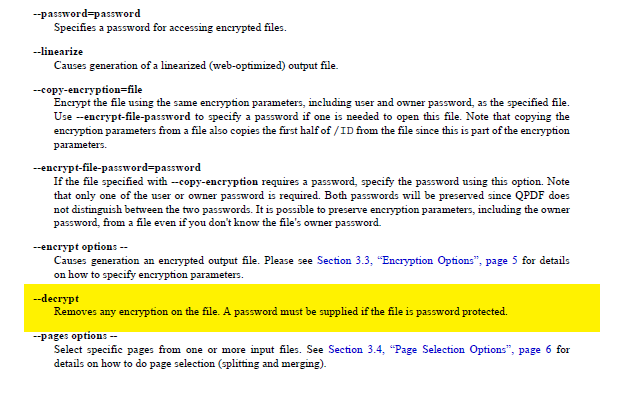
- options:需要使用的命令。下图是可以使用的命令的一小部分,其中黄色标注的的--decrypt 是我们需要的命令。这里很明显的提到:如果PDF打开时需要密码,则需要提供密码,这里仅仅移除文档的权限加密。
因此,在转到qpdf的安装目录下,你只需要在命令行终端收入一下命令:
qpdf --decrypt infilename outfilename
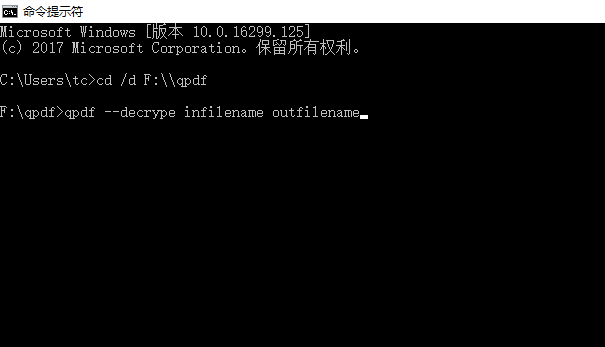
好了,对于单个文件确实可以这么处理。那么对于100个文件该如何处理?只需要在命令行终端输入100遍即可?嗯,是的,如果你不嫌麻烦。但是,重复的劳动,应该交给机器来完成。实际上,写个批处理就可以轻松搞定这个任务。
if 你会批处理:
-----文章到此结束----
else:
-----请继续阅读----
--------------------不会的批处理的朋友请往下看-------------------
好了,当你在使用命令行进行pdf解密时,你实际上在打开一个进程。
接下来要做的事情已经很明了,就是利用python调用命令行终端,建立多进程直接同时对多个文件进行处理。
python调用命令行终端库主要有os、subprocess
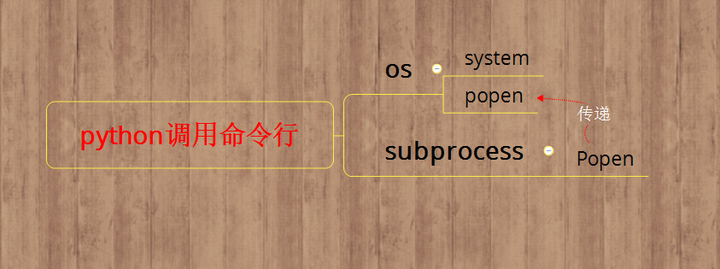
官网推荐,尽量不使用os.system;同时,o.popen也是调用subprocess.Popen,因此,推荐直接使用subprocess.Popen。subprocess.Popen语法如下:
class Popen(object):
    """ Execute a child program in a new process.

    For a complete description of the arguments see the Python documentation.

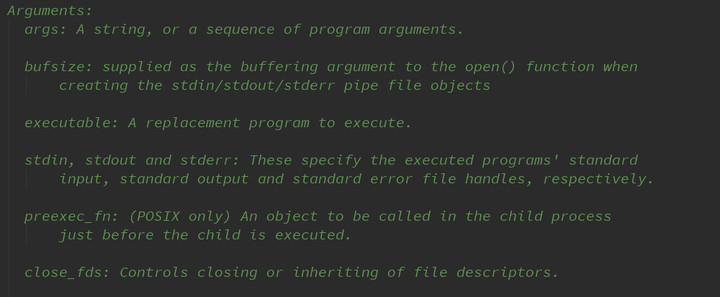
    Arguments:
      args: A string, or a sequence of program arguments.

      bufsize: supplied as the buffering argument to the open() function when
          creating the stdin/stdout/stderr pipe file objects

      executable: A replacement program to execute.

      stdin, stdout and stderr: These specify the executed programs' standard
          input, standard output and standard error file handles, respectively.

      preexec_fn: (POSIX only) An object to be called in the child process
          just before the child is executed.

      close_fds: Controls closing or inheriting of file descriptors.

      shell: If true, the command will be executed through the shell.

      cwd: Sets the current directory before the child is executed.

      env: Defines the environment variables for the new process.

      universal_newlines: If true, use universal line endings for file
          objects stdin, stdout and stderr.

      startupinfo and creationflags (Windows only)

      restore_signals (POSIX only)

      start_new_session (POSIX only)

      pass_fds (POSIX only)

      encoding and errors: Text mode encoding and error handling to use for
          file objects stdin, stdout and stderr.

    Attributes:
        stdin, stdout, stderr, pid, returncode
    """
    _child_created = False  # Set here since __del__ checks it

    def __init__(self, args, bufsize=-1, executable=None,
                 stdin=None, stdout=None, stderr=None,
                 preexec_fn=None, close_fds=_PLATFORM_DEFAULT_CLOSE_FDS,
                 shell=False, cwd=None, env=None, universal_newlines=False,
                 startupinfo=None, creationflags=0,
                 restore_signals=True, start_new_session=False,
                 pass_fds=(), *, encoding=None, errors=None):
        """Create new Popen instance."""
        _cleanup()
        # Held while anything is calling waitpid before returncode has been
        # updated to prevent clobbering returncode if wait() or poll() are
        # called from multiple threads at once.  After acquiring the lock,
        # code must re-check self.returncode to see if another thread just
        # finished a waitpid() call.
        self._waitpid_lock = threading.Lock()

        self._input = None
        self._communication_started = False

#------------------------丑陋的界面--------------------
我们分步来分析subprocess.Popen
首先,Popen是一个类

其自带一个初始化函数
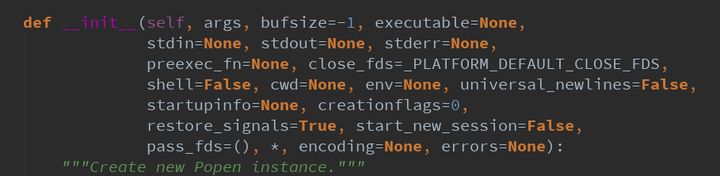
初始化参数里面有若干个参数,我们逐一展示
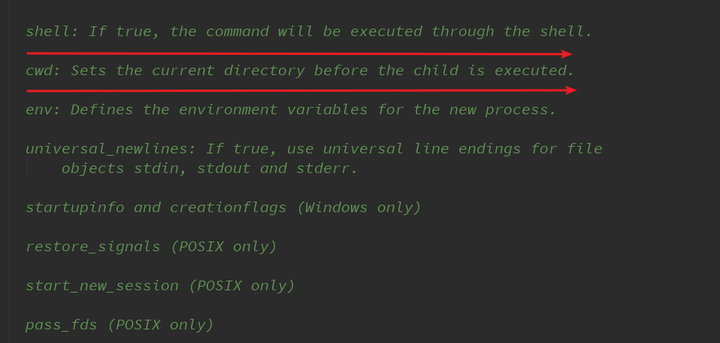
重点来看看shell参数。
如果直接通过命令行来执行,那么shell = True
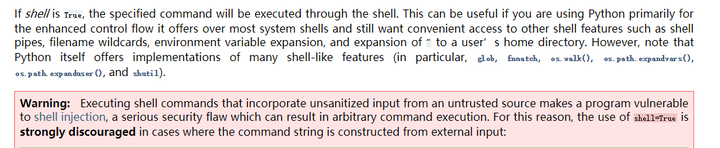
简单来说,如果你的程序依赖于其他命令行输入,那么使用shell相当危险!由于我们不需要在命令行直接输入命令,因此这里并无风险。
为何我们要关注shell这个参数?好吧,如果shell= False,将直接导致程序错误,找不到文件([Errno 2] No such file or directory)!
好了,函数解析完毕,直接上代码
#批量破解pdf密码
import subprocess
import  os
path = r"F:\qpdf"
pre = r"C:\Users\tctctct\PycharmProjects\yxpl\files"  #初始pdf文件夹
final = r"D:\yxpl"     #存放破解的pdf的文件夹
files = os.listdir(pre)
exit_files = os.listdir(final)
for j  in files:
    if j not in exit_files:
        abs_file = os.path.join(pre,j)
        out_file = os.path.join(final,j)
        cmd = ["qpdf","--decrypt",abs_file,out_file]  #命令行终端命令
        sub = subprocess.Popen(args=cmd,cwd=path,shell=True)  #不要忘记cwd
        sub.wait()   #最好加上,否则可能由于多个进程同时执行带来机器瘫痪
后续:
- 有兴趣朋友可以借助tkinter或者pyqt做一个用户界面,方便python用户使用。如果懂点pyinstaller,也可以将程序打包成exe文件,方便完全不懂python的小白使用。
- pdf 文章有了,如何抽取里面的文字?请看《利用python处理PDF文本》
- 文字也有了, 如何识别出你要的内容或者进行转化?请学习自然语言处理+正则表达式
- 拓展思路,命令行可以做的事,python可以直接做。再进一步,其他语言做好的事情,python来调用。例如,java库pdfbpox擅长处理pdf ,那么就写个pdfbox python接口,直接调用。