ngrx 是 Angular框架的状态容器,提供可预测化的状态管理。
1.首先创建一个可路由访问的模块 这里命名为:DemopetModule。
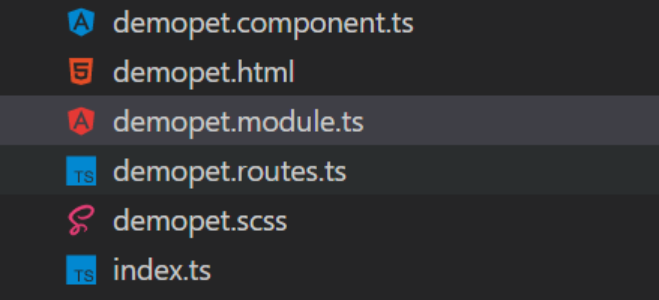
包括文件:demopet.html、demopet.scss、demopet.component.ts、demopet.routes.ts、demopet.module.ts
代码如下:
demopet.html
Demo
demopet.scssh1{ color:#d70029; } demopet.component.ts
import { Component} from '@angular/core';
@Component({ selector: 'demo-pet', styleUrls: ['./demopet.scss'], templateUrl: './demopet.html' }) export class DemoPetComponent { //nothing now... } demopet.routes.ts
import { DemoPetComponent } from './demopet.component';
export const routes = [ { path: '', pathMatch: 'full', children: [ { path: '', component: DemoPetComponent } ] } ]; demopet.module.ts
import { CommonModule } from '@angular/common'; import { FormsModule } from '@angular/forms'; import { NgModule } from '@angular/core'; import { RouterModule } from '@angular/router'; import { routes } from './demopet.routes';
@NgModule({ declarations: [ DemoPetComponent, ], imports: [ CommonModule, FormsModule, RouterModule.forChild(routes) ], providers: [ ] }) export class DemoPetModule {
} 整体代码结构如下:
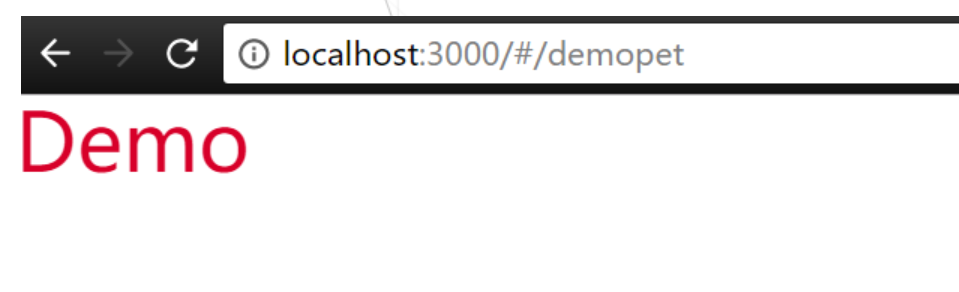
运行效果如下:只是为了学习方便,能够有个运行的模块
2.安装ngrx
npm install @ngrx/core --save
npm install @ngrx/store --save
npm install @ngrx/effects --save
@ngrx/store是一个旨在提高写性能的控制状态的容器
3.使用ngrx
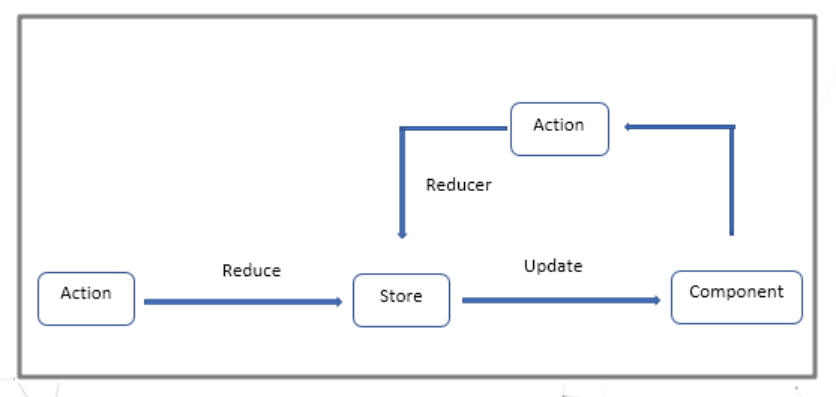
首先了解下单向数据流形式
代码如下:
pet-tag.actions.ts
import { Injectable } from '@angular/core'; import { Action } from '@ngrx/store';
@Injectable() export class PettagActions{ static LOAD_DATA='Load Data'; loadData():Action{ return { type:PettagActions.LOAD_DATA }; }
static LOAD_DATA_SUCCESS='Load Data Success';
loadDtaSuccess(data):Action{
    return {
        type:PettagActions.LOAD_DATA_SUCCESS,
        payload:data
    };
}


static LOAD_INFO='Load Info';
loadInfo():Action{
    return {
        type:PettagActions.LOAD_INFO
    };
}

static LOAD_INFO_SUCCESS='Load Info Success';
loadInfoSuccess(data):Action{
    return {
        type:PettagActions.LOAD_INFO_SUCCESS,
        payload:data
    };
}
} pet-tag.reducer.ts
import { Action } from '@ngrx/store'; import { Observable } from 'rxjs/Observable'; import { PettagActions } from '../action/pet-tag.actions';
export function petTagReducer(state:any,action:Action){ switch(action.type){
    case PettagActions.LOAD_DATA_SUCCESS:{

        return action.payload;
    }

    // case PettagActions.LOAD_INFO_SUCCESS:{

    //     return action.payload;
    // }

    default:{

        return state;
    }
}
}
export function infoReducer(state:any,action:Action){ switch(action.type){
    case PettagActions.LOAD_INFO_SUCCESS:{

        return action.payload;
    }

    default:{

        return state;
    }
}
} NOTE:Action中定义了我们期望状态如何发生改变 Reducer实现了状态具体如何改变
Action与Store之间添加ngrx/Effect 实现action异步请求与store处理结果间的解耦
pet-tag.effect.ts
import { Injectable } from '@angular/core'; import { Effect,Actions } from '@ngrx/effects'; import { PettagActions } from '../action/pet-tag.actions'; import { PettagService } from '../service/pet-tag.service';
@Injectable() export class PettagEffect {
constructor(
    private action$:Actions,
    private pettagAction:PettagActions,
    private service:PettagService
){}


@Effect() loadData=this.action$
            .ofType(PettagActions.LOAD_DATA)
            .switchMap(()=>this.service.getData())
            .map(data=>this.pettagAction.loadDtaSuccess(data))


@Effect() loadInfo=this.action$
            .ofType(PettagActions.LOAD_INFO)
            .switchMap(()=>this.service.getInfo())
            .map(data=>this.pettagAction.loadInfoSuccess(data));
}
4.修改demopet.module.ts 添加 ngrx支持
import { StoreModule } from '@ngrx/store'; import { EffectsModule } from '@ngrx/effects'; import { PettagActions } from './action/pet-tag.actions'; import { petTagReducer,infoReducer } from './reducer/pet-tag.reducer'; import { PettagEffect } from './effect/pet-tag.effect'; @NgModule({ declarations: [ DemoPetComponent, ], imports: [ CommonModule, FormsModule, RouterModule.forChild(routes), //here new added StoreModule.provideStore({ pet:petTagReducer, info:infoReducer }), EffectsModule.run(PettagEffect) ], providers: [ PettagActions, PettagService ] }) export class DemoPetModule { }
5.调用ngrx实现数据列表获取与单个详细信息获取
demopet.component.ts
import { Component, OnInit, ViewChild, AfterViewInit } from '@angular/core'; import { Observable } from "rxjs"; import { Store } from '@ngrx/store'; import { Subscription } from 'rxjs/Subscription'; import { HttpService } from '../shared/services/http/http.service'; import { PetTag } from './model/pet-tag.model'; import { PettagActions } from './action/pet-tag.actions';
@Component({ selector: 'demo-pet', styleUrls: ['./demopet.scss'], templateUrl: './demopet.html' }) export class DemoPetComponent {
private sub: Subscription; public dataArr: any; public dataItem: any; public language: string = 'en'; public param = {value: 'world'};
constructor( private store: Store, private action: PettagActions ) {
this.dataArr = store.select('pet');
}
ngOnInit() {
this.store.dispatch(this.action.loadData());
}
ngOnDestroy() {
this.sub.unsubscribe();
}
info() {
console.log('info');
this.dataItem = this.store.select('info');
this.store.dispatch(this.action.loadInfo());
}
} demopet.html
Demo
- DEMO : {{ d.msg }} info
{{ d.msg }}
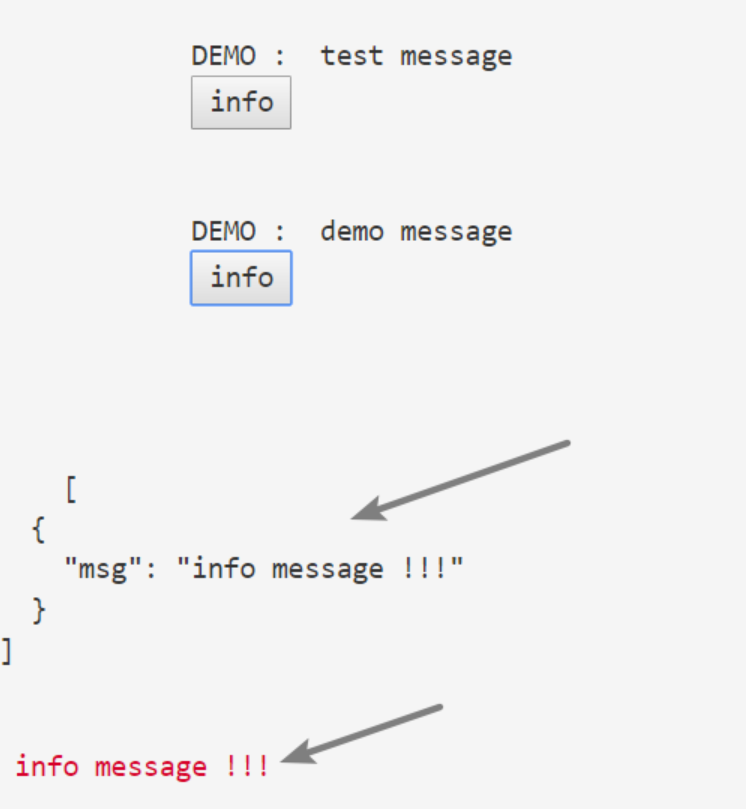
6.运行效果
初始化时候获取数据列表
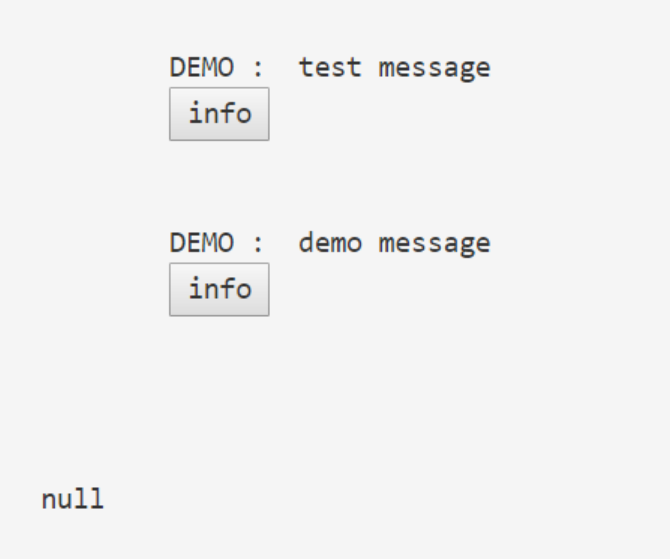
点击info按钮 获取详细详细
7.以上代码是从项目中取出的部分代码,其中涉及到HttpService需要自己封装,data.json demo.json两个测试用的json文件,名字随便取的当时。
http.service.ts
import { Inject, Injectable } from '@angular/core'; import { Http, Response, Headers, RequestOptions, URLSearchParams } from '@angular/http'; import { Observable } from "rxjs"; import 'rxjs/add/operator/map'; import 'rxjs/operator/delay'; import 'rxjs/operator/mergeMap'; import 'rxjs/operator/switchMap'; import 'rxjs/add/operator/catch'; import 'rxjs/add/observable/throw'; import { handleError } from './handleError'; import { rootPath } from './http.config';
@Injectable() export class HttpService {
private _root: string="";

constructor(private http: Http) {

    this._root=rootPath;
}

public get(url: string, data: Map<string, any>, root: string = this._root): Observable<any> {
    if (root == null) root = this._root;

    let params = new URLSearchParams();
    if (!!data) {
        data.forEach(function (v, k) {
            params.set(k, v);
        });

    }
    return this.http.get(root + url, { search: params })
                    .map((resp: Response) => resp.json())
                    .catch(handleError);
}
}
8.微信公众号