

前言
每次开发项目前,都会对新建项目的目录结构进行整理,闲暇时把它记录下来
新建项目
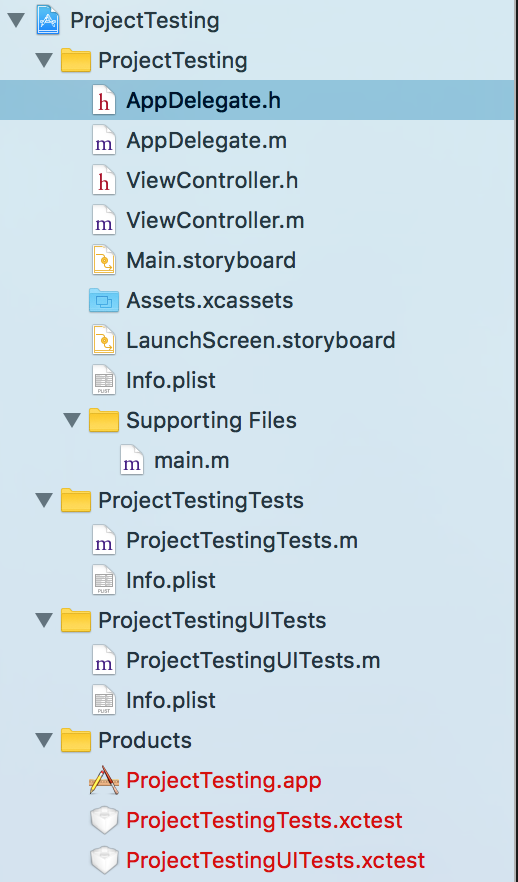
新建项目,这时你会看到项目左侧目录如图所示
归类
- 将
ViewController.h、ViewController.m、Main.Storyboard3个文件 Move to Trash - 将
结构.zip里面的文件夹拖动到项目目录ProjectTestinggroup中 - 将Assets.xcassets 移动到
resource-image下 - 将AppDelegate.h和AppDelegate.m 拷贝一份,将项目中的删除,在把拷贝的那一份拖进
Resource-AppDelegate目录下 - 将Assets.xcassets 拖进 Resourse-Image 目录下
- 将
LaunchScreen.storyboard移动到Resourse-global目录下 - 将
Info.plist移动到Resourse-Plist目录下
版本号,适配设备,支持方向
选择项目文件,在右侧选择targets-General-Deploymentinfo选项,选择版本号,适配设备,支持方向
设置launchImage文件
- 在
assets.xcassets里面新建launchImage文件,添加启动图 - 选择项目文件,在选择
targets-General-app icons and launch images选项然后更改launch image source为刚才新建的launchImage文件 - 然后将下面的
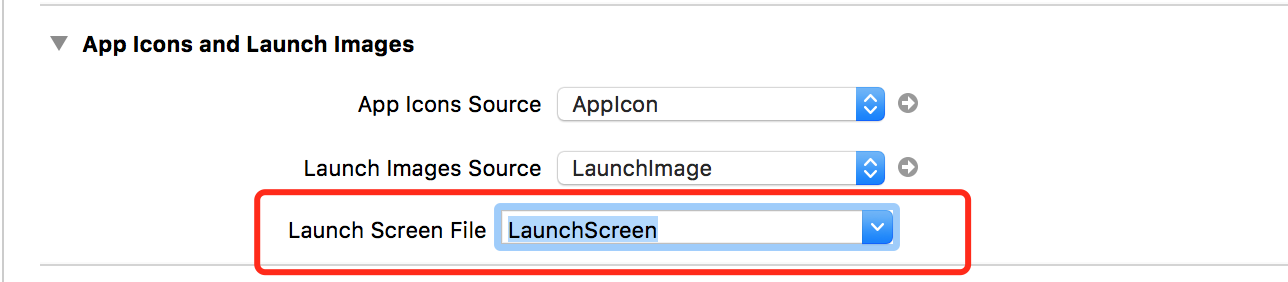
Launch screen file路径置为空
更改默认启动页
选择项目文件,在右侧选择targets-info-custom iOS target properties选项,删除main story board file base name
设置AppDelegate
更改appdelegate名字
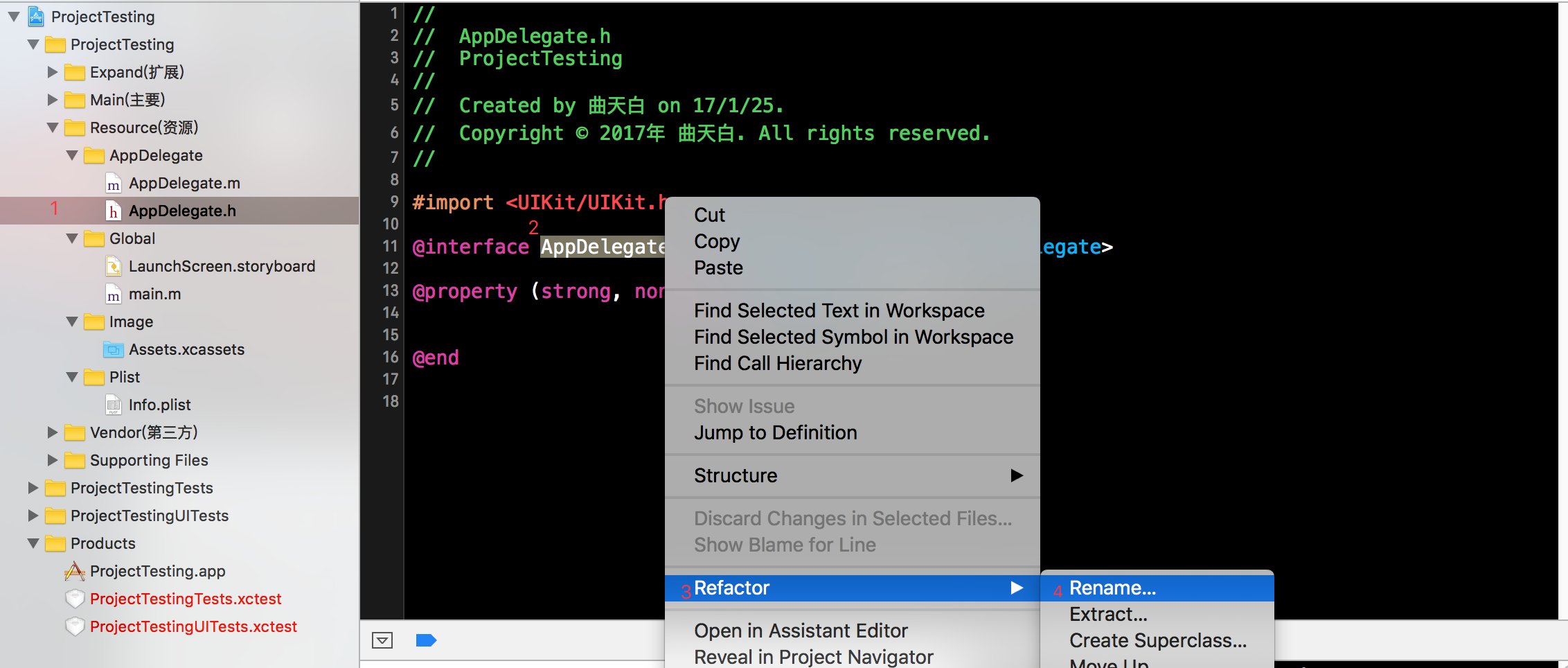

然后选择你要改的文件,然后点击save,然后你会发现,appdelegate的类的名字改变了,main主函数入口也改变了

指定启动页
- (BOOL)application:(UIApplication *)application didFinishLaunchingWithOptions:(NSDictionary *)launchOptions {
    // Override point for customization after application launch.

    [IQKeyboardManager sharedManager].shouldResignOnTouchOutside = YES;

    self.window = [[UIWindow alloc] initWithFrame:[[UIScreen mainScreen] bounds]];

    self.window.rootViewController = [[TabBarController alloc]init];

    self.window.backgroundColor = [UIColor blackColor];

    [self.window makeKeyAndVisible];

    [self registerUMeng];

    return YES;
}
bulid:
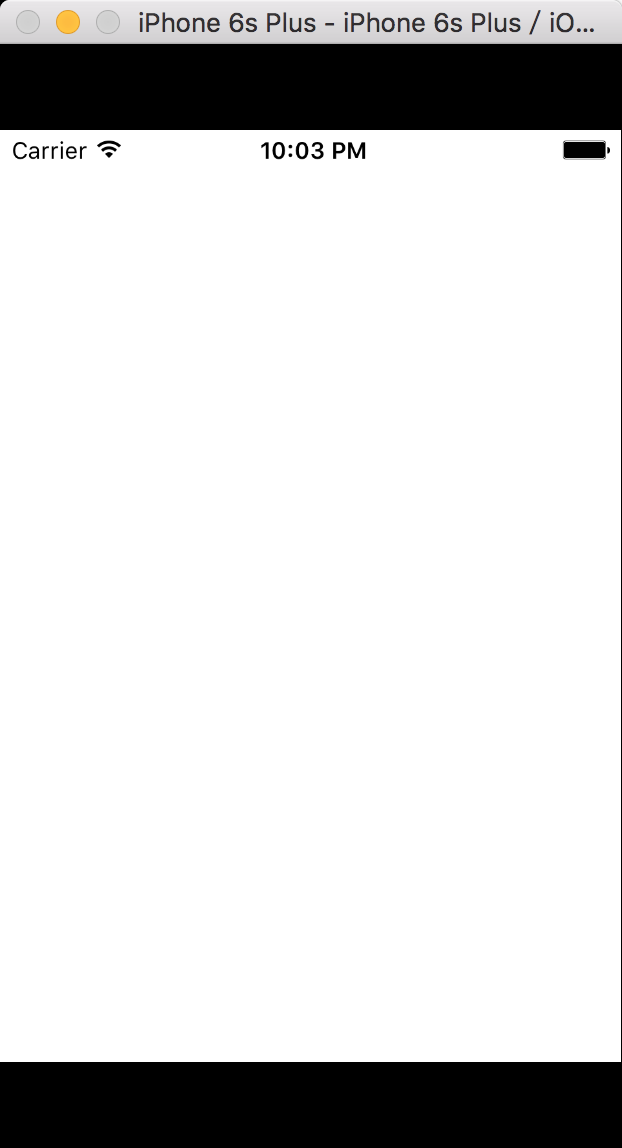
是因为没有这个尺寸的启动图
添加启动图(全尺寸)
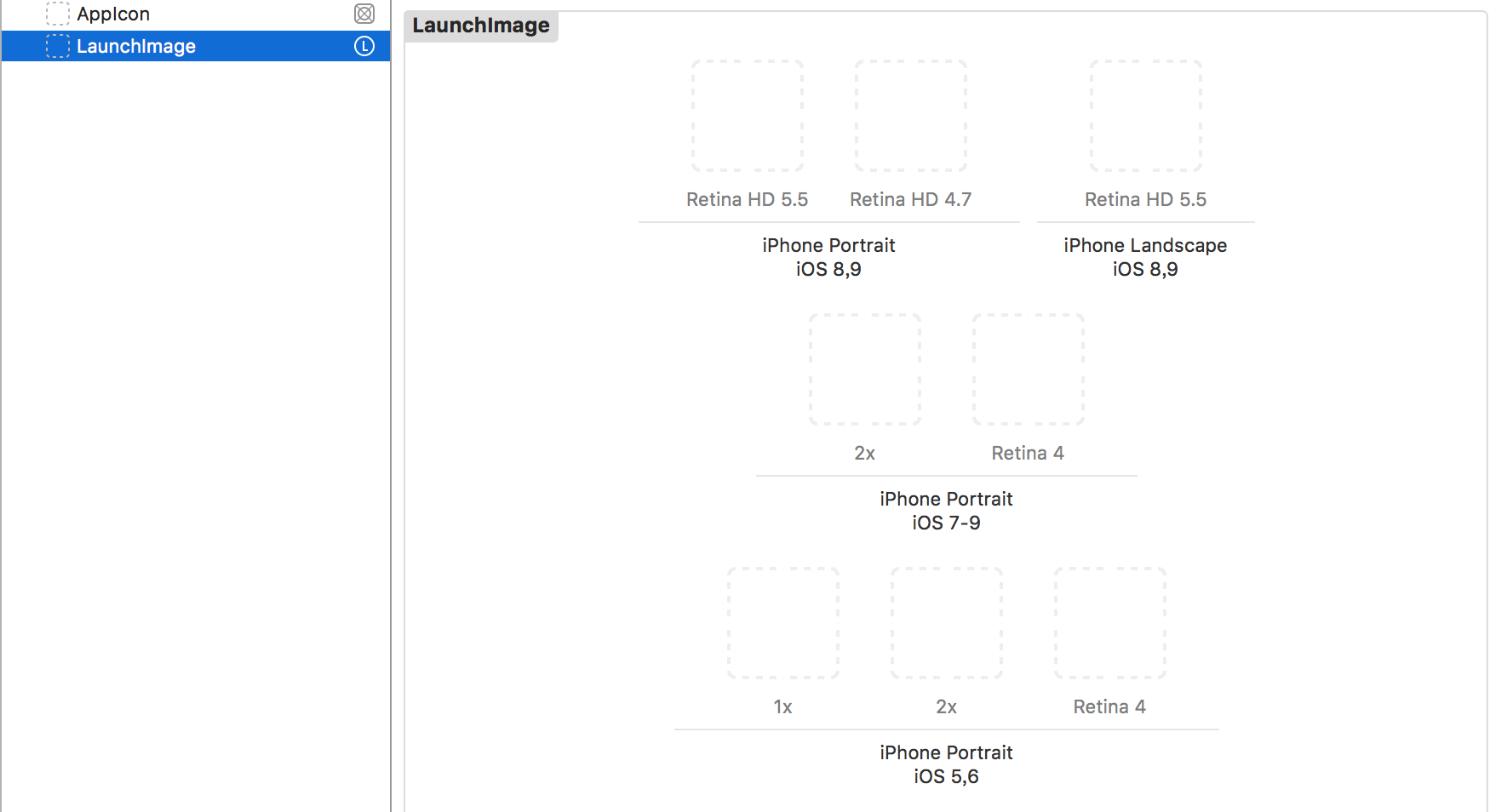
或者: 暂时使用launch.storyboard代替
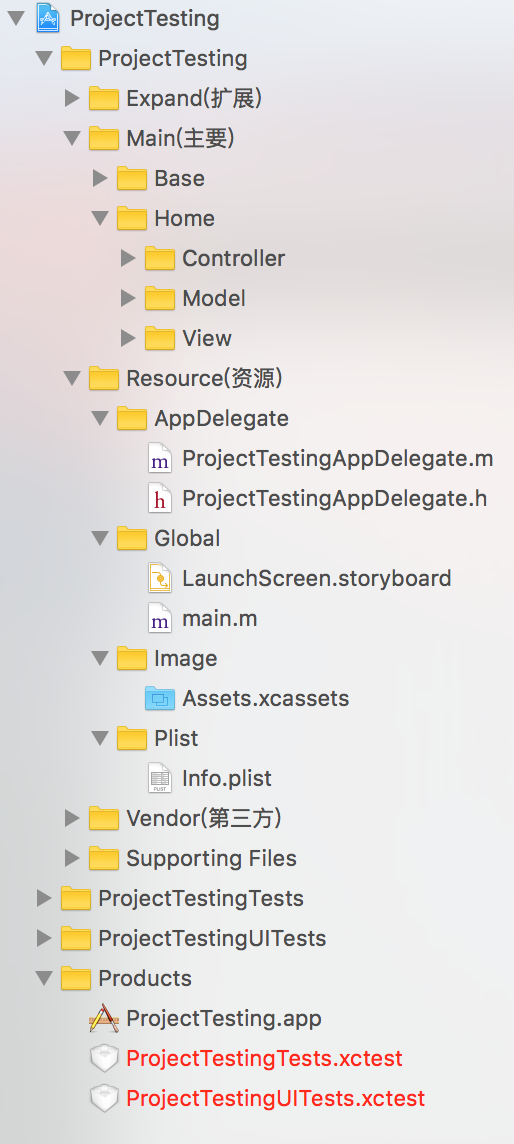
此时你的项目目录为
info.plist 扩展
添加支持
右键项目的info.plist-open as-source code 添加如下
<key>LSApplicationQueriesSchemes</key>
	<array>
		<string>wechat</string>
		<string>weixin</string>
		<string>sinaweibohd</string>
		<string>sinaweibo</string>
		<string>sinaweibosso</string>
		<string>weibosdk</string>
		<string>weibosdk2.5</string>
		<string>mqqapi</string>
		<string>mqq</string>
		<string>mqqOpensdkSSoLogin</string>
		<string>mqqconnect</string>
		<string>mqqopensdkdataline</string>
		<string>mqqopensdkgrouptribeshare</string>
		<string>mqqopensdkfriend</string>
		<string>mqqopensdkapi</string>
		<string>mqqopensdkapiV2</string>
		<string>mqqopensdkapiV3</string>
		<string>mqzoneopensdk</string>
		<string>wtloginmqq</string>
		<string>wtloginmqq2</string>
		<string>mqqwpa</string>
		<string>mqzone</string>
		<string>mqzonev2</string>
		<string>mqzoneshare</string>
		<string>wtloginqzone</string>
		<string>mqzonewx</string>
		<string>mqzoneopensdkapiV2</string>
		<string>mqzoneopensdkapi19</string>
		<string>mqzoneopensdkapi</string>
		<string>mqzoneopensdk</string>
		<string>alipay</string>
		<string>alipayshare</string>
	</array>
	<key>LSRequiresIPhoneOS</key>
	<true/>
	<key>NSAppTransportSecurity</key>
	<dict>
		<key>NSAllowsArbitraryLoads</key>
		<true/>
	</dict>
	<key>NSBluetoothPeripheralUsageDescription</key>
	<string>是否许允此App使用蓝牙?</string>
	<key>NSCalendarsUsageDescription</key>
	<string>是否允许此App使用日历?</string>
	<key>NSCameraUsageDescription</key>
	<string>是否允许此App使用你的相机?</string>
	<key>NSContactsUsageDescription</key>
	<string>是否允许此App访问你的通讯录?</string>
	<key>NSLocationWhenInUseUsageDescription</key>
	<string>我们需要通过您的地理位置信息获取您周边的相关数据</string>
	<key>NSMicrophoneUsageDescription</key>
	<string>是否允许此App使用你的麦克风?</string>
	<key>NSPhotoLibraryUsageDescription</key>
	<string>是否允许此App访问你的媒体资料库?</string>
	<key>NSSpeechRecognitionUsageDescription</key>
	<string>是否允许此App使用语音识别?</string>
未完待续。。。
