第三篇,说一说页面跳转与传值。 react-navigation组件使用来做页面跳转的。 使用下面的命令进行安装。
npm install --save react-navigation
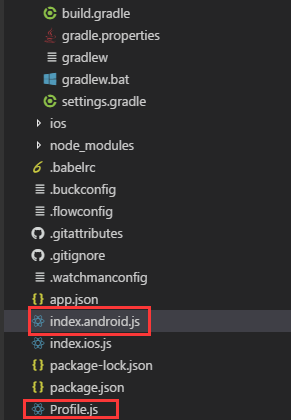
两个页面分别写在两个js文件中,第一个是index.android.js,第二个页面是Profile.js
import React, { Component } from 'react';
import {
  AppRegistry,
  StyleSheet,
  Button
} from 'react-native';

import ProfileScreen from './Profile.js';

import {
  StackNavigator,
} from 'react-navigation';


export default class debug extends Component {
  static navigationOptions = {
    title: '1',
  };
  render() {
    const { navigate } = this.props.navigation;
    return (
      <Button
        title="Go to 2 page"
        onPress={() => navigate('Profile', { user: 'Lucy' })}
      />
    );
  }

}
const App = StackNavigator({
  Main: { screen: debug },
  Profile: { screen: ProfileScreen },
});
const styles = StyleSheet.create({
  container: {
    flex: 1,
    justifyContent: 'center',
    alignItems: 'center',
    backgroundColor: '#F5FCFF',
  },
  item: {
    padding: 10,
    fontSize: 18,
    height: 44,
  },
});


AppRegistry.registerComponent('debug', () => App);
首先需要引入第二个页面和react-navigation组件。
import ProfileScreen from './Profile.js';

import {
  StackNavigator,
} from 'react-navigation';
然后声明页面
const App = StackNavigator({
  Main: { screen: debug },
  Profile: { screen: ProfileScreen },
});
debug就是第一个页面,ProfileScreen 是第二个页面。
再然后是注册App
AppRegistry.registerComponent('debug', () => App);
这里要注意的是'debug'是应用的名字,后面的App是StackNavigator对象。
页面的跳转与传值
render() {
    const { navigate } = this.props.navigation;
    return (
      <Button
        title="Go to 2 page"
        onPress={() => navigate('Profile', { user: 'Lucy' })}
      />
    );
  }
在Profile.js中取到传递的值
import React, { Component } from 'react';
import {
  AppRegistry,
  StyleSheet,
  Alert,
  Text
} from 'react-native';
export default class Profile extends Component {

  static navigationOptions = {
    title: '2',
  };
  render() {
     const { params } = this.props.navigation.state;
    return (
      <Text>{params.user}This is 2 Page</Text>
    );
  }

}
到此一个简单的页面跳转与传值就完成了。