什么是Scroller?
翻译为弹性滑动对象,可以实现View的弹性滑动动画,与Scroller相关的就是大家比较熟悉的scrollTo和scrollBy方法,可以用来实现View的滑动,但是它们的缺点就是瞬间完成,无法很平滑地过渡,而Scroller可以帮助我们很平滑地进行弹性滑动。
使用
一般使用在自定义View中较多,可以实现View的弹性滑动效果
1、自定义一个View,注释很详细
/**
 * 自定义View 里面有个Scroller 它能实现非常平滑的滚动效果 就像动画一样 可以控制在多长时间内滚动到指定位置
 *
 * @author yangfan
 *
 */
public class DIYView extends LinearLayout
{

	// 创建一个Scroller
	private Scroller mScroller;

	public DIYView(Context context)
	{
		this(context, null);
	}

	// 1、创建Scroller
	public DIYView(Context context, AttributeSet attrs)
	{
		super(context, attrs);
		mScroller = new Scroller(context);
	}

	// 2、触摸回调,每次X轴方向加100,然后调用smoothScrollTo
	@Override
	public boolean onTouchEvent(MotionEvent event)
	{
		int disX = mScroller.getFinalX() + 100;

		Log.e("***************", "onTouchEvent");
		smoothScrollTo(disX, 0);
		return super.onTouchEvent(event);
	}

	// 3、根据坐标差 调用smoothScrollBy
	public void smoothScrollTo(int fx, int fy)
	{
		int dx = fx - mScroller.getFinalX();
		int dy = fy - mScroller.getFinalY();
		smoothScrollBy(dx, dy);
	}

	// 4、调用startScroll设置坐标,然后invalidate重绘
	public void smoothScrollBy(int dx, int dy)
	{

		// 参数一:startX 参数二:startY为开始滚动的位置,dx,dy为滚动的偏移量, 1500ms为完成滚动的时间
		mScroller.startScroll(mScroller.getFinalX(), mScroller.getFinalY(), dx,
				dy, 3000);
		invalidate();
	}

	// 5、重绘过程会调用computeScroll 真正调用scrollTo进行滚动 然后再进行重绘
	@Override
	public void computeScroll()
	{

		// 判断滚动是否完成 true就是未完成
		if (mScroller.computeScrollOffset())
		{

			scrollTo(mScroller.getCurrX(), mScroller.getCurrY());

			// 本案例中 调用postInvalidate和invalidate都可以
			invalidate();
		}
		super.computeScroll();
	}

}
2、布局中使用自定义View
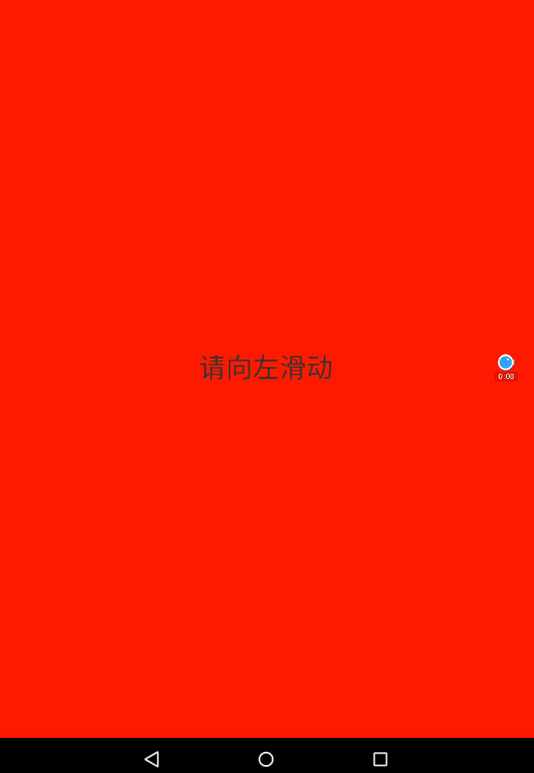
<com.abc.edu.scroll.DIYView xmlns:android="http://schemas.android.com/apk/res/android"
    xmlns:tools="http://schemas.android.com/tools"
    android:layout_width="fill_parent"
    android:layout_height="fill_parent"
    android:background="#ffffff" >

    <!-- 弄一个提示文本 -->

    <TextView
        android:layout_width="fill_parent"
        android:layout_height="fill_parent"
        android:background="#ff0000"
        android:gravity="center"
        android:text="请向左滑动"
        android:textSize="30sp" />

</com.abc.edu.scroll.DIYView>
3、测试运行,然后用手指在屏幕滑动几下
注意点
Scroller本身并不能实现View的滑动,本质还是让View重绘,重绘中调用View的computeScroll方法,在该方法中进行滑动方法的具体实现,然后再调用重绘函数,如此反复才会在界面上形成不断滑动的动画。