

Espresso
- Espresso是什么
由Google提供的开源native测试框架。支持所有版本的Android API.
- 如何测试
- 通过使用
Rule来获取Activity - 针对
Activity中的元素进行操作,进而达到测试的目的
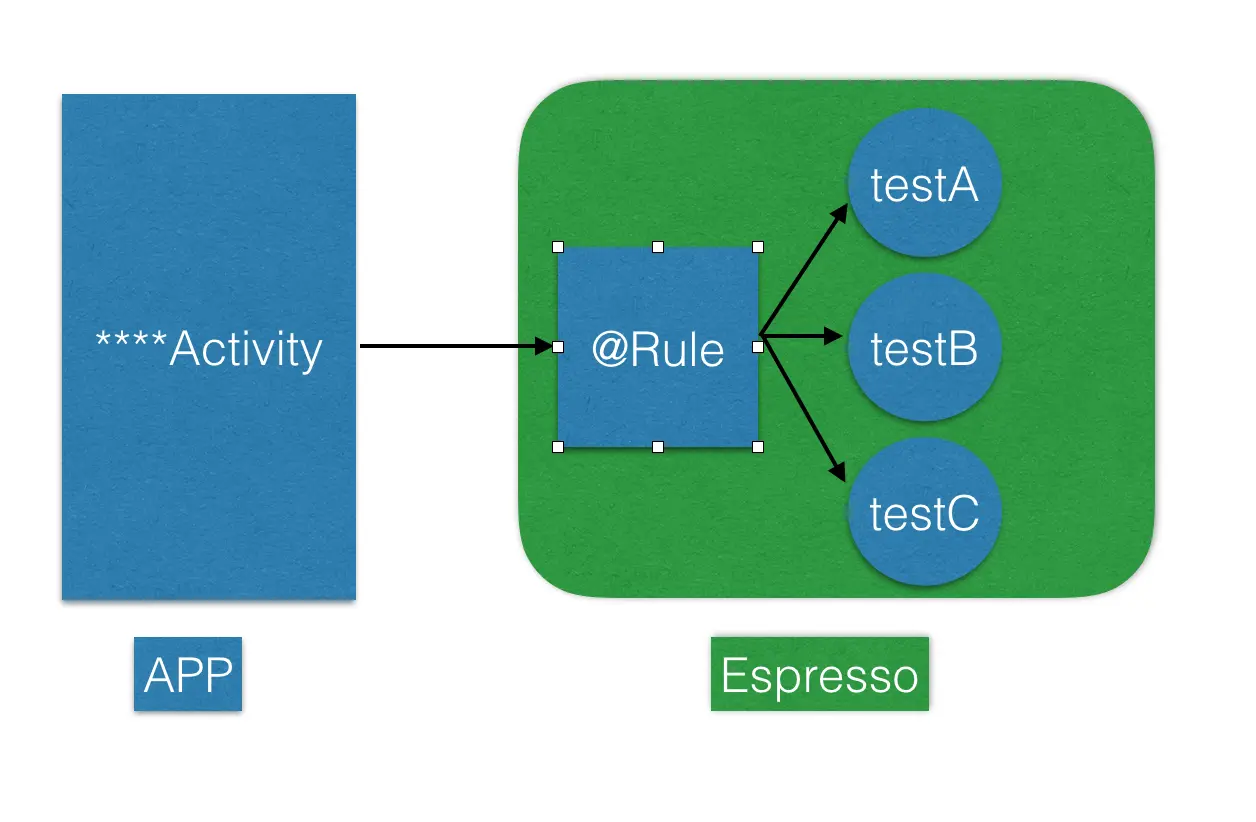 Espresso工作原理
- 通过使用

- 测试运行的基础组件
- onView: 查找元素
- .perform: 执行一个
操作 - .check: 验证结果
onView(withId(R.id.my_view))            // withId(R.id.my_view) is a ViewMatcher
        .perform(click())               // click() is a ViewAction
        .check(matches(isDisplayed())); // matches(isDisplayed()) is a ViewAssertion
准备工作
- SDK Tool: 安装
Android Support Repository
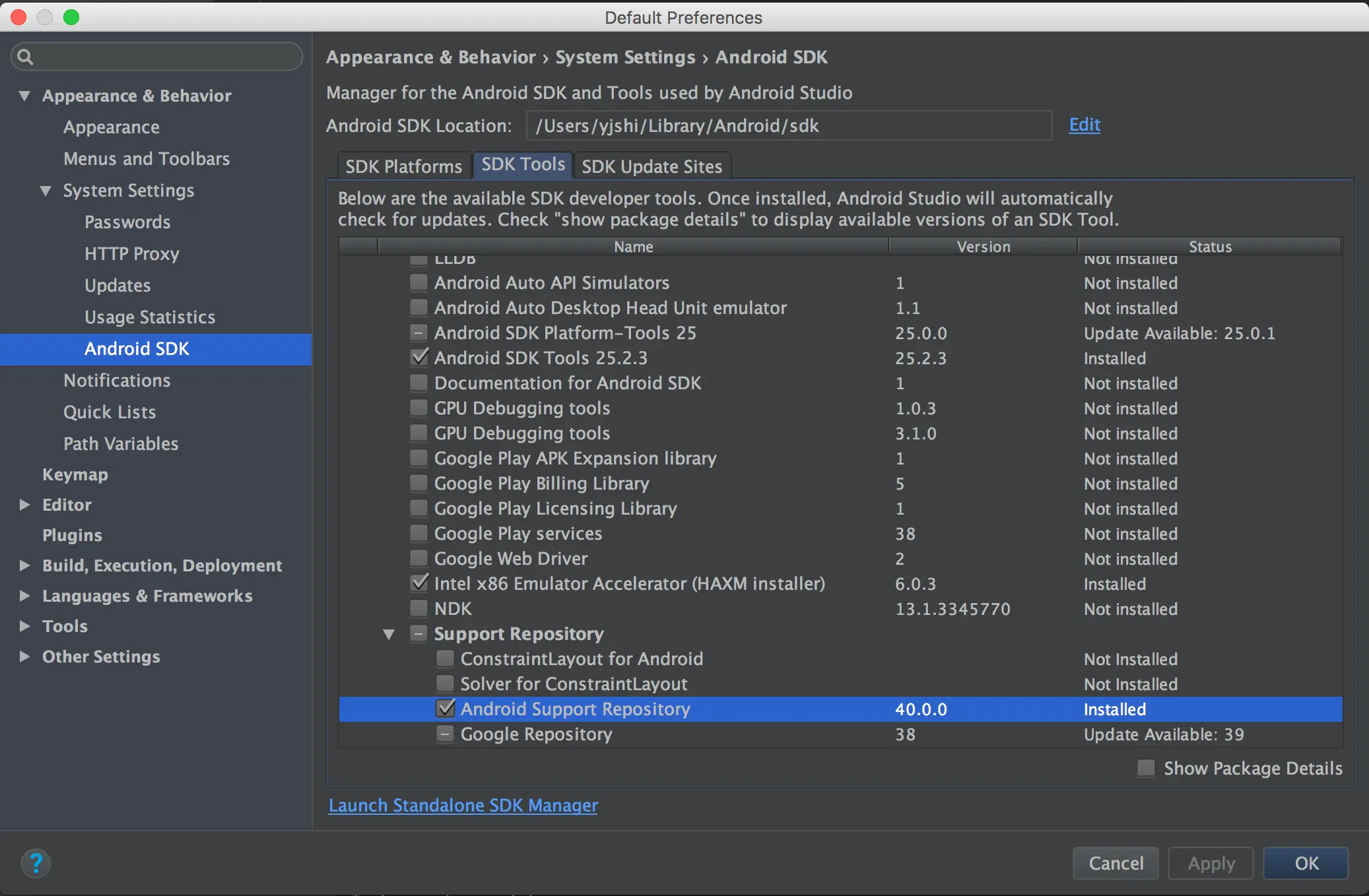 SDKTool设置

实现Espresso代码
-
源APP程序: 使用Android Studio的模板创建的一个
LoginActivityAPP -
配制Gradle build
androidTestCompile('com.android.support.test.espresso:espresso-core:2.2.2', { exclude group: 'com.android.support', module: 'support-annotations' }) -
编写测试代码
- 配制
Rule
@Rule public ActivityTestRule mActivityRule = new ActivityTestRule<>( LoginActivity.class);- 编写测试
- 输入邮箱、密码
- 点击登录
@Test public void testAttemptLogin() { // Type text and then press the button. onView(withId(demo.test.espressodemo.R.id.email)) .perform(typeText(STRING_TO_BE_TYPED_EMAIL), closeSoftKeyboard()); onView(withId(demo.test.espressodemo.R.id.email)) .check(matches(withText(STRING_TO_BE_TYPED_EMAIL))); onView(withId(demo.test.espressodemo.R.id.password)) .perform(typeText(STRING_TO_BE_TYPED_EMAIL_PASSWORD), closeSoftKeyboard()); onView(withId(demo.test.espressodemo.R.id.password)) .check(matches(withText(STRING_TO_BE_TYPED_EMAIL_PASSWORD))); onView(withId(demo.test.espressodemo.R.id.email_sign_in_button)) .perform(click()); } - 配制
-
设备设置: 关闭动画及缩放, 在
开发者选项-绘画中,关闭下面的内容窗口动画缩放过滤动画缩放动画程序时长缩放
-
执行测试
- 启动模拟器,如果模拟器环境有问题,参考Android模拟器环境搭建
- 执行测试
 测试过程
测试过程 -
在Android Studio中查看测试结果
2:10:32 PM Executing tasks: [:app:assembleDebug, :app:assembleDebugAndroidTest]
2:10:42 PM Gradle build finished in 8s 988ms
2:10:49 PM Tests Passed: 1 passed

 测试结果
测试结果
至此,使用Espresso进行简单的测试已经完成
总结
-
使用Espresso进行测试的步骤
- 找到对应的
Activity - 获取对应的元素
- 针对元素进行操作
- 验证结果
- 找到对应的
-
完整代码: github.com/aimer1124/E…
