

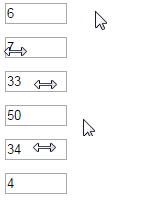
Let's change values of input numbers by dragging the mouse left & right
Install
Include numscrubber.js file
<script src="src/numscrubber.js"></script>or use CDN
<link rel="stylesheet" href="https://cdn.rawgit.com/mburakerman/numscrubberjs/master/src/numscrubber.js">Usage
Just add data-numscrubber to your input number
<input data-numscrubber type="number" value="6" min="4" max="50" />and then call init()
<script>
    Numscrubber.init();
</script>
Thats it!
Size
1.2 kb minified
License
Licensed under the MIT License.
本文对你有帮助?欢迎扫码加入前端学习小组微信群:


