

最近公司正在集成IM项目,遇到些问题,即软键盘高度与表情界面的高度一致问题。
如图
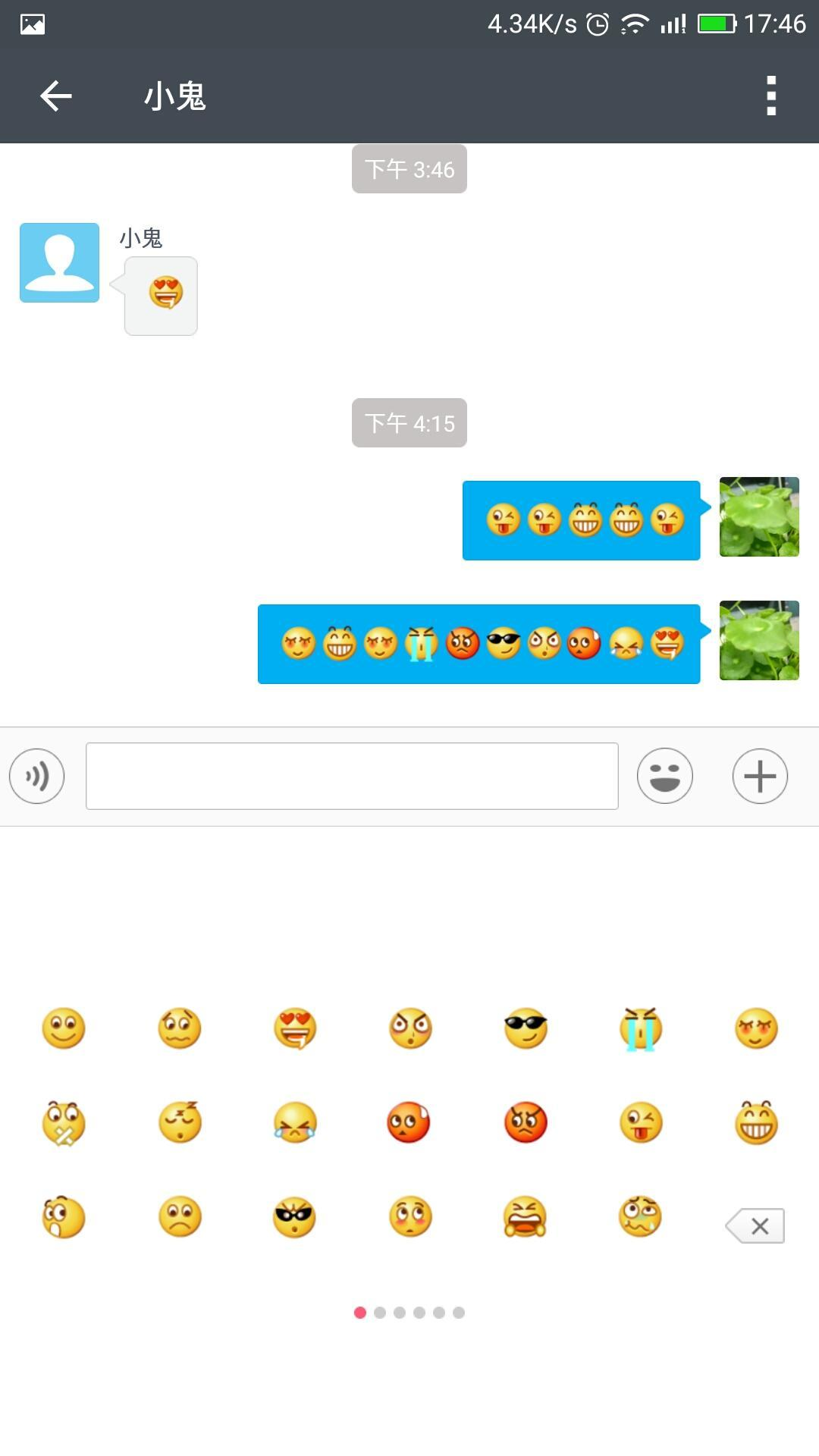
这样表情控件与键盘高度一致,看起来协调很多。
最后自己查了查资料适配成功了。
步骤
 监听布局,一般是根布局
//ROOT_LAYOUT_LISTENER
baseRoot.getViewTreeObserver().addOnGlobalLayoutListener(onGlobalLayoutListener);
//键盘布局相关参数
int rootBottom = Integer.MIN_VALUE,
        keyboardHeight = 0;
private ViewTreeObserver.OnGlobalLayoutListener onGlobalLayoutListener = new ViewTreeObserver.OnGlobalLayoutListener() {
    @Override
    public void onGlobalLayout() {
        Rect r = new Rect();
        baseRoot.getGlobalVisibleRect(r);
        // 进入Activity时会布局,第一次调用onGlobalLayout,先记录开始软键盘没有弹出时底部的位置
        if (rootBottom == Integer.MIN_VALUE) {
            rootBottom = r.bottom;
            return;
        }
        // adjustResize,软键盘弹出后高度会变小
        if (r.bottom < rootBottom) {
            //按照键盘高度设置表情框和发送图片按钮框的高度
            keyboardHeight = rootBottom -r.bottom;
            SystemConfigSp.instance().init(MessageActivity.this);
            SystemConfigSp.instance().setIntConfig(currentInputMethod, keyboardHeight);
            LayoutParams params = (LayoutParams) addOthersPanelView.getLayoutParams();
            params.height = keyboardHeight;
            LayoutParams params1 = (LayoutParams) emoLayout.getLayoutParams();
            params1.height = keyboardHeight;
        }
    }
};
xml配置
<?xml version="1.0" encoding="utf-8"?>
<LinearLayout xmlns:android="http://schemas.android.com/apk/res/android"
xmlns:app="http://schemas.android.com/apk/res-auto"
android:layout_width="fill_parent"
android:layout_height="fill_parent"
android:background="@color/bgWindow"
android:orientation="vertical"
android:id="@+id/base_root"
>
<android.support.v7.widget.Toolbar
android:id="@+id/toolbar"
android:layout_width="match_parent"
android:layout_height="?android:attr/actionBarSize"
app:theme="@style/Toolbar"
app:titleTextAppearance="@style/Toolbar.Title">
<ImageView
android:id="@+id/menu_session_type"
android:layout_width="@dimen/menu_item_size"
android:layout_height="@dimen/menu_item_size"
android:layout_gravity="right"
android:gravity="center"
android:padding="@dimen/dp_14"
android:src="@drawable/main_menu_icon_more" />
</android.support.v7.widget.Toolbar>
<FrameLayout
android:layout_width="match_parent"
android:layout_height="wrap_content"
android:layout_weight="1"
>
<com.handmark.pulltorefresh.library.PullToRefreshListView
xmlns:ptr="http://schemas.android.com/apk/res-auto"
android:id="@+id/message_list"
android:layout_width="match_parent"
android:layout_height="match_parent"
android:background="#ffffff"
android:cacheColorHint="@android:color/transparent"
android:clipToPadding="false"
android:divider="@null"
android:paddingBottom="1dp"
android:transcriptMode="normal"
ptr:ptrMode="pullFromStart"
ptr:ptrOverScroll="false" />
<TextView
android:layout_width="58dp"
android:layout_height="wrap_content"
android:text="新消息"
android:paddingLeft="15dp"
android:paddingTop="5dp"
android:paddingBottom="8dp"
android:id="@+id/tt_new_msg_tip"
android:layout_gravity="right|bottom"
android:gravity="center_vertical|left"
android:visibility="gone"
android:textColor="#01aff4"
android:background="@drawable/tt_new_msg_bk"
/>
</FrameLayout></LinearLayout>
AndroidMainfest配置
<activity
            android:name="com.app.custom.im.ui.activity.MessageActivity"
            android:configChanges="orientation|keyboardHidden"
            android:label="@string/app_name"
            android:windowSoftInputMode="adjustResize|adjustPan"
            android:launchMode="singleTask"
            android:screenOrientation="portrait" />
参考文章
[Android中的windowSoftInputMode属性详解Android脚本之家]
(www.baidu.com/link?url=Ls…)
解决方案(貌似是腾讯大神的,解决完问题才在知乎发现这个)
github.com/xiaoluYi/JK…
