

iOS 音乐播放
已经颓废了好几个月了,感觉在不写点什么就GG了。情绪这东西真的是毒药,控制不了容易一蹶不振,感觉做什么都没意思,以往都是我来开导别人,但是发生在自己身上时自己却看不开了。也许经历的还不够,相信时间会给我们答案。
说了这么多题外话,很久没有写东西,也没提前做准备,那就拿最近的项目需求来做题材写一篇关于iOS音乐播放。
需求
这个项目很蛋疼,需求什么都不明确,。导致后期改动颇大,做了很多无用工,当然也有我自己的原因,用的一些第三方框架之前没考虑太多。就拿音乐播放来说吧。我事先没考虑太多,只是觉得一个简单的播放音乐功能而已,用一些大家常见的第三方就OK了。一开始我用的是比较受推荐的“FreeStreamer”这个库,它里面有一个专门用来做列表控制播放的类“FSAudioController”比较适合用来做列表播放,那么问题来了,当项目大概好了后,打包给那边需求方测试,反馈下来就是让我一阵懵逼,这格式不支持,那格式不支持的(flac,wma,acc,wav,caf,ape),当时心里是有点不爽的,你需求方当初又没明确说过需要支持什么格式。再说看到这么一堆音频格式,说实话一般听音乐也就那么几种,什么APE无损格式的我都很少见过,一般常见就是mp3、m4a等一些,不过FreeStreamer这个库支持的格式说实话确实是少,连wav格式播放都有些怪,感觉播放这种格式音频有概率性的出现无声。不死心的我去找FreeStreamer论坛,发现作者自己说的原话,除了mp3和m4a常见格式之外,暂时没打算做支持其他格式的打算。那么就此扑街。
其实我第二个选择是用FFmpeg,因为在早先做MFI项目的时候,专门针对通过MFI传输过来的音频流用FFMpeg封装了一套用来解码播放音频的接口,这个可是支持市面上大多数格式了,如果有朋友对FFmpeg感兴趣,我会挑一个时间段专门写一些我对FFmpeg认知,然后想换上去的时候我发现这个wifi存储项目的视频播放功能我是用VLC写的,大家都知道VLC内部包含了FFmpeg这个库,然后在iOS中VLC库封的比较死,单独集成FFmpeg上去肯定是会报很多重复性的错误。那么索性就干脆用VLC写一个音乐播放得了。
前面已经有过一篇介绍VLC的简单使用,音乐播放也是差不多的,视频都能支持大部分格式播放,
那么音频肯定也是,因为视频内部可是包含音频的。
VLC 音乐播放
说到音乐,有必要说一下有些音乐文件有的是包含歌曲信息(歌手,专辑,专辑图),当然并不是所有音乐文件就一定会有。这得看制作音乐的时候有没有往里面写入歌曲相关的信息,下面我主要说一些用VLC做音乐播放的时候遇到的一些坑以及解决办法。
-
解码mp3总时间问题
VLC在解码某些mp3歌曲的时候有时候总时间会跳动的改变,这应该是MobileVLCKit的一个小bug。 我直接使用iOS原生自带的AVFoundation框架中的AVURLAsset获取mp3的总时间。这里简单写一下实现。 // 系统自带API解析MP3信息 - (NSDictionary *)getMusicInfo:(NSURL *)url { NSMutableDictionary *dictInfo = [NSMutableDictionary dictionary]; AVURLAsset *avURLAsset = [[AVURLAsset alloc] initWithURL:url options:nil]; // 获取音频总时长 int time = avURLAsset.duration.value / avURLAsset.duration.timescale; for (NSString *format in [avURLAsset availableMetadataFormats]){ for (AVMetadataItem *metadata in [avURLAsset metadataForFormat:format]){ if([metadata.commonKey isEqualToString:@"title"]){ dictInfo[@"title"] = (NSString *)metadata.value; }else if ([metadata.commonKey isEqualToString:@"artist"]) { // 歌手 dictInfo[@"artist"] = (NSString *)metadata.value; }else if ([metadata.commonKey isEqualToString:@"albumName"]) { // 专辑名 dictInfo[@"albumName"] = (NSString *)metadata.value; }else if([metadata.commonKey isEqualToString:@"artwork"]){ // 专辑图片 NSData *imageData = (NSData *)metadata.value; dictInfo[@"artwork"] = imageData; } } } return dictInfo; } -
网络流解码专辑图问题
我在使用的过程中发现同一个音乐文件在本地是可以解出专辑图片,说明这个文件本身包含专辑图片。 但是网络流的时候,就是解析不到图片,确实是MobileVLCKit的一个bug。 不知道最新版本解决这个问题没有,因为我看官网demo中用上了最新的接口, 偏偏接口增加了VLCMediaParseNetwork和VLCMediaFetchNetwork一些枚举解析参数。 猜测应该很大可能会解决这个问题。 不过我pod search并没发现新版本,可能repo太旧了,因为更新慢所以就没去更新SDK和测试这个问题。 MobileVLCKit新版本增加的接口:(你们可以试一下看看问题解决没) enum { VLCMediaParseLocal = 0x00, VLCMediaParseNetwork = 0x01, VLCMediaFetchLocal = 0x02, VLCMediaFetchNetwork = 0x04, }; /** * enum of available options for use with parseWithOptions * \note you may pipe multiple values for the single parameter */ typedef int VLCMediaParsingOptions; /** * triggers an asynchronous parse of the media item * using the given options * \param options the option mask based on VLCMediaParsingOptions * \see VLCMediaParsingOptions * \return an int. 0 on success, -1 in case of error * \note listen to the "parsed" key value or the mediaDidFinishParsing: * delegate method to be notified about parsing results. Those triggers * will _NOT_ be raised if parsing fails and this method returns an error. */ - (int)parseWithOptions:(VLCMediaParsingOptions)options; -
VLCMediaPlayer做列表切换播放问题
也不知道是我思考路子不对还是确实MobileVLCKit的问题。 我原先做列表播放的时候是想创建多个VLCMediaPlayer对象,通过对VLCMediaPlayer的控制达到切换播放的效果, 当然效果是做出来了,可是在后面测试的时候,在音频的切换的过程中会有几率造成音频无声的状况, 然后就只好播放完后销毁一个VLCMediaPlayer在重新创建达到切换的效果, 并且在销毁VLCMediaPlayer对象前也不能调用stop方法,不然有时候也会造成音频切换无声情况。 -
个人小封装
好了,废话我就不再说了,抛砖引玉的直接上个人接口封装的源码了。喜欢的朋友麻烦点一波关注和赞呐。
-
VLCMusicViewController.h
// // VLCMusicViewController.h // TedStorage // // Created by tedcall on 2016/11/18. // Copyright © 2016年 pocket. All rights reserved. // #import <Foundation/Foundation.h> #import <MobileVLCKit/MobileVLCKit.h> typedef NS_ENUM(NSInteger,VLCMusicModelType) { VLCMusicModelTypeListLoop = 0, //!< 列表循环 VLCMusicModelTypeSingleLoop, //!< 单曲循环 VLCMusicModelTypeRandomPlay //!< 随机播放 }; typedef NS_ENUM(NSInteger, VLCMusicState) { VLCMusicStatePlaying = 0, //!< 正在播放 VLCMusicStateStopped, //!< 停止 VLCMusicStatePaused, //!< 暂停 VLCMusicStateSeeking, //!< seeking VLCMusicStateBuffering, //!< 缓冲中 VLCMusicStateFailed, //!< 错误 VLCMusicStateCompleted, //!< 一首歌播放完成 VLCMusicStateUnknown //!< Unknown }; // 歌曲列表信息 @interface VLCMusicPlaylistItem : NSObject @property (nonatomic, copy) NSString *title; //!< 歌曲名 @property (nonatomic, copy) NSURL *url; //!< 歌曲资源URL @end // 某些音频文件可能并不存在这些信息 @interface VLCMusicInfo : NSObject @property (nonatomic, copy) NSString *title; //!< 标题 @property (nonatomic, copy) NSString *artist; //!< 艺术家 @property (nonatomic, copy) NSString *albumName; //!< 专辑名 @property (nonatomic, copy) NSData *imageData; //!< 专辑图片 @end @interface VLCMusicTime : NSObject @property (nonatomic, copy) NSString *allTime; //!< 总时间 @property (nonatomic, copy) NSString *currentTime; @property (nonatomic, assign) float progress; //!< 当前进度 @end @interface VLCMusicViewController : NSObject @property (nonatomic, strong, readonly) NSMutableArray <VLCMusicPlaylistItem *> *musicPlaylist; //!< 音乐列表 @property (nonatomic, assign, readwrite) VLCMusicModelType type; //!< 播放类型 @property (nonatomic, strong, readonly) VLCMediaPlayer *activeStream; //!< 当前激活的音频 @property (nonatomic, strong, readonly) VLCMusicPlaylistItem *currentPlaylistItem; //!< 当前播放的歌曲 @property (nonatomic, assign) BOOL preloadNextPlaylistItemAutomatically; //!< 是否自动播放下一首,默认开始,为NO时播放类型将失效 @property (nonatomic, assign) float volume; //!< 音量大小 @property (nonatomic, assign, readonly) int allTime; //!< 音乐总时间 @property (nonatomic, assign, readonly) int currentTime; //!< 当前时间 @property (nonatomic, assign, readonly) float currentProgress; //!< 当前进度 @property (nonatomic, copy) void (^onStateChange)(VLCMusicState state); //!< 播放状态回调 @property (nonatomic, copy) void (^onMetaDataAvailable)(VLCMusicInfo *metadata); //!< 歌曲信息回调 @property (nonatomic, copy) void (^onFailure)(void); //!< 播放失败回调 @property (nonatomic, copy) void (^onTimeChange)(VLCMusicTime *musicTime); //!< 时间和进度状态回调 @property (nonatomic, copy) void (^onPlayType)(VLCMusicModelType type); //!< 播放顺序回调 /** 如果是暂停则会触发播放,如果是播放则会触发暂停 */ - (void)pause; /** 是否在播放 @return YES:正在播放 NO:没有在播放 */ - (BOOL)isPlaying; /** 是否有下一曲 @return YES: 有 NO:无 */ - (BOOL)hasNextItem; /** 是否有上一曲 @return YES: 有 NO:无 */ - (BOOL)hasPreviousItem; /** 下一首 */ - (void)playNextItem; /** 上一首 */ - (void)playPreviousItem; /** 跳转到指定位置播放 @param progress 百分比 */ - (void)seekToPosition:(float)progress; /** 添加歌曲 @param item 歌曲资源 */ - (void)addPlaylistItem:(VLCMusicPlaylistItem *)item; /** 插入歌曲 @param item 歌曲资源 @param index 索引 */ - (void)insertItem:(VLCMusicPlaylistItem *)item atIndex:(NSInteger)index; /** 播放列表中的指定的歌曲 @param playlist 传递的歌曲列表 @param index 索引 */ - (void)playFormPlaylist:(NSArray <VLCMusicPlaylistItem *> *)playlist itemIndex:(NSUInteger)index; /** 播放指定索引歌曲 @param index 索引 */ - (void)playItemAtIndex:(NSUInteger)index; /** 播放列表中的歌曲 @param playlist 传递的歌曲列表 */ - (void)playFormPlaylist:(NSArray <VLCMusicPlaylistItem *> *)playlist; @end -
VLCMusicViewController.m
//
//  VLCMusicViewController.m
//  TedStorage
//
//  Created by  tedcall on 2016/11/18.
//  Copyright © 2016年 pocket. All rights reserved.
//
#import "VLCMusicViewController.h"
#import <AVFoundation/AVFoundation.h>
#import <CommonCrypto/CommonDigest.h>
@implementation VLCMusicPlaylistItem

@end

@implementation VLCMusicInfo

@end

@implementation VLCMusicTime

@end

@interface VLCMusicViewController () <VLCMediaDelegate>

@property (nonatomic, assign) NSInteger index; //!< 当前播放索引
@property (nonatomic, strong) VLCMediaPlayer *activeStream;
@property (nonatomic, strong) VLCMusicPlaylistItem *currentPlaylistItem;
@property (nonatomic, strong) NSMutableArray <VLCMusicPlaylistItem *> *musicPlaylist;
@property (nonatomic, assign) int allTime; //!< 音乐总时间
@property (nonatomic, assign) int currentTime; //!< 当前时间
@property (nonatomic, assign) float currentProgress;

@property (nonatomic, copy) NSString *totalTimeStr; //!< mp3等专门特别针对获取

@end
@implementation VLCMusicViewController

- (NSMutableArray<VLCMusicPlaylistItem *> *)musicPlaylist
{
    if (_musicPlaylist == nil) {
        _musicPlaylist = [NSMutableArray array];
    }
    return _musicPlaylist;
}

// 系统自带API解析MP3信息
- (NSDictionary *)getMusicInfo:(NSURL *)url
{
    NSMutableDictionary *dictInfo = [NSMutableDictionary dictionary];
    AVURLAsset *avURLAsset = [[AVURLAsset alloc] initWithURL:url options:nil];
    // 获取音频总时长
    int time = avURLAsset.duration.value / avURLAsset.duration.timescale;
    if (time > 0) {
        int min = time/60;
        int sec = time%60;
        NSString *s1 ,*s2;
        if (min < 10) {
            s1 = [NSString stringWithFormat:@"0%d",min];
        } else {
            s1 = [NSString stringWithFormat:@"%d",min];
        }
        if (sec < 10) {
            s2 = [NSString stringWithFormat:@"0%d",sec];
        } else {
            s2 = [NSString stringWithFormat:@"%d",sec];
        }
        self.totalTimeStr = [NSString stringWithFormat:@"%@:%@",s1,s2];
    } else {
        self.totalTimeStr = @"--:--";
    }
    for (NSString *format in [avURLAsset availableMetadataFormats]){
        for (AVMetadataItem *metadata in [avURLAsset metadataForFormat:format]){
            NSLog(@"metadata.commonKey:%@",metadata.commonKey);
            if([metadata.commonKey isEqualToString:@"title"]){
                dictInfo[@"title"] = (NSString *)metadata.value;
            }else if ([metadata.commonKey isEqualToString:@"artist"]) { // 歌手
                dictInfo[@"artist"] = (NSString *)metadata.value;
            }else  if ([metadata.commonKey isEqualToString:@"albumName"]) { // 专辑名
                dictInfo[@"albumName"] = (NSString *)metadata.value;
            }else  if([metadata.commonKey isEqualToString:@"artwork"]){ // 专辑图片
                NSData *imageData = (NSData *)metadata.value;
                dictInfo[@"artwork"] = imageData;
            }
        }
    }

    return dictInfo;
}
#pragma mark - -- VLC获取专辑图片
- (void)updataMeta
{
    if (self.onMetaDataAvailable) {
        NSDictionary *dict = [self getMusicInfo:self.currentPlaylistItem.url];
        // 获取歌曲信息
        NSDictionary *meta = [_activeStream.media metaDictionary];
        VLCMusicInfo *info = [VLCMusicInfo new];
        if (meta && meta.count > 1) {
            info.title = meta[VLCMetaInformationTitle];
            info.artist = meta[VLCMetaInformationArtist];
            info.albumName = meta[VLCMetaInformationAlbum];
            // 获取专辑图片路径(VLC把专辑图片写入了沙盒。。。)
            NSString *artworkPath = [self artworkPathForMediaItemWithTitle:info.title Artist:info.artist andAlbumName:info.albumName];
            info.imageData = [NSData dataWithContentsOfFile:artworkPath];
        } else {
            if (dict.allKeys.count > 0) {
                info.title = dict[@"title"];
                info.artist = dict[@"artist"];
                info.imageData = dict[@"artwork"];
            } else {
                info.title = [[FileManager shardInstance] deletePathExtension:self.currentPlaylistItem.title];
                NSArray *array = [info.title componentsSeparatedByString:@"-"];
                if (array.count > 1) {
                    info.title = array[1];
                    info.artist = array[0];
                }
            }

        }
        self.onMetaDataAvailable(info);
    }

}
- (NSString *)artworkPathForMediaItemWithTitle:(NSString *)title Artist:(NSString*)artist andAlbumName:(NSString*)albumname
{
    NSString *artworkURL;
    NSArray *searchPaths = NSSearchPathForDirectoriesInDomains(NSCachesDirectory, NSUserDomainMask, YES);
    NSString *cacheDir = searchPaths[0];
    cacheDir = [cacheDir stringByAppendingFormat:@"/%@", [[NSBundle mainBundle] bundleIdentifier]];

    if ((artist.length == 0 || albumname.length == 0) && title != nil && title.length > 0) {

        artworkURL = [cacheDir stringByAppendingFormat:@"/art/arturl/%@/art.jpg", [self _md5FromString:title]];
    } else {

        artworkURL = [cacheDir stringByAppendingFormat:@"/art/artistalbum/%@/%@/art.jpg", artist, albumname];
    }

    return artworkURL;
}
- (NSString *)_md5FromString:(NSString *)string
{
    const char *ptr = [string UTF8String];
    unsigned char md5Buffer[CC_MD5_DIGEST_LENGTH];
    CC_MD5(ptr, (unsigned int)strlen(ptr), md5Buffer);
    NSMutableString *output = [NSMutableString stringWithCapacity:CC_MD5_DIGEST_LENGTH * 2];
    for (int i = 0; i < CC_MD5_DIGEST_LENGTH; i++)
        [output appendFormat:@"%02x",md5Buffer[i]];

    return [NSString stringWithString:output];
}
- (void)dealloc
{
    [_activeStream stop];
    [self removeObserver:_activeStream];
    _activeStream = nil;
    _activeStream = nil;
}

#pragma mark - -- 歌曲切换
- (void)playPreviousItem
{
    [self setCurrentPlayIndex:self.index - 1];
}
- (void)playNextItem
{
    [self setCurrentPlayIndex:self.index + 1];
}
- (BOOL)hasNextItem
{
    if ((self.index +1) < self.musicPlaylist.count && self.musicPlaylist.count > 0) {
        return YES;
    }
    return NO;
}
- (BOOL)hasPreviousItem
{
    if (self.musicPlaylist.count > 0 && (self.index - 1) >= 0 && ((self.index - 1) < self.musicPlaylist.count)) {
        return YES;
    }

    return NO;
}
- (void)seekToPosition:(float)progress
{
    if (!self.activeStream.isPlaying) {
        [self.activeStream play];
    }
    if (progress >= 1.0) {
        switch (self.type) {
            case VLCMusicModelTypeListLoop:
            {
                if ([self hasNextItem]) {
                    [self playNextItem];
                } else {
                    [self playItemAtIndex:0];
                }
            }
                break;
            case VLCMusicModelTypeSingleLoop:
            {
                self.currentTime = 0;
                self.currentProgress = 0.0;
                [self playItemAtIndex:self.index];
            }
                break;

            case VLCMusicModelTypeRandomPlay:
            {
                // 获取随机数
                int index = arc4random() % self.musicPlaylist.count;
                while (index == self.index) {
                    index = arc4random() % self.musicPlaylist.count;
                }
                [self playItemAtIndex:index];
            }
                break;

            default:
            {
                if ([self hasNextItem]) {
                    [self playNextItem];
                } else {
                    [self playItemAtIndex:0];
                }
            }
                break;
        }

    } else {
        [self.activeStream setPosition:progress];
        if (self.onStateChange) {
            self.onStateChange(VLCMusicStateSeeking);
        }
    }

}

#pragma mark - -- 歌曲控制
- (void)pause
{
    if ([self.activeStream isPlaying]) {
        [self.activeStream pause];
    } else {
        [self.activeStream play];
    }
}

- (BOOL)isPlaying
{
    if ([self.activeStream isPlaying]) {
        return YES;
    }

    return NO;
}
#pragma mark - -- 歌曲添加
- (void)addPlaylistItem:(VLCMusicPlaylistItem *)item
{
    [self.musicPlaylist addObject:item];
}

- (void)insertItem:(VLCMusicPlaylistItem *)item atIndex:(NSInteger)index
{
    [self.musicPlaylist insertObject:item atIndex:index];
}

- (void)playFormPlaylist:(NSArray <VLCMusicPlaylistItem *> *)playlist
{
    [self playFormPlaylist:playlist itemIndex:0];
}

- (void)playFormPlaylist:(NSArray <VLCMusicPlaylistItem *> *)playlist itemIndex:(NSUInteger)index
{
    [self.musicPlaylist removeAllObjects];
    [self.musicPlaylist addObjectsFromArray:playlist];
    [self setCurrentPlayIndex:index];
}

- (void)playItemAtIndex:(NSUInteger)index
{
    if (index == self.index && self.type != VLCMusicModelTypeSingleLoop) return;
    [self setCurrentPlayIndex:index];
}

#pragma mark - -- 播放顺序
- (void)setType:(VLCMusicModelType)type
{
    [[NSUserDefaults standardUserDefaults] setInteger:type forKey:@"VLCMusicPlayType"];
    [[NSUserDefaults standardUserDefaults] synchronize];
    if (self.onPlayType) {
        self.onPlayType(type);
    }
}

- (VLCMusicModelType)type
{
    if ([[NSUserDefaults standardUserDefaults] objectForKey:@"VLCMusicPlayType"]) {
        return [[NSUserDefaults standardUserDefaults] integerForKey:@"VLCMusicPlayType"];
    } else {
        return VLCMusicModelTypeListLoop;
    }
}

#pragma mark -- 切歌
- (void)setCurrentPlayIndex:(NSInteger)index
{
    VLCMusicPlaylistItem *item = [self.musicPlaylist objectAtIndex:index];
    self.currentPlaylistItem = item;
    self.index = index;
}

#warning vlc切换有音频bug(直接导致列表式VLCMediaPlayer对象控制播放胎死腹中,只能每次重新创建,并且上一个销毁前还不能调用stop)
- (void)setCurrentPlaylistItem:(VLCMusicPlaylistItem *)currentPlaylistItem
{
    _currentPlaylistItem = currentPlaylistItem;
    // 根据item创建VLCMediaPlayer(因为vlc bug,只能每次播放前创建)
    VLCMediaPlayer *player = [[VLCMediaPlayer alloc] init];
    VLCMedia *media = [VLCMedia mediaWithURL:_currentPlaylistItem.url];
    [media synchronousParse]; // 同步分析媒体元数据(异步的话有一个代理专门回调解析完成)
    media.delegate = self;
    [player setMedia:media];
    if (self.activeStream) {
        [self.activeStream pause]; // 在这里不要调用stop,不然会导致音频切换过程偶发性的没声音
        [self removeObserver:self.activeStream];
        self.activeStream = nil;
    }
    self.activeStream = player;
    [self addObserver:self.activeStream];
    [self.activeStream play];
}

#pragma mark - -- kvo监听
- (void)addObserver:(VLCMediaPlayer *)player
{
    [player addObserver:self forKeyPath:@"remainingTime" options:0 context:nil];
    [player addObserver:self forKeyPath:@"state" options:0 context:nil];

}

- (void)removeObserver:(VLCMediaPlayer *)player
{
    [player removeObserver:self forKeyPath:@"remainingTime"];
    [player removeObserver:self forKeyPath:@"state"];

}

- (void)observeValueForKeyPath:(NSString *)keyPath ofObject:(id)object change:(NSDictionary<NSString *,id> *)change context:(void *)context
{
  if ([keyPath isEqualToString:@"remainingTime"]) {
      self.currentTime = [[[self.activeStream time] minuteStringValue] intValue] * 60;
      self.allTime = [[[self.activeStream remainingTime] minuteStringValue] intValue] * 60 + self.currentTime;
      self.currentProgress = [self.activeStream position];
      [self update];
  } else if ([keyPath isEqualToString:@"state"]) {
    switch (self.activeStream.state) {
          case VLCMediaPlayerStatePlaying:
          {
              if (self.onStateChange) {
                  self.onStateChange(VLCMusicStatePlaying);
              }
          }
              break;

          case VLCMediaPlayerStateOpening:
          {
              if (self.onStateChange) {
                  self.onStateChange(VLCMusicStatePlaying);
              }
              [self updataMeta];
          }

              break;

          case VLCMediaPlayerStatePaused:
              if (self.onStateChange) {
                  self.onStateChange(VLCMusicStatePaused);
              }
              break;
          case VLCMediaPlayerStateStopped:
          {
            if (self.currentTime == self.allTime) { // 判断播放是否完结

                if (self.onStateChange) {
                    self.onStateChange(VLCMusicStateCompleted);
                }
                switch (self.type) {
                    case VLCMusicModelTypeListLoop:
                    {
                        if ([self hasNextItem]) {
                            [self playNextItem];
                        } else {
                            [self playItemAtIndex:0];
                        }
                    }
                        break;
                    case VLCMusicModelTypeSingleLoop:
                    {
                        self.currentTime = 0;
                        self.currentProgress = 0.0;
                        [self playItemAtIndex:self.index];

                    }
                        break;

                    case VLCMusicModelTypeRandomPlay:
                    {
                        // 获取随机数
                        int index = arc4random() % self.musicPlaylist.count;
                        [self playItemAtIndex:index];
                    }
                        break;

                    default:
                    {
                        if ([self hasNextItem]) {
                            [self playNextItem];
                        } else {
                            [self playItemAtIndex:0];
                        }
                    }
                        break;
                }
            } else {
                if (self.onStateChange) {
                    self.onStateChange(VLCMusicStateStopped);
                }
            }

        }
              break;
          case VLCMediaPlayerStateBuffering:
              if (self.onStateChange) {
                  self.onStateChange(VLCMusicStateBuffering);
              }
              break;

          case VLCMediaPlayerStateError:
          {
              if (self.onStateChange) {
                  self.onStateChange(VLCMusicStateFailed);
              }

              if (self.onFailure) {
                  self.onFailure();
              }
          }

              break;
          default:
              break;
      }
          }
}

- (void)update
{
    if (self.onTimeChange) {
        VLCMusicTime *musicTime = [VLCMusicTime new];
        if (![self.totalTimeStr isEqualToString:@"--:--"]) {
            musicTime.allTime = self.totalTimeStr;
        } else {
            int time = (-[[self.activeStream remainingTime] intValue]) + [[self.activeStream time] intValue];
            VLCTime *v = [VLCTime timeWithInt:time];
            musicTime.allTime = [v stringValue];
        }
        musicTime.currentTime = [[self.activeStream time] stringValue];
        musicTime.progress = self.currentProgress;
        self.onTimeChange(musicTime);
    }
}

#pragma mark - -- VLCMediaDelegate
// vlc bug 本地的可以解析出,网络的不行了。。。。
- (void)mediaDidFinishParsing:(VLCMedia *)aMedia
{
    NSLog(@"mediaDidFinishParsing:%@",aMedia);
}

@end
-
接口用法
下面就简单说一下上面所封装的API的用法。设计UI的代码我就不贴出来了,相信你们只要把VLCMusicViewController看懂了或者不需要看懂(会用就行),就能设计出一个属于自己的漂亮的音乐播放控制器。如果很多人实在不会用我在考虑把接口用法demo上传到github。
ps:当初给类取名字的时候没取好,怪我!!!,你们可以自己改改(建议:VLCMusicManager)。
当初设计接口需求时可能多写了几个需求性属性控制参数,暂时没来得及实现(音量控制,自动播放下一首的关闭开关),勿怪啊。
相信看懂的你们可以自己在我这套不算很好的代码里整理出属于自己的精华。
1.创建VLCMusicViewController管理类
2.为VLCMusicViewController对象赋值几个block属性回调,
  onStateChange(状态回调,在这里可以改变播放按钮UI的改变),
  onMetaDataAvailable(歌曲信息改变回调,在这里可以改变歌曲信息UI),
  onTimeChange(时间和进度状态回调,在这里可以改变时间信息UI和进度条UI)
  onPlayType(播放顺序改变回调,在这里可以改变播放顺序UI)
  ...
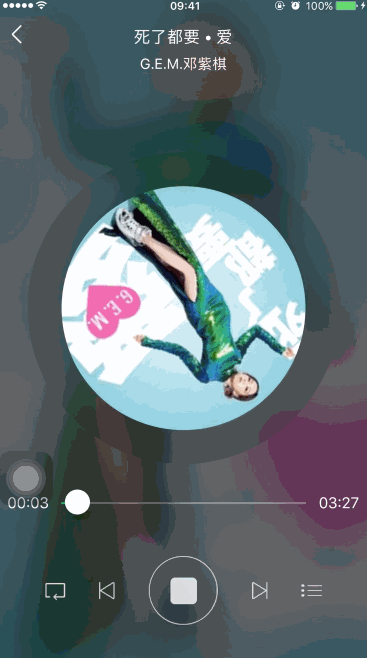
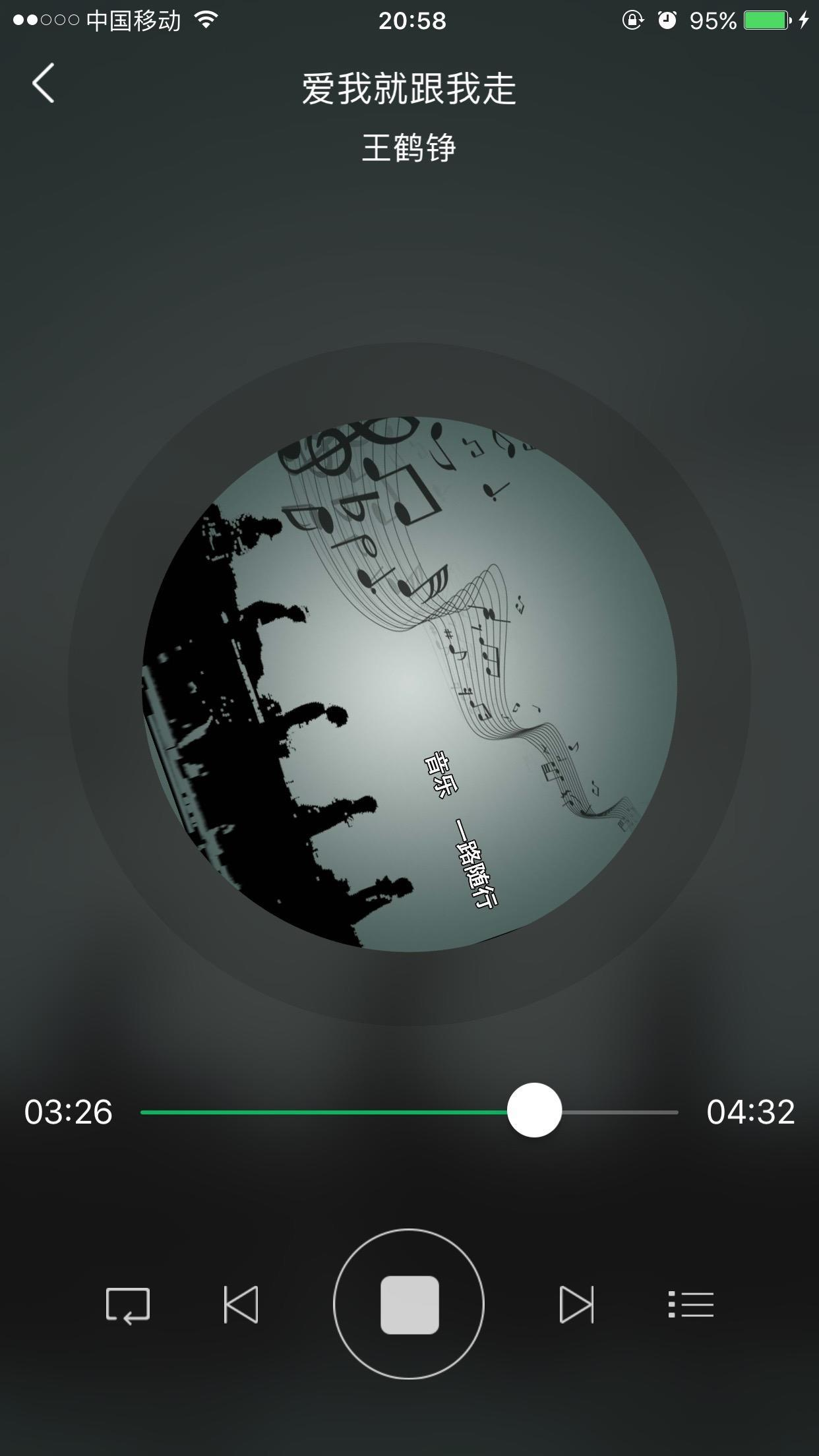
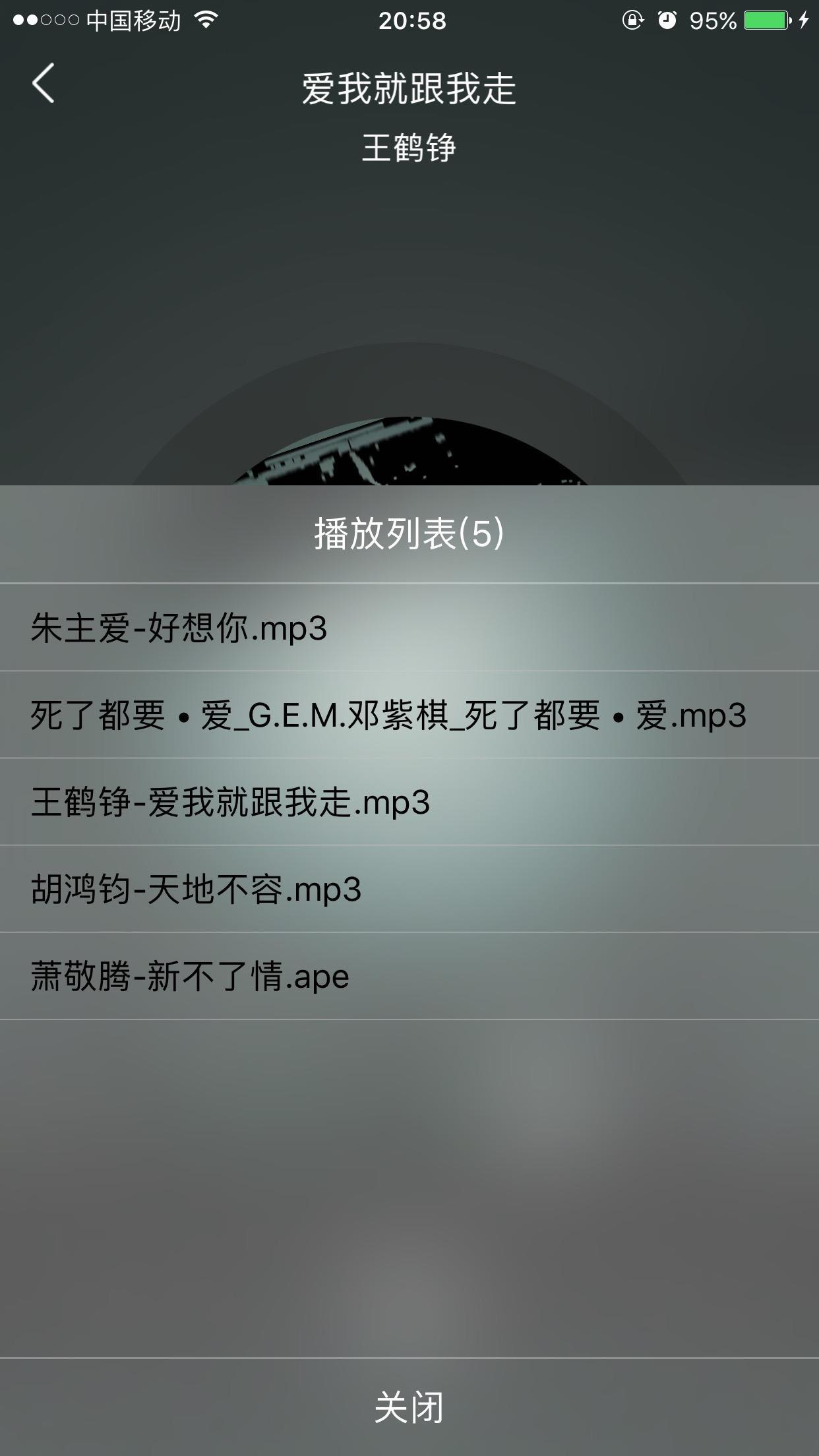
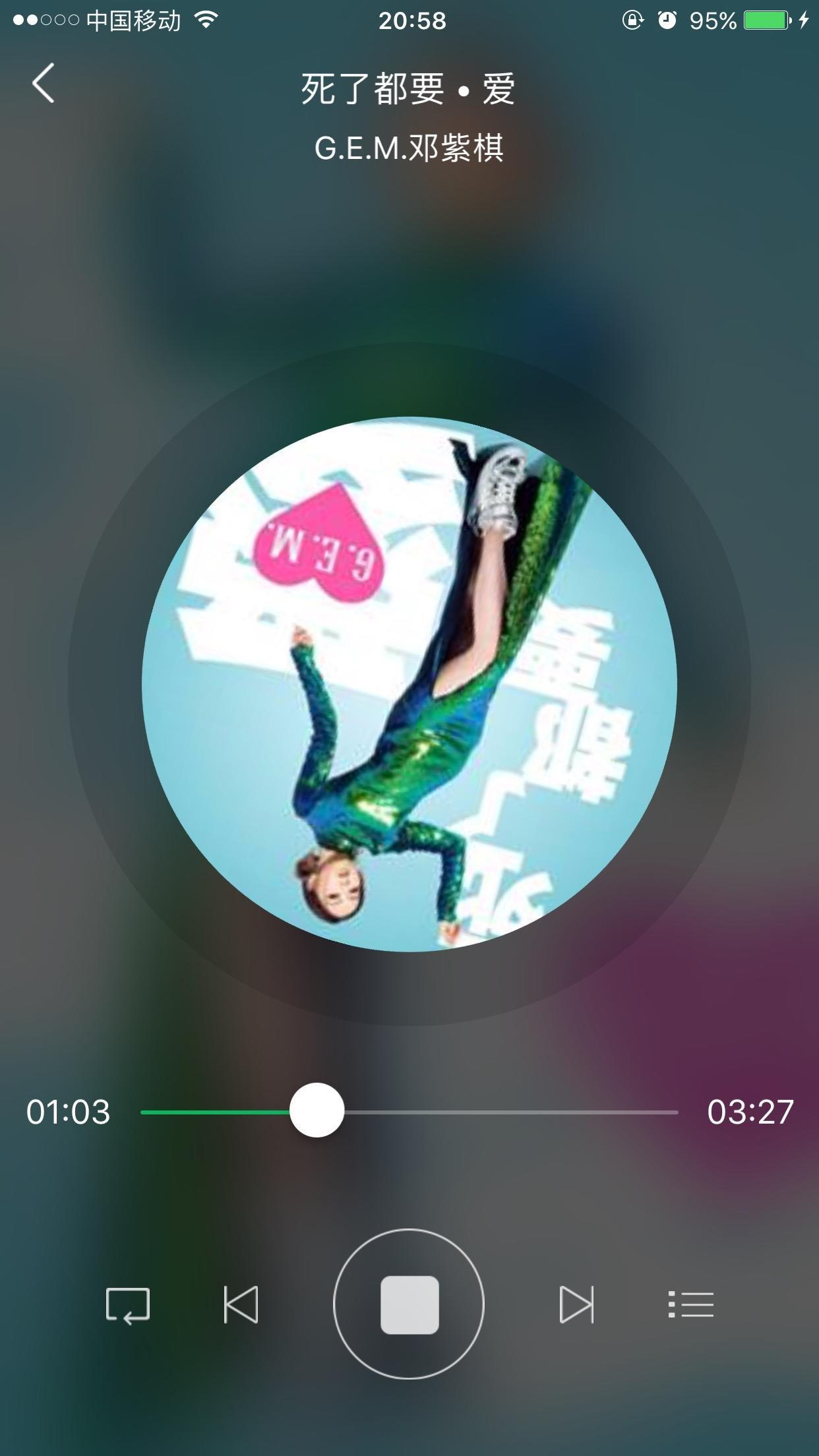
放几张效果图
好了就简单介绍到这里了,没几个接口方法,多试几遍就会了。觉得我写的不错的兄弟可以点赞或者关注Pocket的一些不定期的日常更新。共勉,加油!
