This post is an update to Laravel JWT Auth with Vue.js I posted a couple months ago. About a month and a half ago, Evan You released version 2.0 of vue.js and this post will cover building the Laravel JSON Web Token based authentication with it.
Included are some notes about refactoring the application from vue.js 1.x to version 2.0. Changes also include using NPM scripts with webpack for the front end build process instead of Elixir and Browserify.
Environment
For this tutorial, Laravel 5.2 has been installed locally and it is being served by XAMMP on Windows 10.
Command Line Tools
Nodejs version 6.9.1 NPM version 3.10.8
vue-cli version 2.5.0
git version 2.10.2
User Model
After setting the database connection parameters in env.php, run the database migration script to create the users, password_resets and migrations tables. In my Laravel application, I have moved the Users class into a Models folder.
php artisan migrate

mkdir app/Models

mv app/User.php app/Models
Edit app/Models/User.php, change the App namespace to App\Models.
User.php
- Throughout this tutorial you will encounter an ellipsis … in the code examples. These are not a part of the code and are there only to denote code that is being skipped and not applicable to the example. To view the entire file, examine the source code.
Edit, config/auth.php. Update the authentication drivers user provider for the App\Models\User namespace change as follows.
auth.php
'providers' => [
'users' => [
'driver' => 'eloquent',
'model' => App\Models\User::class,
],
...
Webpack Vue.js CLI
A simple webpack vue-loader setup is being used for the front end build process. First step is to install vue-cli globally.
npm install -g vue-cli
Using vue-cli from the laravel root directory, install the webpack-simple template into the existing laravel resources folder.
vue init webpack-simple resources
After the webpack-simple template has been installed. Change to the resources directory and run the npm install. This will install vue 2.0, vue-loader, webpack and other dependencies. For details, inspect the install manifest resources/package.json.
cd resources
npm i
Vue Router and Components
Install the router for vue.js 2.0.
npm i vue-router --save-dev
Create a resources/assets/components folder and add an empty App.vue, Dashboard.vue, Home.vue, Register.vue and Signin.vue component.
mkdir assets/components
touch assets/components/App.vue
touch assets/components/Dashboard.vue
touch assets/components/Home.vue
touch assets/components/Register.vue
touch assets/components/Signin.vue
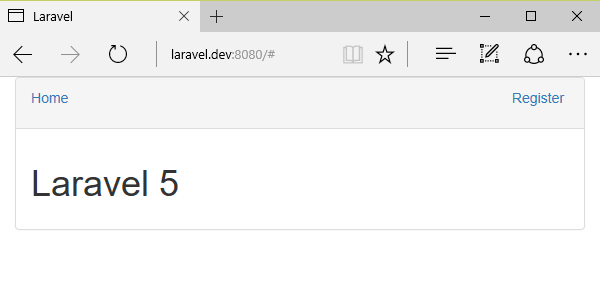
Add the following code to the App.vue base layout component. The new <router-link> component replaces the the deprecated v-link directive from vue.js 1.x.
App.vue
Add the following code to the Home.vue component.
Home.vue
Add the following code to the Register.vue component. Note the change from version 1.0 of this component. A div has been added at the root of the template since components now must have exactly one root element.
Register.vue
JavaScript
Create a resources/assets/js folder for the JavaScript.
mkdir assets/js
Create a resources/assets/js/app.js JavaScript file.
touch assets/js/app.js
Add the following code to the app.js file to require vue modules, import vue components and define the router. Exporting will allow other modules in this project to import them.
Note the changes between version 1.0 of app.js.
- router.map has been replaced with an array on the new routes option.
- router is passed to the new Vue instance as option since starting an app with routing no longer requires a special method.
app.js
var Vue = require('vue');
var VueRouter = require('vue-router');
import App from '../components/App.vue';
import Dashboard from '../components/Dashboard.vue';
import Home from '../components/Home.vue';
import Register from '../components/Register.vue';
import Signin from '../components/Signin.vue';
Vue.use(VueRouter);
export default Vue;
export var router = new VueRouter({
routes: [
{
path: '/',
name: 'home',
component: Home
},
{
path: '/register',
name: 'register',
component: Register
}
]
});
new Vue({
el: '#app',
router: router,
render: app => app(App)
});
Web Page
Edit the resources/views/welcome.blade.php template.
Replace the entire contents of the file with this markup.
welcome.blade.php
Laravel
Webpack
Edit the resources/webpack.config.js entry and output values.
REPLACE
module.exports = {
entry: './src/main.js',
output: {
path: path.resolve(__dirname, './dist'),
publicPath: '/dist/',
filename: 'build.js'
},
...
}
WITH
module.exports = {
entry: './assets/js/app.js',
output: {
path: path.resolve(__dirname, '../public/js'),
publicPath: '/js/',
filename: 'app.js'
},
...
}
Test drive the updated webpack configuration with the npm build script.
npm run build
Your build output should be similar to this. The laravel public folder should now contain js/app.js and a respective js/app.js.map source map.
>> resources@ build C:\xampp\htdocs\laravel\resources
> cross-env NODE_ENV=production webpack --progress --hide-modules
Hash: 05e1c0daf97b9f610071
Version: webpack 2.1.0-beta.27
Time: 7412ms
Asset Size Chunks Chunk Names
app.js 157 kB 0 [emitted] main
app.js.map 953 kB 0 [emitted] main
The next page covers Vue Resource for request handling, Form Request Validation, API authorization with JWT Auth, User endpoint and Sign in.