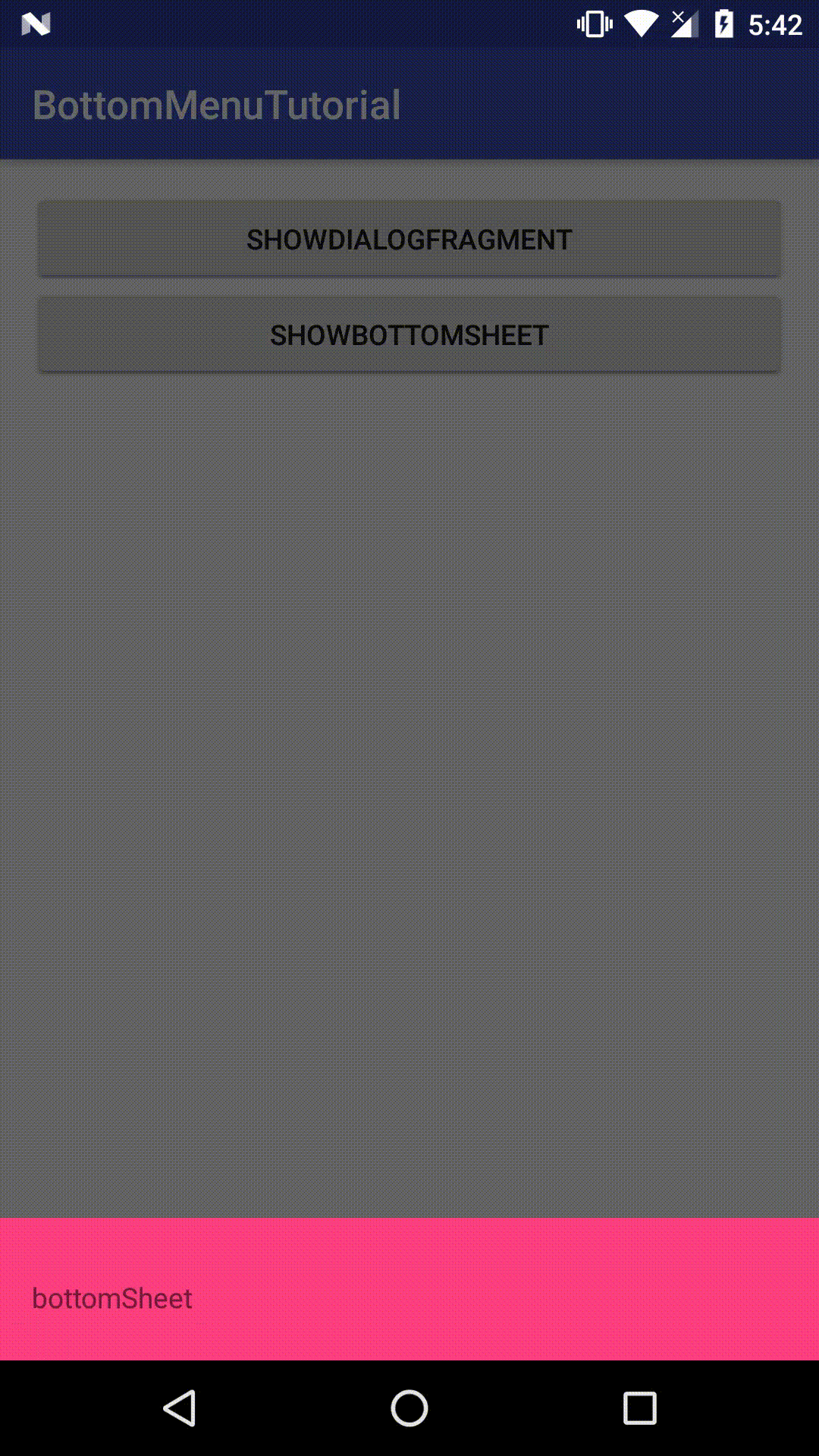
device-2016-09-25-174226.gif
实现
DialogFragment是3.0之后提供的一个弹出框实现类。使用DialogFragment的好处是能够更好的控制其生命周期。
创建一个DialogFragment
public class BottomDialog extends DialogFragment {

    public static BottomDialog newInstance() {

        Bundle args = new Bundle();

        BottomDialog fragment = new BottomDialog();
        fragment.setArguments(args);
        return fragment;
    }

    @Override
    public void onStart() {
        super.onStart();
        Window window = getDialog().getWindow();
        WindowManager.LayoutParams params = window.getAttributes();
        params.gravity = Gravity.BOTTOM;
        params.width = WindowManager.LayoutParams.MATCH_PARENT;
        window.setAttributes(params);
        window.setBackgroundDrawable(new ColorDrawable(Color.TRANSPARENT));
    }

    @Nullable
    @Override
    public View onCreateView(LayoutInflater inflater, @Nullable ViewGroup container, @Nullable Bundle savedInstanceState) {
        getDialog().requestWindowFeature(Window.FEATURE_NO_TITLE);
        View view = inflater.inflate(R.layout.dialog_bottom,container,false);
        AnimationUtils.slideToUp(view);
        return view;
    }


}
对应的layout:
加载自定义布局
    @Override
    public View onCreateView(LayoutInflater inflater, ViewGroup container, Bundle savedInstanceState) {
        getDialog().requestWindowFeature(Window.FEATURE_NO_TITLE);
        View view = inflater.inflate(R.layout.dialog_bottom,container,false);
        AnimationUtils.slideToUp(view);
        return view;
}跟使用Fragment一样,重写onCreateView方法。
getDialog().requestWindowFeature(Window.FEATURE_NO_TITLE);
```的作用是除掉弹出框的标题。

###设置DialogFragment的位置

一把我们的弹出框默认都是居中显示的,现在我们需要的是底部显示,只要把LayoutParams的gravity属性设置为Bottom。
@Override
public void onStart() {
super.onStart();
Window window = getDialog().getWindow();
WindowManager.LayoutParams params = window.getAttributes();
params.gravity = Gravity.BOTTOM;
params.width = WindowManager.LayoutParams.MATCH_PARENT;
window.setAttributes(params);
window.setBackgroundDrawable(new ColorDrawable(Color.TRANSPARENT));
}###加载动画AnimationUtils.slideToUp(view);
public static void slideToUp(View view){
Animation slide = new TranslateAnimation(Animation.RELATIVE_TO_SELF, 0.0f,
Animation.RELATIVE_TO_SELF, 0.0f, Animation.RELATIVE_TO_SELF,
1.0f, Animation.RELATIVE_TO_SELF, 0.0f);
slide.setDuration(400);
slide.setFillAfter(true);
slide.setFillEnabled(true);
view.startAnimation(slide);
slide.setAnimationListener(new Animation.AnimationListener() {
@Override
public void onAnimationStart(Animation animation) {
}
@Override
public void onAnimationEnd(Animation animation) {
}
@Override
public void onAnimationRepeat(Animation animation) {
}
});
}```
源码地址:BottomMenuTutorial