目录
- 作者感言
- 简介
- 创建Today Extension
- 使用Storyboard实现Today Extension
- 打开数据共享服务
- 删掉Storyboard
- 代码实现
- 从Today Extension跳转至App
- 最终效果
- 注意点
- 补上几篇文章
作者感言
这次的
Today Extension预研,让我觉得自己还有很多的不足,因为还有很多东西都没有去仔细的去研究,以后接下来会继续再接再厉。最后: 如果你有更好的建议或者对这篇文章有不满的地方, 请联系我, 我会参考你们的意见再进行修改, 联系我时, 请备注
Today Extension, 祝大家学习愉快~谢谢~
Cain(罗家辉)
zhebushimengfei@qq.com: 联系方式
350116542: 腾讯QQ
简介
Today Extension是在iOS 8之后所推出来的重大更新之一,在此之前, 或许有人看过部分App就已经实现过这些功能,但那种实现方式是并不是系统所提供的,所以在性能方面需要打个问号。
创建Today Extension
开始创建Today Extension
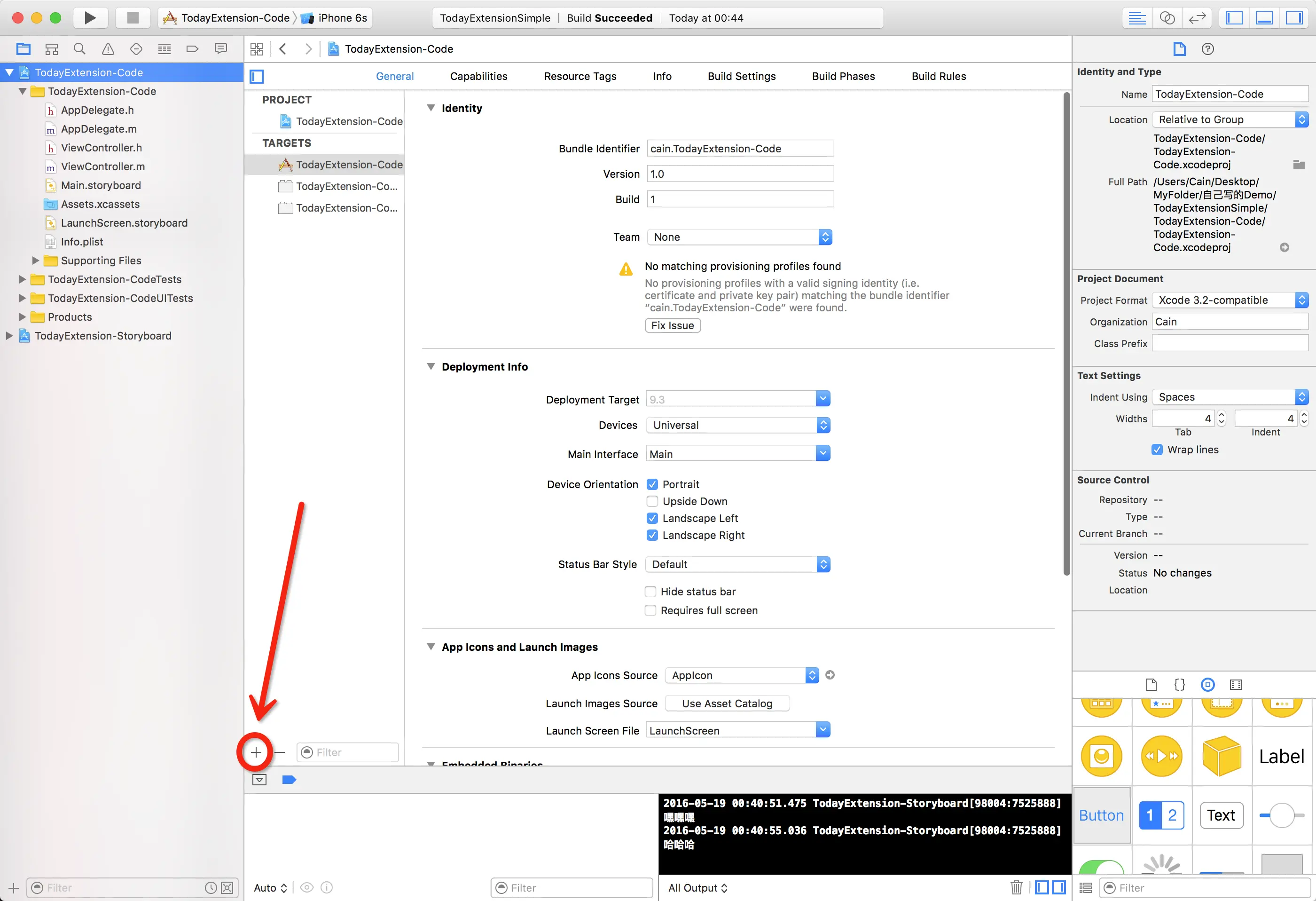
选择
Today Extension
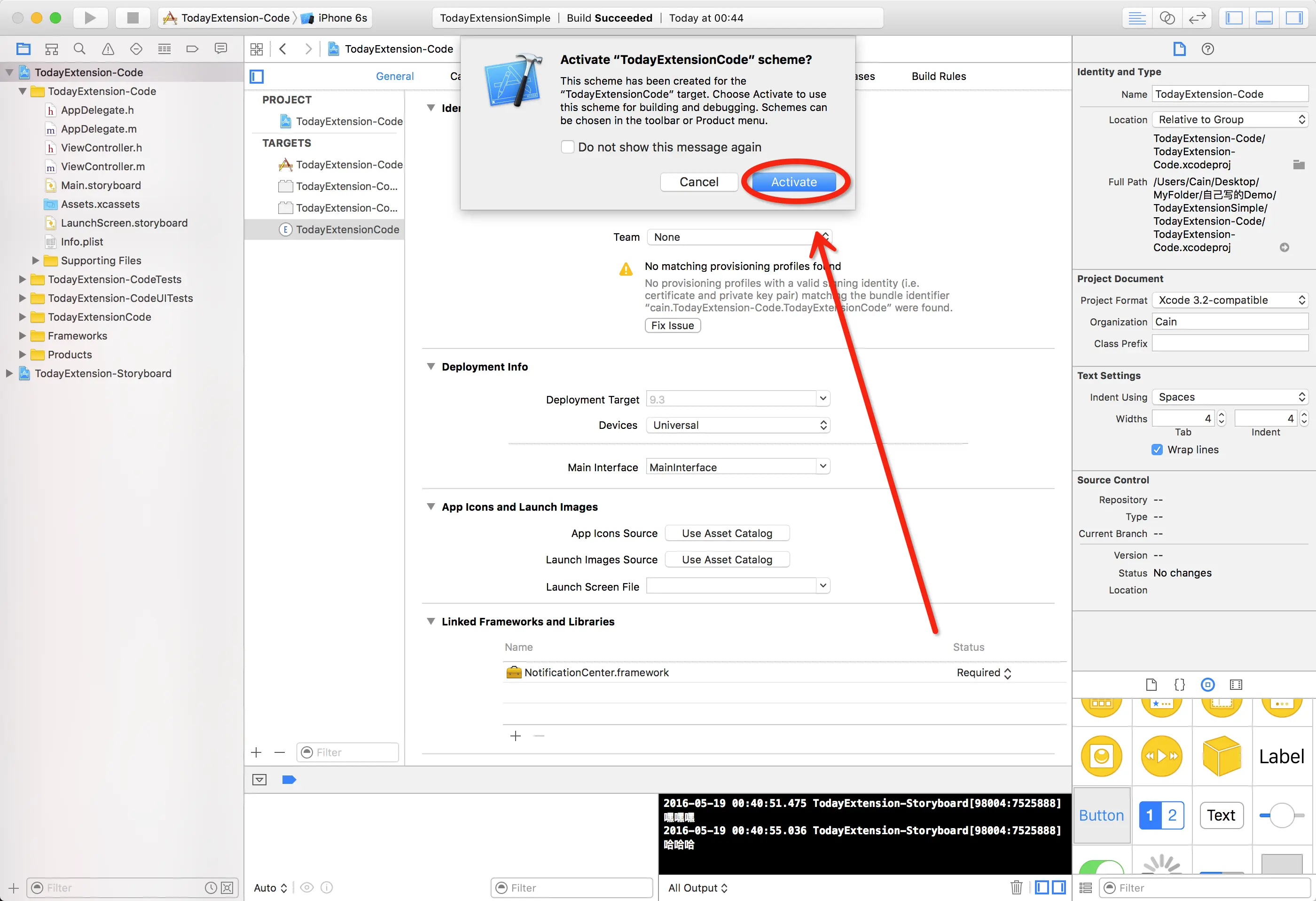
激活
Today Extension
使用Storyboard实现Today Extension
在创建好
Today Extension时,Xcode会自动创建一个对应的MainInterface.storyboard文件,并且与Today Extension的Controller关联,打开MainInterface.storyboard, 我们会看到有一个内容为Hello World的UILabel,废话少说现在我们来看看运行效果。
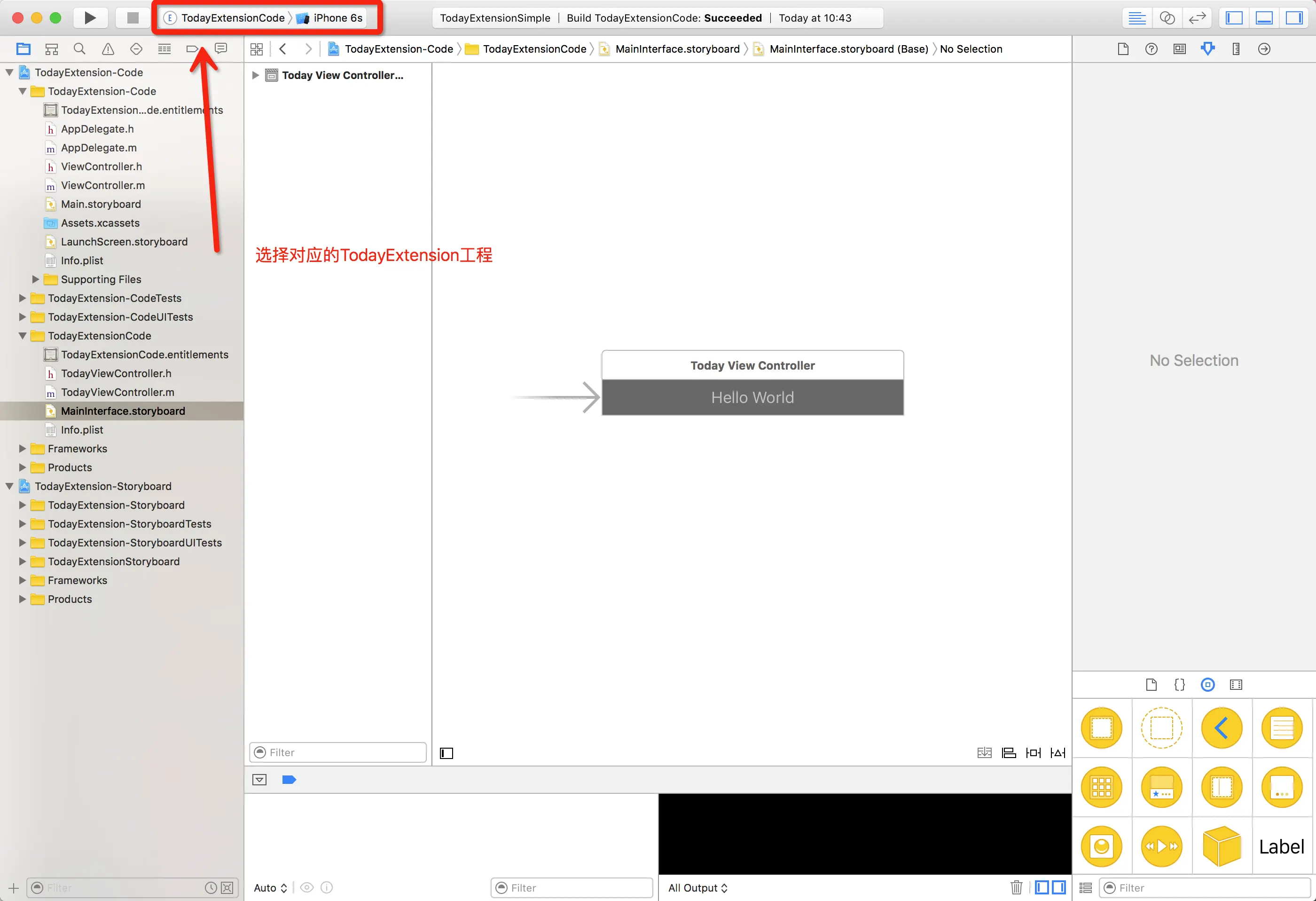
选择你需要关联启动的App
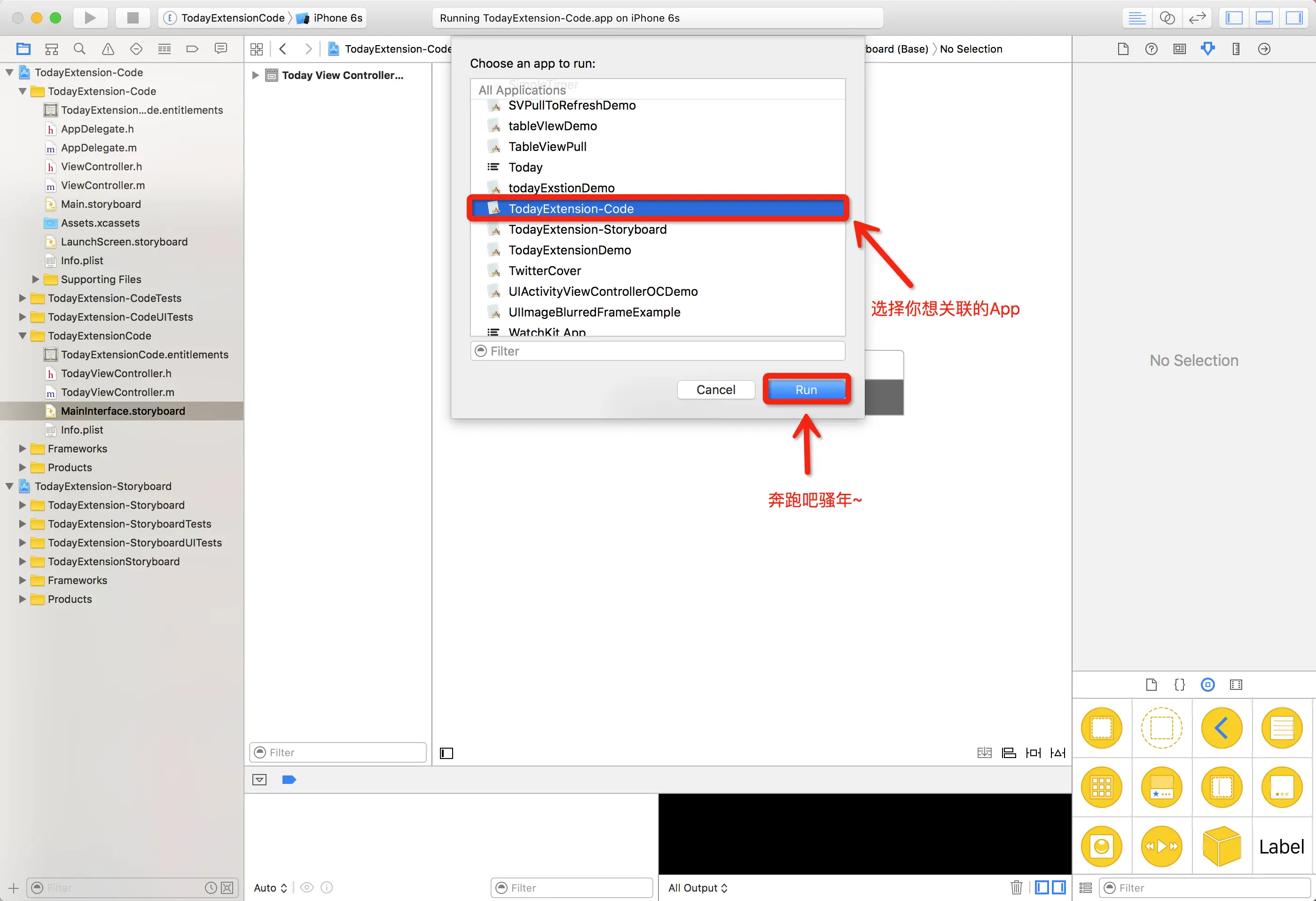
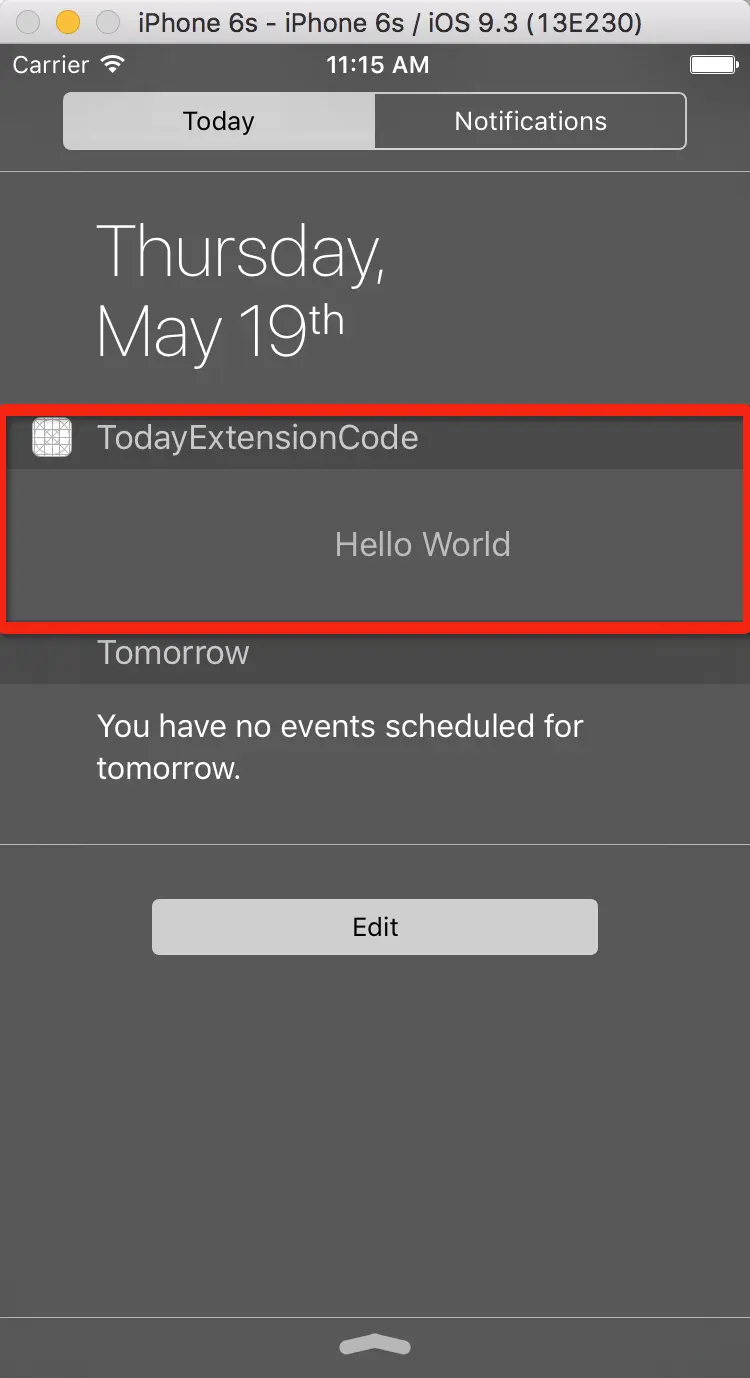
不要怀疑,就是这么简单的,
Today Extension就这么出来了。
打开数据共享服务
不过,骚年郎们别着急,只是展示个
Hello World而已,别高兴得太早,接下来我们讲重头戏,也就是应用App与Today Extension的数据交互,在此之前, 我们需要打开两个服务。首先是主程序里的
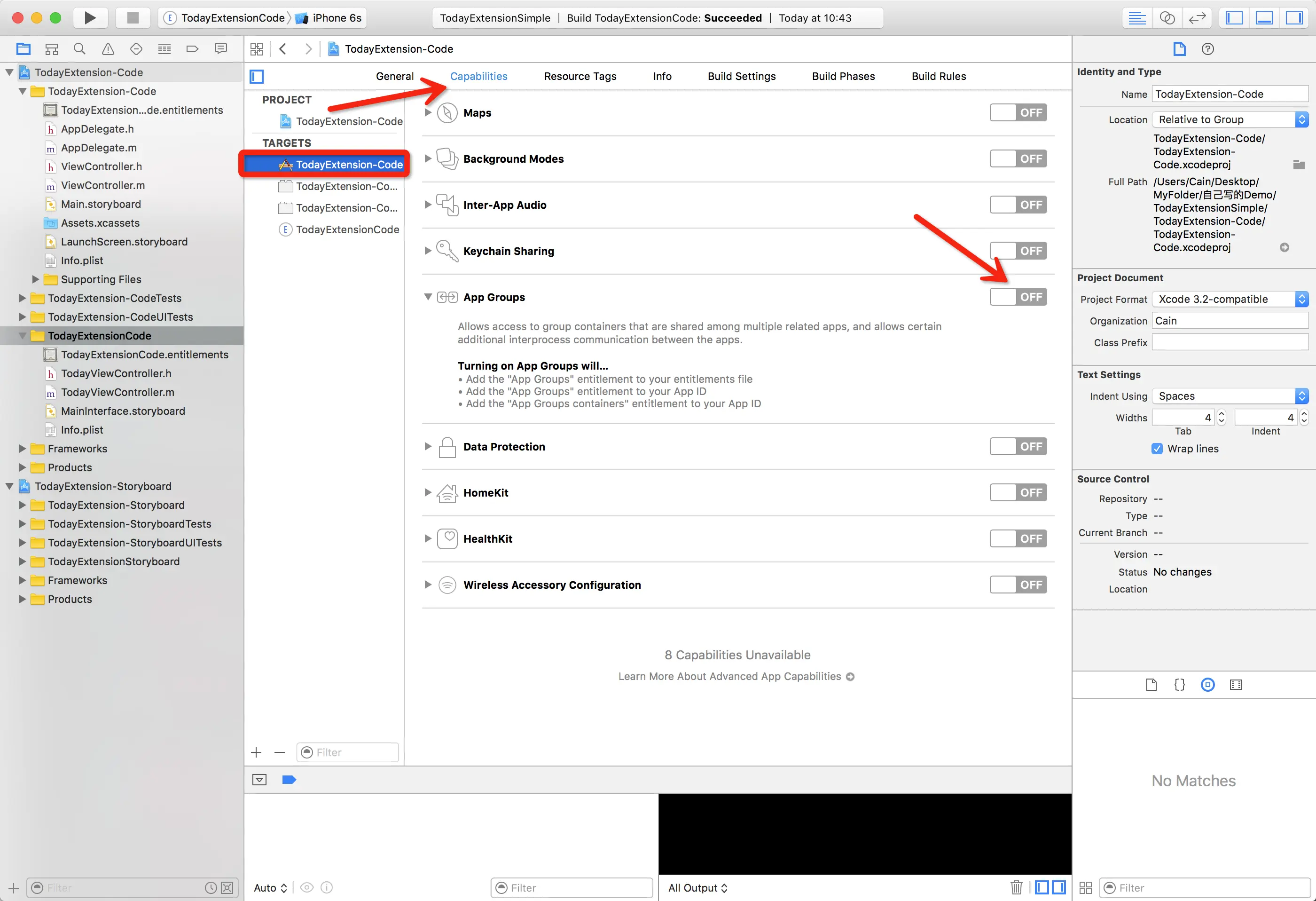
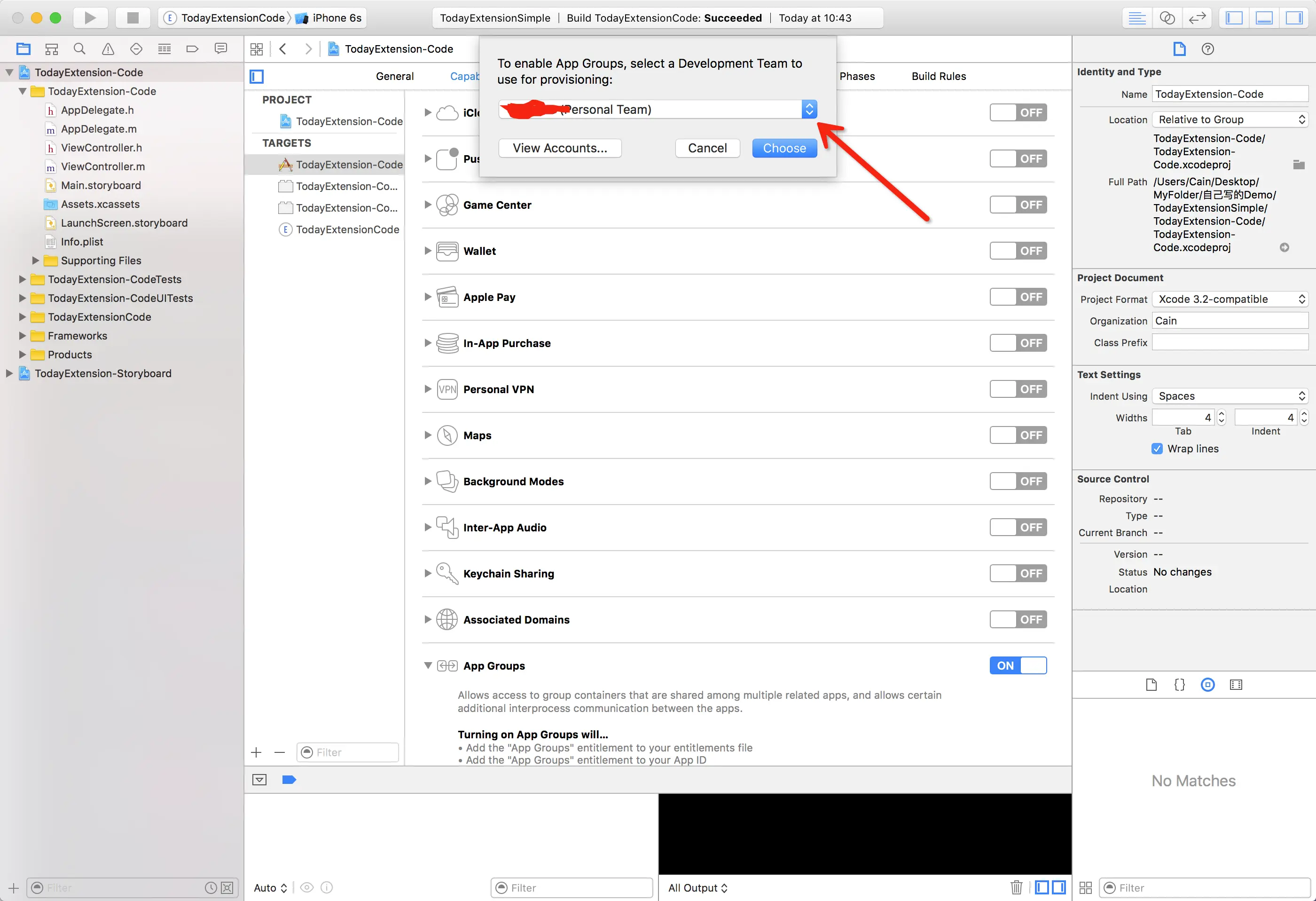
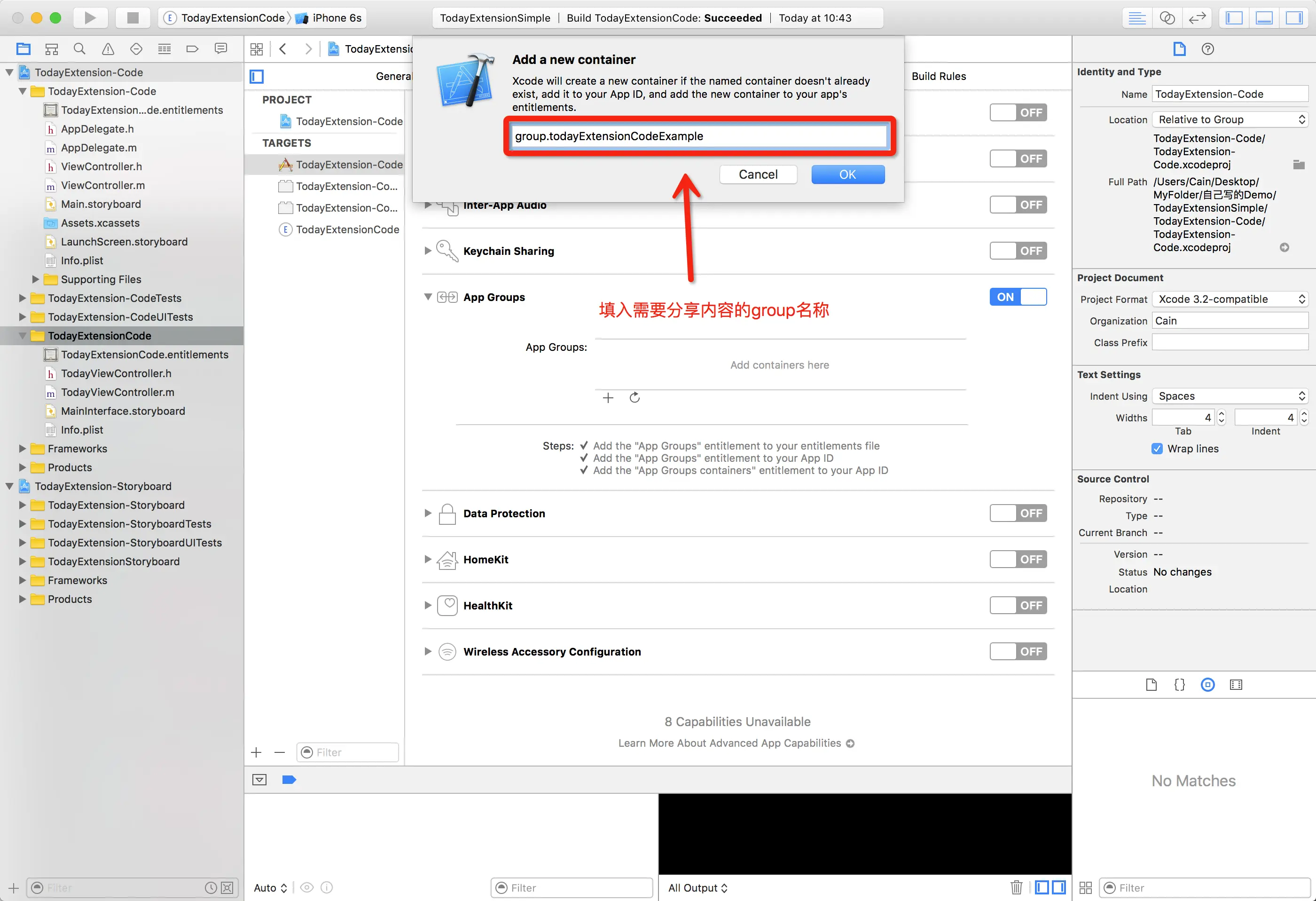
再者呢,就是
Today Extension里的
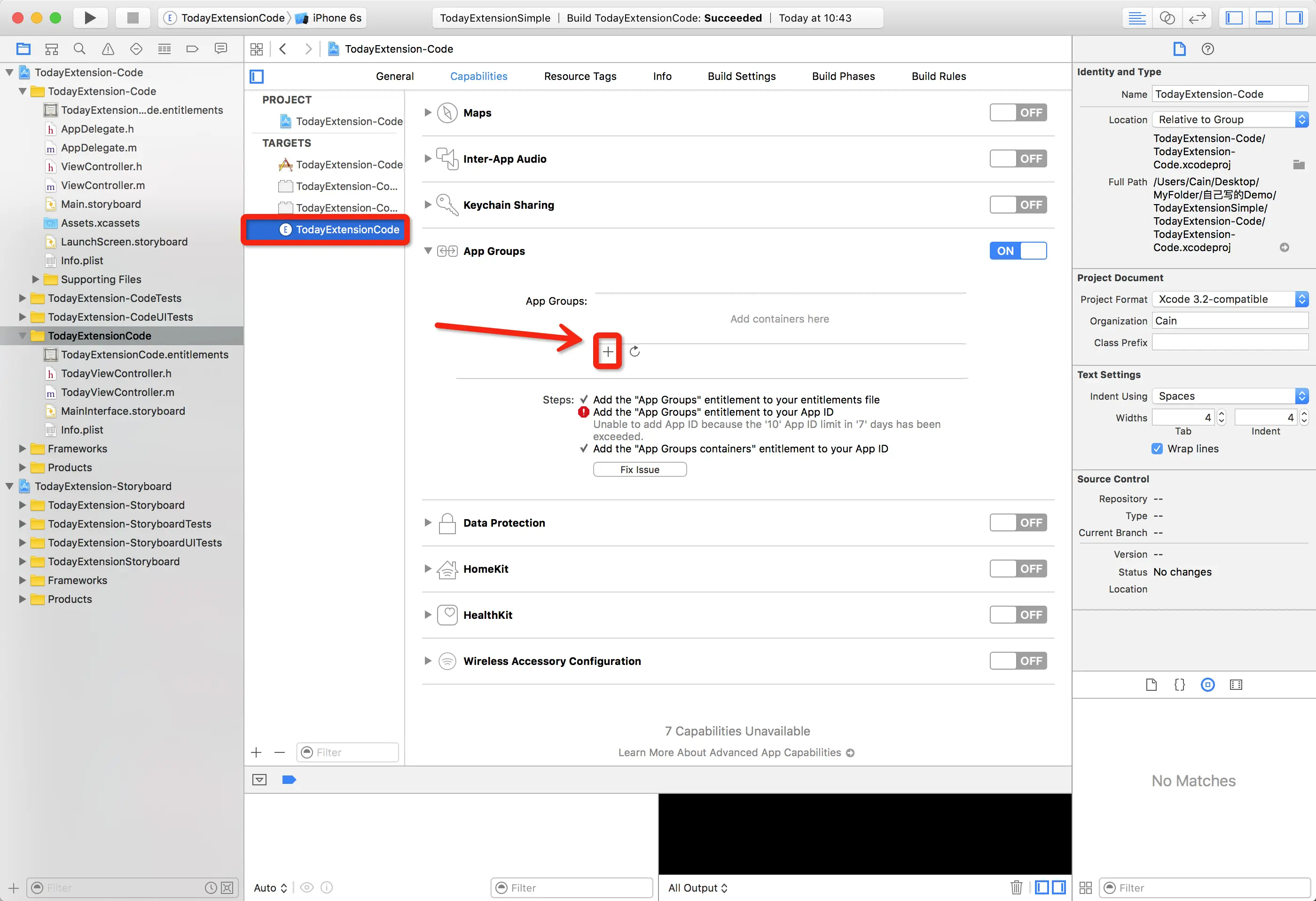
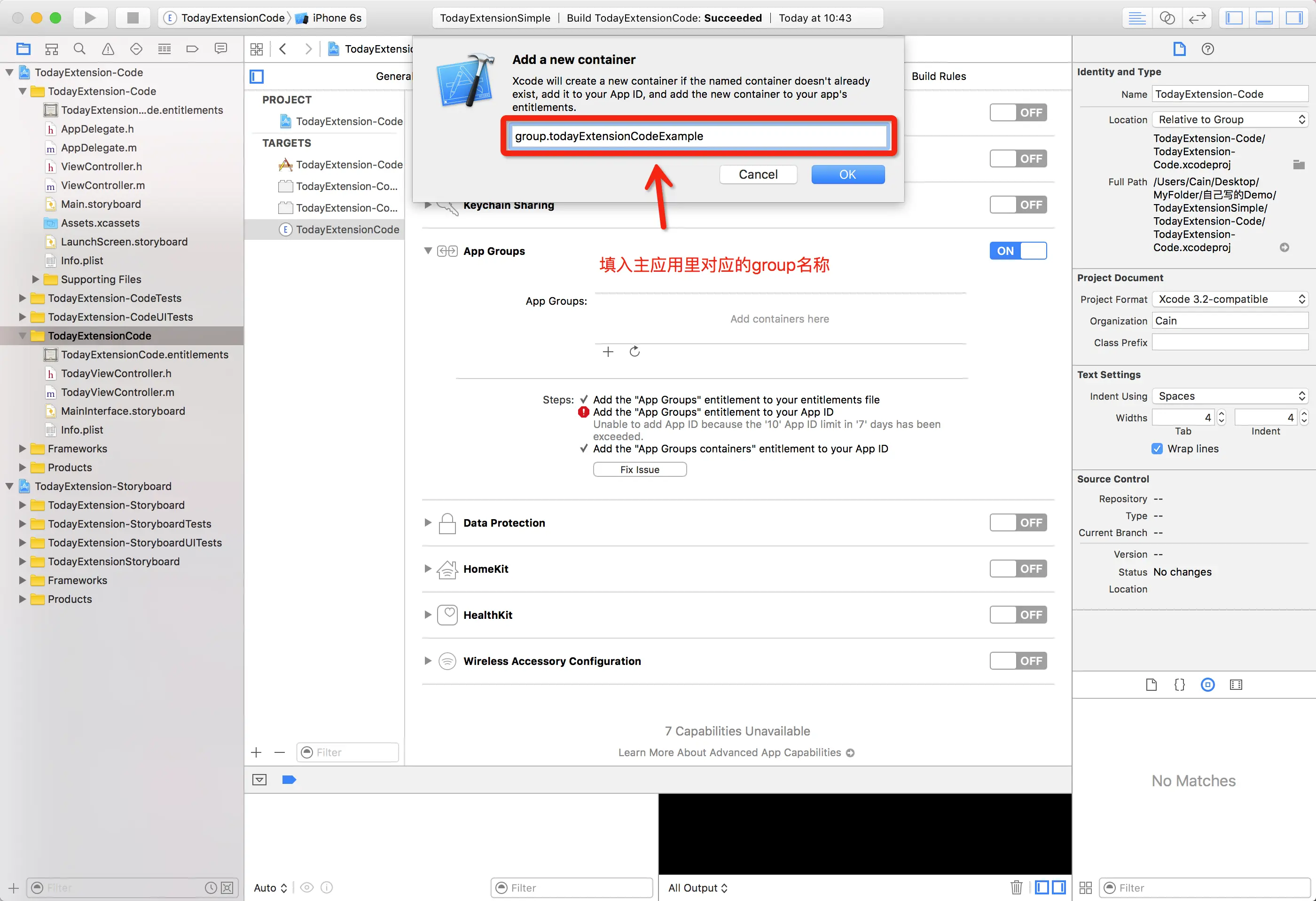
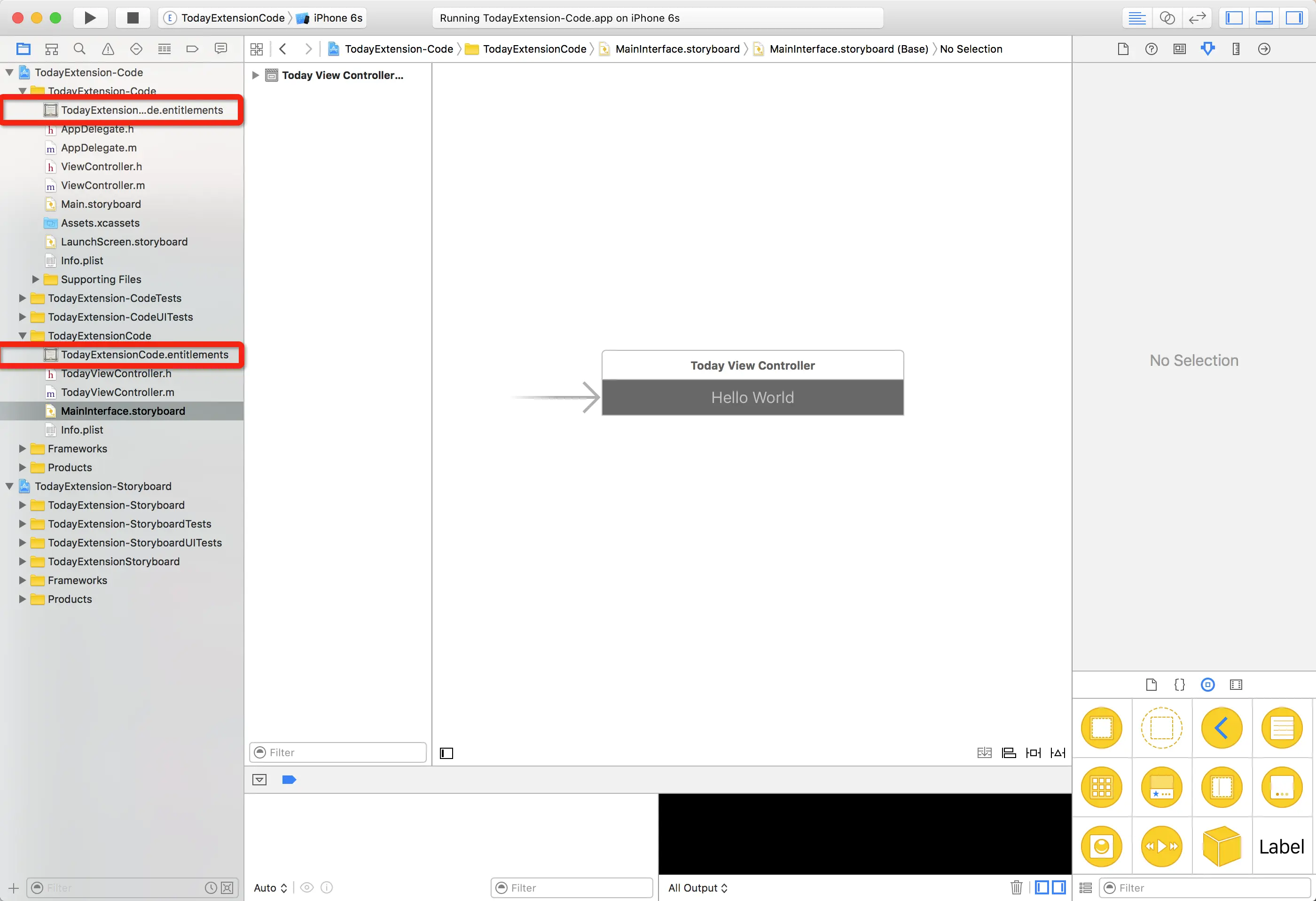
做完这两个操作之后,我们会看到多出来的两个
证书。PS:这个证书是收费的, 如果没有去申请,一个账号可以免费测试10个证书,主应用1个,Today Extension插件1个,也就是说一个应用需要两个。
删掉Storyboard
接下来之前,我们要把
MainInterface.storyboard给干掉,毕竟代码才是王道(个人观点,不喜勿喷)如果喜欢用Storyboard的朋友,也有一个Storyboard版本的,后面再补上,废话就不多说了,上教程。找到
TodayI Extension中的Info.plist文件,看到这小样就在这,先留着先
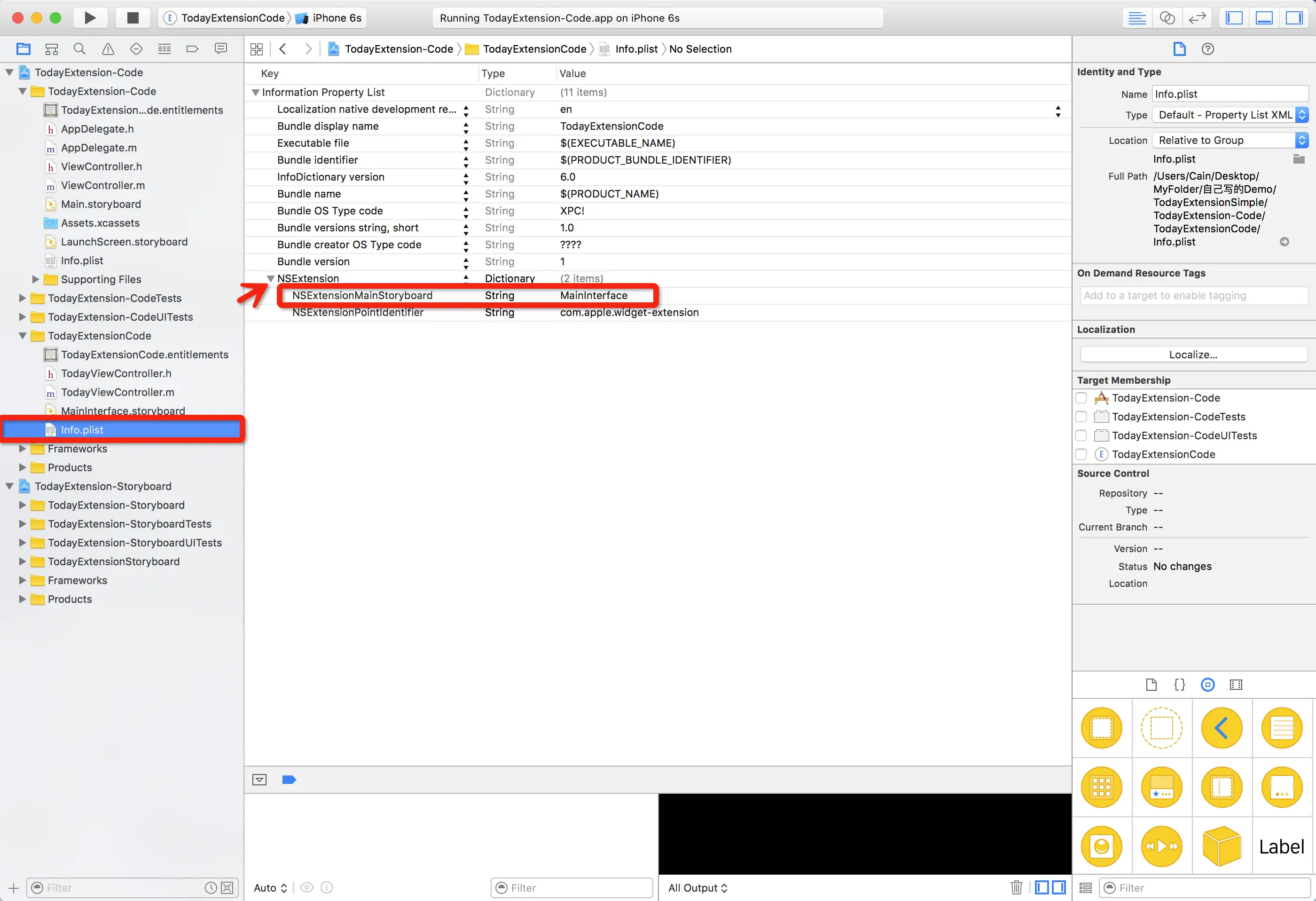
手动添加
NSExtensionPrincipalClass字段 并设为TodayViewController(这个Controller你可以自己指定,我这里为了方便,就直接拿Xcode生成的)
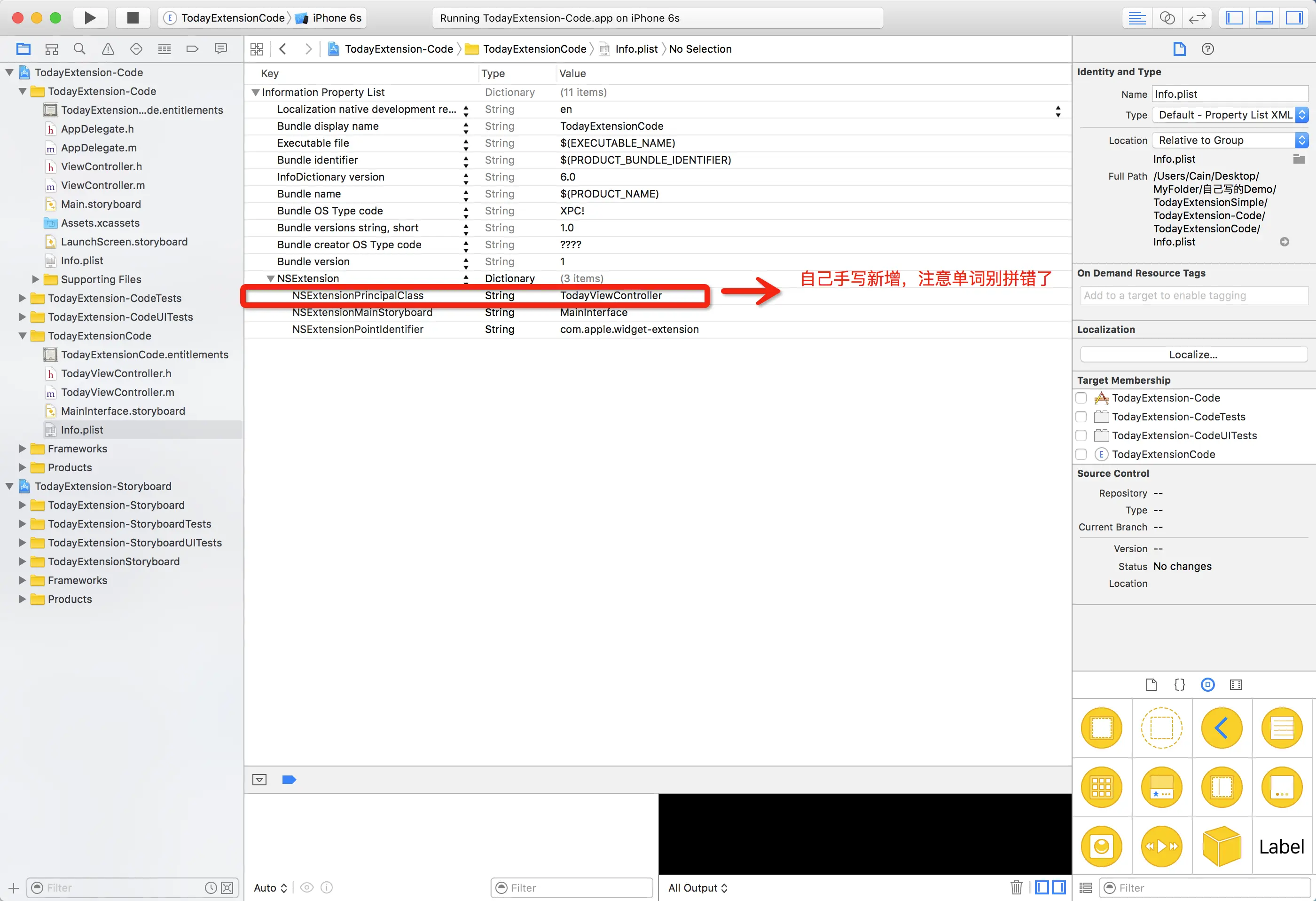
现在我们可以把
storyboard这小样给删掉了
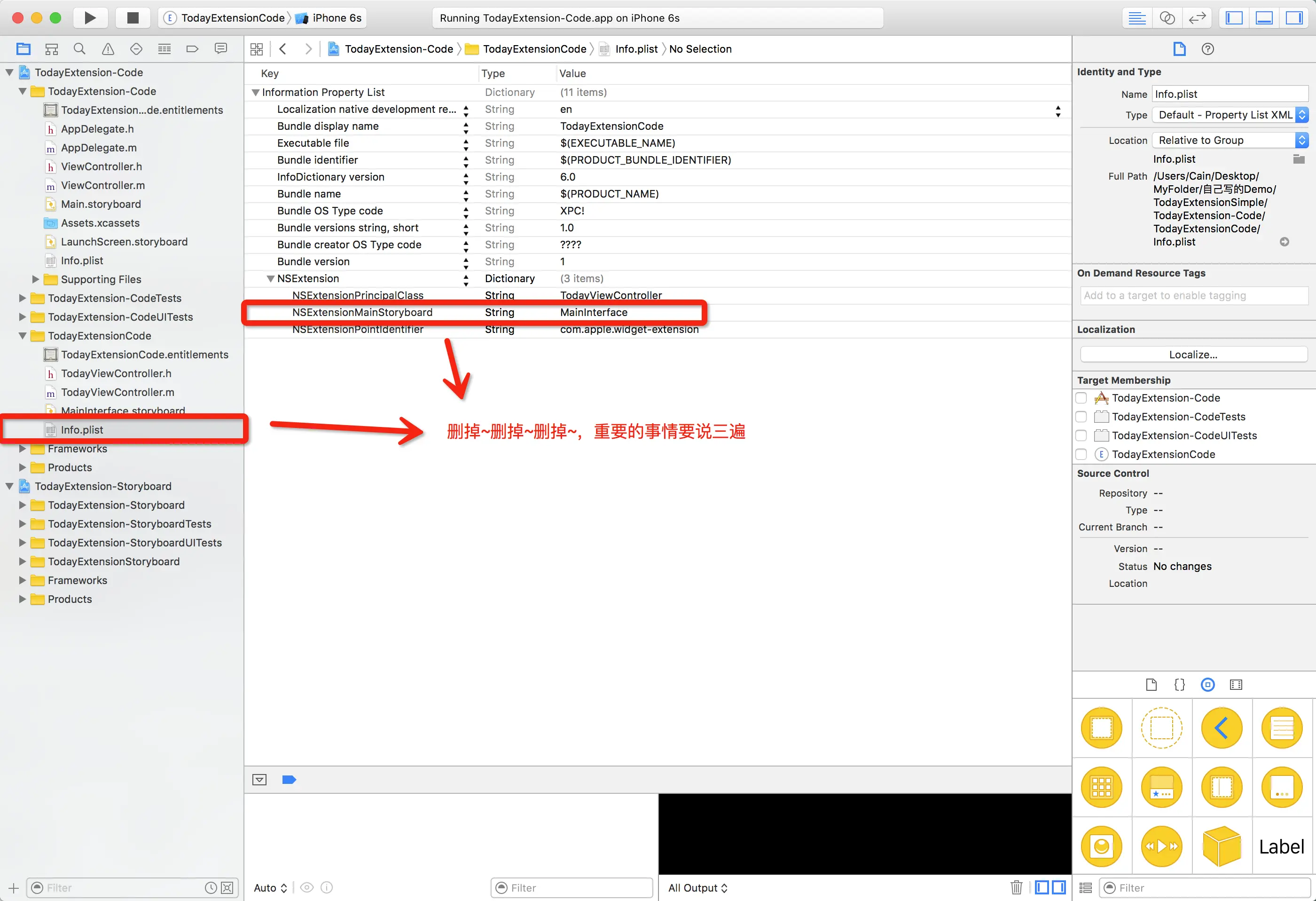
再运行,你就会看到整个
Today Extension是空的了,只有一个空图标和一个标题。
代码实现
主应用中,我们需要设置一下
NSUserDefault
- (void)viewDidLoad {
    [super viewDidLoad];

    NSUserDefaults *userDefault = [[NSUserDefaults alloc] initWithSuiteName:@"group.todayExtensionCodeExample"];
    [userDefault setObject:@"tips" forKey:@"group.todayExtensionCodeExample.tips"];
}
现在我们进入
TodayViewController开始写代码了
interface TodayViewController ()

@property (nonatomic, strong) UIView *contentView;
@property (nonatomic, strong) UILabel *tipsLabel;

@end

@implementation TodayViewController

- (void)viewDidLoad {
    [super viewDidLoad];

    /**
     *  设置Today Extension的Size
     *
     *  @param 0   Today Extension的宽度是不可变的,所以这里随便给个0就好了
     *  @param 150 高度是可控制的,这里我给了一个固定值150
     *
     *  @return CGSize
     */
    self.preferredContentSize = CGSizeMake(0, 150);

    /**
     *  初始化一个UIView,且设置它的属性
     */
    self.contentView = [[UIView alloc] initWithFrame:CGRectMake(0,
                                                                0,
                                                                self.view.frame.size.width,
                                                                self.view.frame.size.height)];
    self.contentView.backgroundColor = [UIColor whiteColor];

    [self.view addSubview:self.contentView];

    /**
     *  初始化一个Label,并且设置它的属性
     *
     */
    self.tipsLabel = [[UILabel alloc] initWithFrame:CGRectMake(0, 50, self.view.frame.size.width, 30)];

    self.tipsLabel.text            = @"这是一个测试代码";
    self.tipsLabel.numberOfLines   = 0;
    self.tipsLabel.textColor       = [UIColor blackColor];
    self.tipsLabel.backgroundColor = [UIColor redColor];

    [self.view addSubview:self.tipsLabel];

    /**
     *  获取主应用传过来的数据
     */
    NSUserDefaults *userDefault = [[NSUserDefaults alloc] initWithSuiteName:@"group.todayExtensionCodeExample"];

    NSString *nickName = [userDefault objectForKey:@"group.todayExtensionCodeExample.tips"];

    if (nickName) {

        NSString *message = @"今天XX又给你准备了很多惊喜哦,快去看看吧!";

        self.tipsLabel.text = [NSString stringWithFormat:@"%@,%@", nickName, message];
    }
}

/**
 *  该方法是用来设置Today Extension的偏移,默认会像左偏移
 *
 *  @param defaultMarginInsets UIEdgeInsets
 *
 *  @return UIEdgeInsets
 */
- (UIEdgeInsets)widgetMarginInsetsForProposedMarginInsets:(UIEdgeInsets)defaultMarginInsets {

    return UIEdgeInsetsZero;
}

/**
 *  该方法是用来刷新Today Extension数据的
 *
 *  @param completionHandler
 */
- (void)widgetPerformUpdateWithCompletionHandler:(void (^)(NCUpdateResult))completionHandler {
    // Perform any setup necessary in order to update the view.

    // If an error is encountered, use NCUpdateResultFailed
    // If there's no update required, use NCUpdateResultNoData
    // If there's an update, use NCUpdateResultNewData

    completionHandler(NCUpdateResultNewData);
}

@end
从Today Extension跳转至App
首先,我们需要添加
PS:这里的Identifier,以及URL Schemes。Identifier和URL Schemes是你自己定义的,不能与其他Application的Identifier、URL Schemes相同,否则会造成冲突。
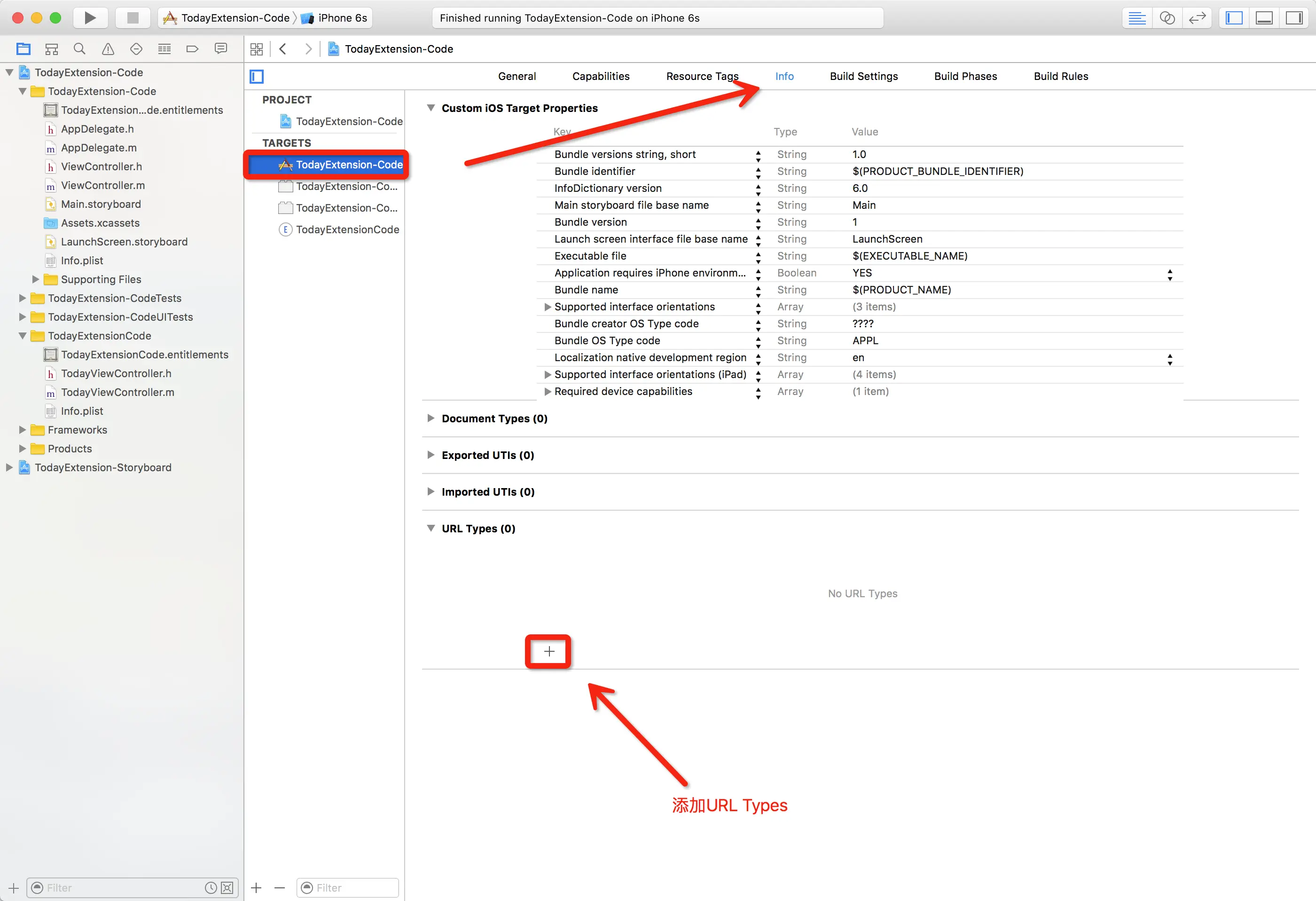
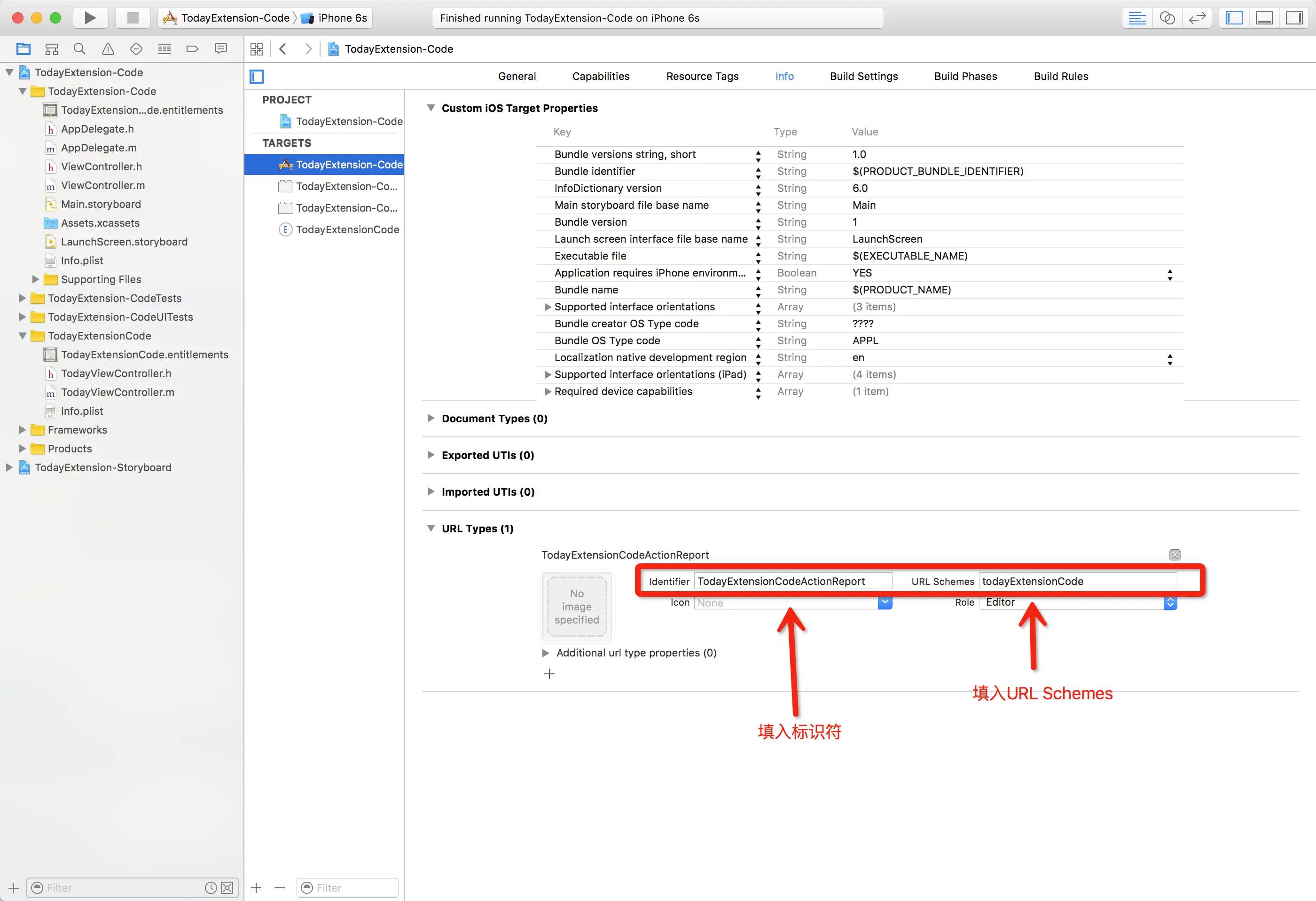
然后呢,我们去到主应用的
AppDelegate.m文件中添加方法
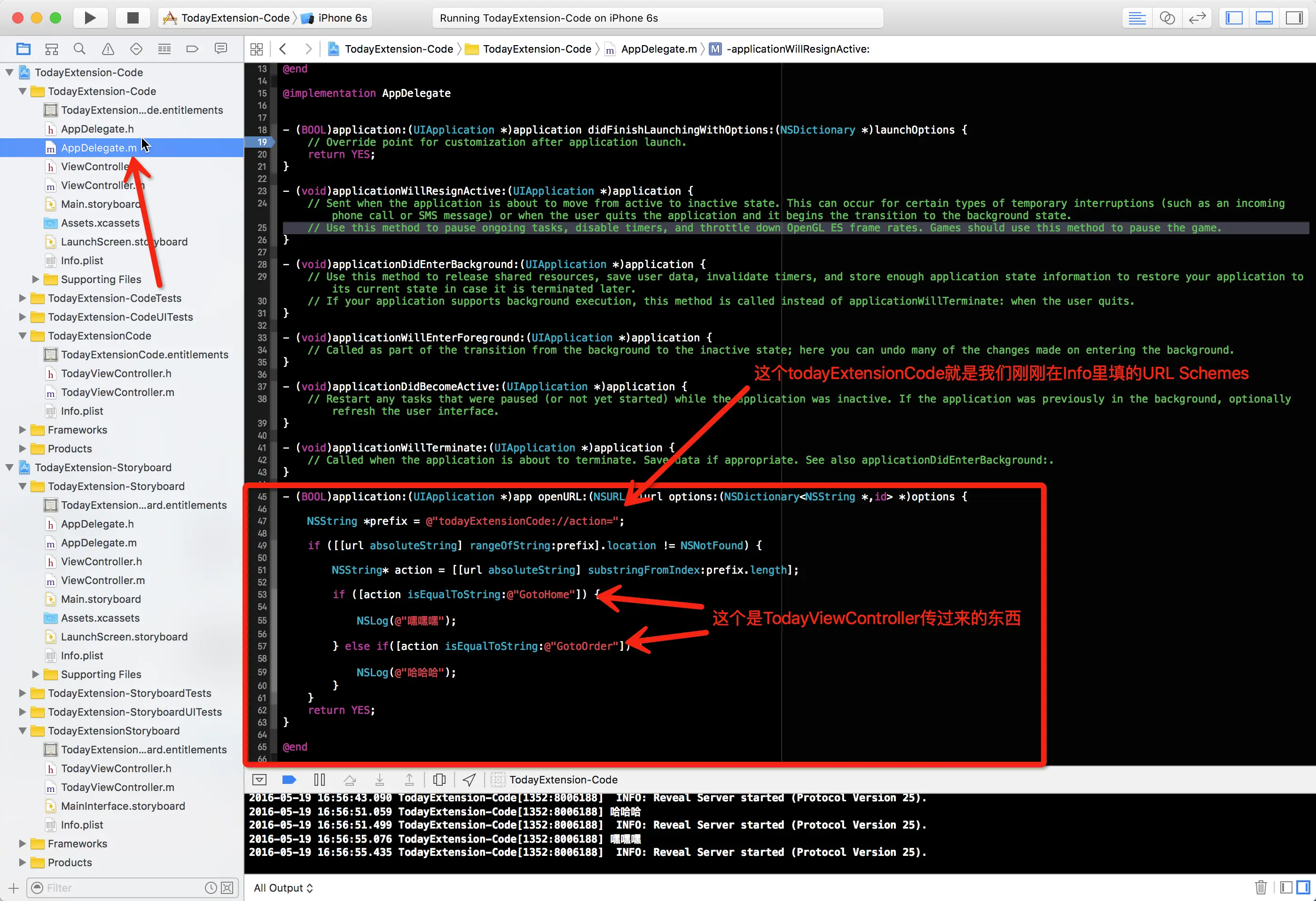
最后,我们去到
TodayViewController里补上对应的方法就好了
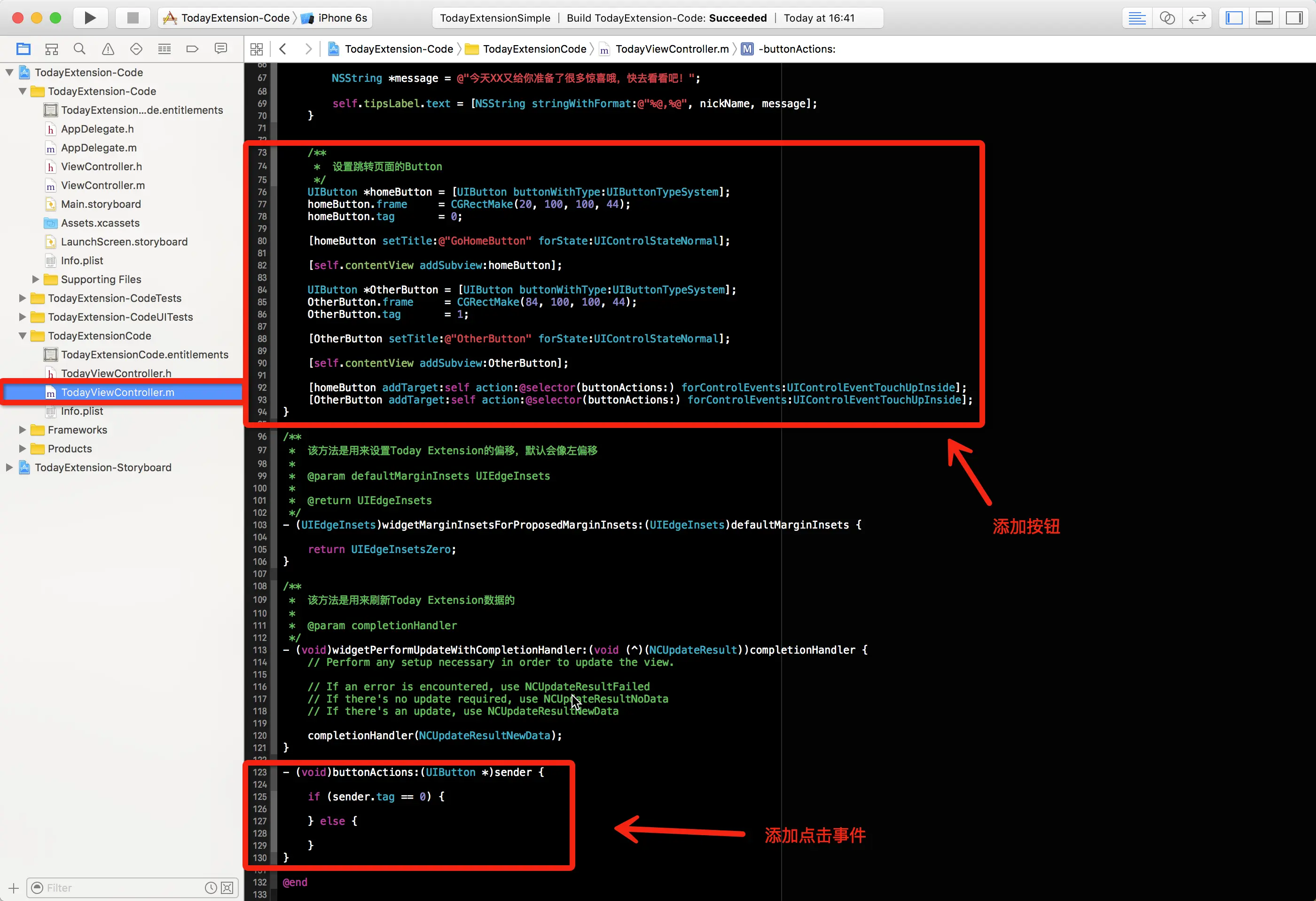
最终效果
注意点
PS:在保证代码正确的前提下,如果遇到Today Extension无法加载数据,或者其他异常,可以把Application删掉,插件也删掉,Clear一下Project,在运行即可。