

PullZoomRecyclerView
Using RecyclerView requires three steps:
- Step one: use the PullZoomRecyclerView in XML
- Step two: call the function setAdapter and the function setLayoutManager
- Step three: call the function setZoomView and the function setHeaderContainer
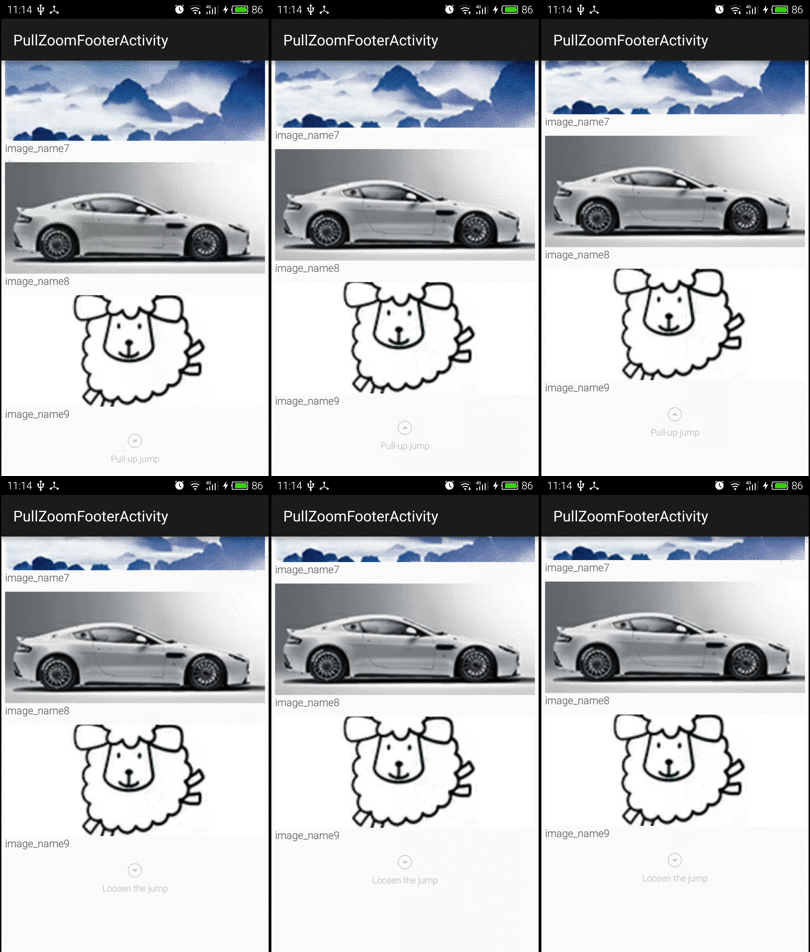



Features
- Two Pull Zoom mode (ZOOM_FOOTER or ZOOM_HEADER)
- Listening pull process (including pullStart、 pullZooming, pullEnd)
- You can reset the default smooth scroll to top interpolator(the default is DecelerateInterpolator)
Usage
Add dependency
 dependencies {
    compile 'com.dinuscxj:pullzoomrecyclerview:1.0.2'
 }
Used in xml
Used in java
 mPullZoomRecyclerView.setAdapter(new Adapter());
 mPullZoomRecyclerView.setLayoutMannager(new LinearLayoutManager(context));
mPullZoomRecyclerView.setZoomView(zoomView);
mPullZoomRecyclerView.setHeaderContainer(headerContainer);Thanks
License
Copyright 2015-2019 dinus

Licensed under the Apache License, Version 2.0 (the "License");
you may not use this file except in compliance with the License.
You may obtain a copy of the License at

   http://www.apache.org/licenses/LICENSE-2.0

Unless required by applicable law or agreed to in writing, software
distributed under the License is distributed on an "AS IS" BASIS,
WITHOUT WARRANTIES OR CONDITIONS OF ANY KIND, either express or implied.
See the License for the specific language governing permissions and
limitations under the License.
