SwiftTweaks



Adjust your iOS app on the fly without needing to compile!
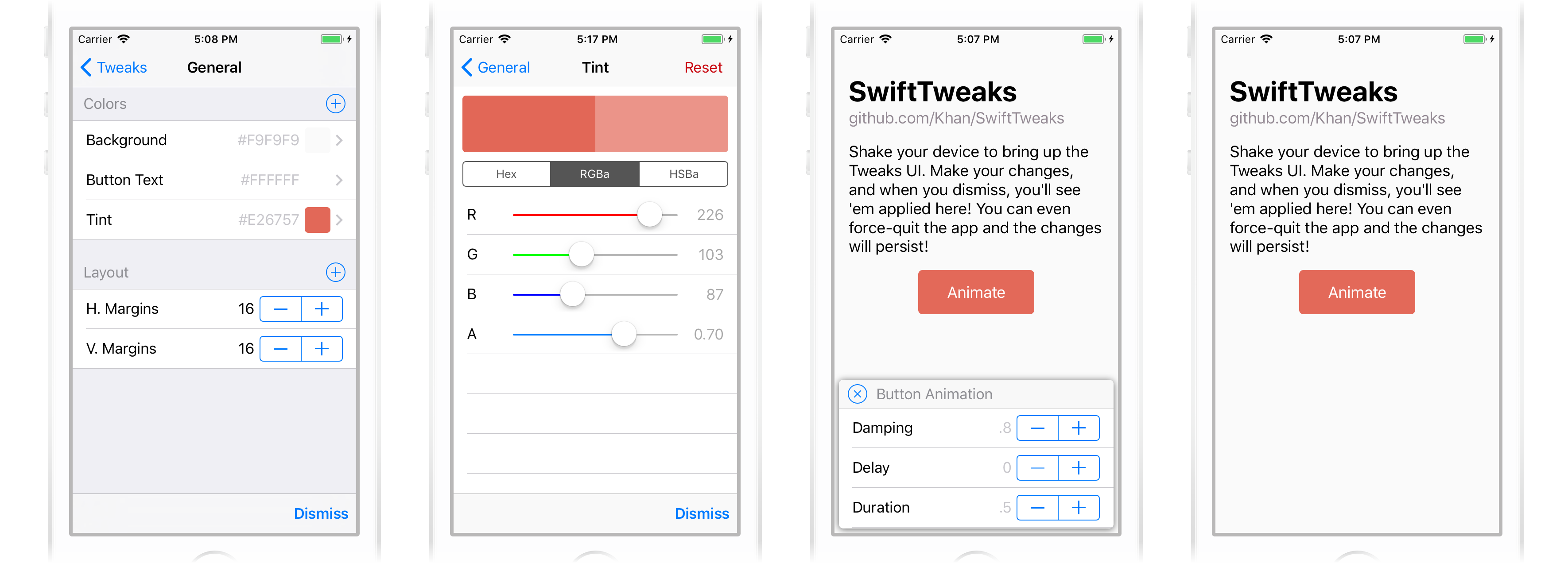
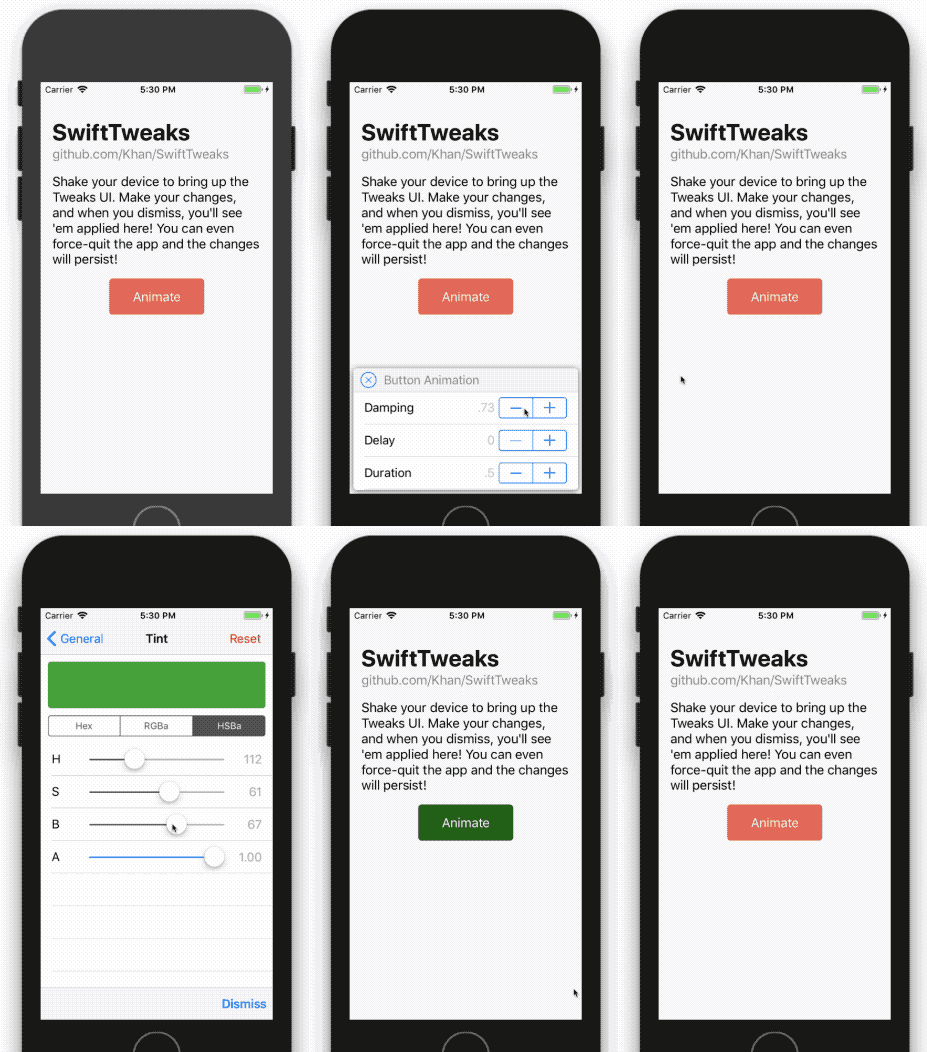
Your users won’t see your animation study, Sketch comps, or prototypes. What they will see is the finished product - so it’s really important to make sure that your app feels right on a real device!
Animations that look great on your laptop often feel too slow when in-hand. Layouts that looks perfect on a 27-inch display might be too cramped on a 4-inch device. Light gray text may look subtle in Sketch, but it’s downright illegible when you’re outside on a sunny day.
These animation timings, font sizes, and color choices are all examples of “magic numbers” - the constants that give your app its usability and identity. The goal of SwiftTweaks: allow you to fine-tune these magic numbers in the debug builds of your Swift project, without having to wait for Xcode to rebuild the app.
Overview
Use a Tweak in place of a boolean, number, or color in your code. You can adjust that Tweak without having to recompile, which means you can play with animation timings,
colors, and layouts without needing Xcode!
Currently, you can tweak the following types:
- Bool
- Int
- CGFloat
- Double
- UIColor
A Tweak looks like this:
swift

public static let colorTint = Tweak(General, Colors, Tint, UIColor.blueColor())
There are also helpful TweakGroupTemplate types, like this one for iOS spring animations:
swift

public static let buttonAnimation = SpringAnimationTweakTemplate(Animation, Button Animation)
There are templates for “basic” UIView animations, UIEdgeInsets, and best of all - you can create your own TweakGroupTemplate type and contribute ‘em back
here!
Wait, what about Facebook Tweaks?
Good question! I’m glad you asked. The whole reason SwiftTweaks exists is because we love the stuffing out of FBTweaks. We’re long-time fans of FBTweaks in our Objective-C
projects: Replace the magic numbers with an FBTweak macro, and you’re all set! You can leave an FBTweak macro in your production code, because it’s replaced at compile-time with the
tweak’s default value.
But Swift doesn’t support this macro-wizardry, so FBTweaks is burdensome to use in Swift code. Our app is nearly all Swift, so we wanted to see if we could make something that was a little easier!
Steps to Tweaking
There are three steps to add SwiftTweaks to your project:
- Create a
TweakLibraryType, which contains a set ofTweaks and aTweakStoreto persist them. - Reference that
TweakLibraryTypein your code to use aTweak. - In your AppDelegate, make the
TweakWindowthe root view controller of your app (there are other options, but this is the most straightforward! More on that later.)
Now build-and-run, then shake your phone to bring up the Tweaks UI! Adjust tweaks, and when you’re satisfied with what you’ve got, share your tweaks with others from within the Tweaks UI.
Step One: Make your TweakLibrary
A tweak library is responsible for listing out a bunch of public static tweaks, and building a TweakStore. A tweak library looks like this:
public struct ExampleTweaks: TweakLibraryType {
    public static let colorTint = Tweak(General, Colors, Tint, UIColor.blueColor())
    public static let marginHorizontal = TweakCGFloat(General, Layout, H. Margins, defaultValue: 15, min: 0)
    public static let marginVertical = TweakCGFloat(General, Layout, V. Margins, defaultValue: 10, min: 0)
    public static let featureFlagMainScreenHelperText = Tweak(Feature Flags, Main Screen, Show Body Text, true)

    public static let buttonAnimation = SpringAnimationTweakTemplate(Animation, Button Animation)

    public static let defaultStore: TweakStore = {
        let allTweaks: [TweakClusterType] = [colorTint, marginHorizontal, marginVertical, featureFlagMainScreenHelperText, buttonAnimation]

        // Since SwiftTweaks is a dynamic library, youll need to determine whether tweaks are enabled.
        // Try using the DEBUG flag (add -D DEBUG to Other Swift Flags in your projects Build Settings).
        #if DEBUG
            let tweaksEnabled: Bool = true
        #else
            let tweaksEnabled: Bool = false
        #endif

        return TweakStore(
            tweaks: allTweaks,
            enabled: tweaksEnabled
        )
    }()
}
Let’s break down what happened here:
- We have four tweaks in
ExampleTweaks: a tint color, twoCGFloats for layout, and aBoolthat toggles an in-development feature. - The compiler can get confused between
Int,CGFloat, andDouble- so you might find it necessary to tell theTweak<Twhat type itsTis - as we do here with our margin tweaks. - We create a
defaultStoreby creating aTweakStore, which needs to know whether tweaks areenabled, and a list of alltweaks. - The
enabledflag onTweakStoreexists so thatSwiftTweaksisn’t accessible by your users in production. You can set it however you like; we enjoy using theDEBUGflag from our project’s Build Settings.
Step Two: Using Your TweakLibrary
To use a tweak, you replace a number or UIColors in your code with a Tweak reference, like this:
Here’s our original code:
swift

button.tintColor = UIColor.greenColor()
assign returns the current value of the tweak:
swift

button.tintColor = ExampleTweaks.assign(ExampleTweaks.colorTint)
bind calls its closure immediately, and again each time the tweak changes:
swift

ExampleTweaks.bind(ExampleTweaks.colorTint) { button.tintColor = $0 }
bindMultiple calls its closure immediately, and again each time any of its tweaks change:
swift

// A multipleBind is called initially, and each time _any_ of the included tweaks change:

let tweaksToWatch: [TweakType] = [ExampleTweaks.marginHorizontal, ExampleTweaks.marginVertical]

ExampleTweaks.bindMultiple(tweaksToWatch) {

let horizontal = ExampleTweaks.assign(ExampleTweaks.marginHorizontal)

let vertical = ExampleTweaks.assign(ExampleTweaks.marginVertical)

scrollView.contentInset = UIEdgeInsets(top: vertical, right: horizontal, bottom: vertical, left: horizontal)

}
For more examples, check out the example project’s ViewController.swift file - it’s got lots of different use cases.
Step Three: Set TweakWindow as your Root View Controller
By default, SwiftTweaks uses a shake gesture to bring up the UI, but you can also use a custom gesture if you prefer it!
Installation
Carthage
To add SwiftTweaks to your application, add it to your Cartfile:
github Khan/SwiftTweaks ~ 1.0
CocoaPods
pod SwiftTweaks, ~ 1.0
FAQ
Do I have to set TweakWindow as the root of my app?
Nope! Wherever/however you prefer, just create a TweaksViewController like so:
let tweaksVC = TweaksViewController(tweakStore: ExampleTweaks.defaultStore)
Can I have multiple TweakLibraryTypes in my app?
Sure! You’d initialize their defaultStores with a unique storeName identifier, like so:
public struct FirstTweaksLibrary: TweakLibraryType {
    // ...

    public static let defaultStore: TweakStore = {
        let allTweaks: [TweakClusterType] = //...

        return TweakStore(
            tweaks: allTweaks,
            storeName: FirstTweaksLibrary,    // Heres the identifier
            enabled: tweaksEnabled
        )
    }()
}
Why can’t any type be used for a Tweak?
While TweakT is generic, we have to restrict T to be TweakableType so that we can guarantee that each kind of T can be represented in
our editing interface and persisted on disk. More types would be awesome, though! It’d be neat to support dictionaries, closures, strings, and other things.
If you’d like to extend TweakableType, you’ll need to extend some internal components, like TweakViewDataType, TweakDefaultData, TweakViewData,
and TweakPersistency. Feel free to open a pull request if you’d like to add a new type!
How do I create a new TweakGroupTemplate?
Maybe you’re a different animation framework, or want a template for CGRect or something like that - great! As long as the tweakable “components” of your template conform to
TweakableType then you’re all set. Create a new TweakGroupTemplateType, and take a look at the existing templates for implementation suggestions. (You’ll probably want to
use SignedNumberTweakDefaultParameters too - they’re very helpful!)
If you think your TweakGroupTemplateType would help out others, please make a pull request!