

Preset build tool for Vue.js apps.
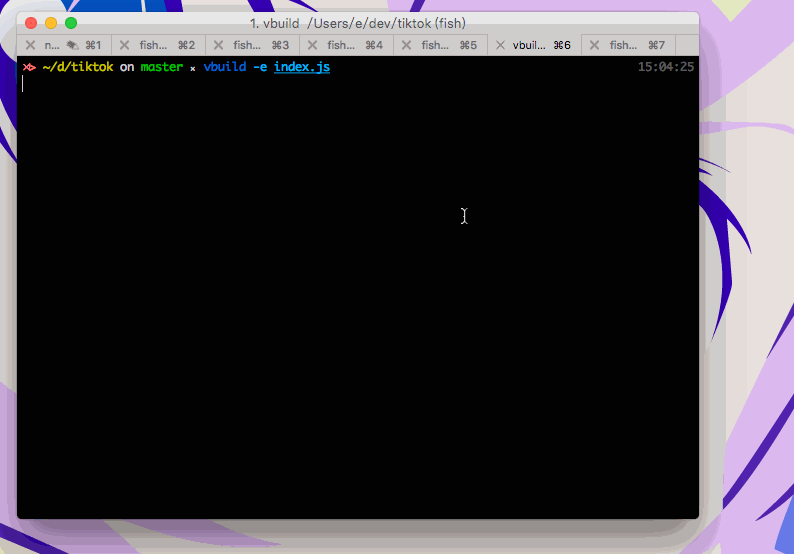
What can be done perfectly?
- Web apps made with Vue.js
- Desktop apps made with Electron and Vue.js
- Vue related stuffs, like Vue components, directives, etc.
Install
Recommend Node >= 4 and NPM >=3:
# it takes me 7 minutes to complete the installation
$ npm install -g vbuild
Usage
You can use full-featured ES2015+ and PostCSS with CSSNext in your Vue apps.
# build ./src/index.js
# production ready
$ vbuild
# yeppppp! so simple!

# build something elsewhere
# -e/--entry
$ vbuild --entry ./lib/foo.js

# development? sure! with hot reloading!
# -d/--dev
$ vbuild --dev

# your app deserves a name, ie.  in html
# -t/--title
$ vbuild --title FaceBook
Not a scaffolding tool
Scaffolding tools like Yeoman and Vue-cli save us a lot of time, while vbuild does not add additional files into your projects but those do. You can skip the step of generating boilerplates and start writing code of your app immediately.
Fun for prototyping
Imagine using scaffolding tool for prototyping every small demos of you? Dear lord! I refuse to do that. You can use vbuild for your experiments or demos with nearly no setup.
Production ready
vbuild can build production ready apps by default. 😅
Advanced configuration
Drop a vbuild.js in the root of your project directory:
export default {
  // the options here (except `webpack()` function) can be override by cli arguments
  entry: {
    js: './src/app.js',
    css: './src/app.css'
  },
  browsers: ['ie > 10', 'last 1 version'],
  webpack(config, options) {
    // config:  webpack config
    // options: cli arguments merged with options above

    // update config before building
    // this can override changes made by cli arguments and options above
    config.entry = './goaway.js'
  }
}
Help
For more usages:
$ vbuild --help

  Preset build tool for Vue.js apps.

  Usage:
    vbuild [options]

  Example:
    vbuild --entry index.js --port 4000 --dev --browser-sync

  Options:
    -e/--entry:                 Specific entries
    -d/--dev:                   Development mode
    -p/--port [port]:           Server port, port is optional
    -t/--title [title]:         App title, title is optional
    -b/--browsers:              Set autoprefixer browser list
    --lint:                     Lint your code
    --umd :         UMD mode and prvide a module name
    --cjs:                      CommonJS mode
    --electron:                 Electron mode
    --silent:                   Do not open browser
    --browser-sync [port]:      Browser Sync, port is optional
    -c/--config [path]:         Use config file or specific a config file path
    -v/--version:               Print version
    -h/--help:                  Print help (You are here!)
API
import vbuild from 'vbuild'

(async function () {
  await vbuild(options)
})()
options
entry
Type: string array object
Default: ./src/index.js
Webpack config entry.
dev
Type: boolean
Default: false
Run in development mode, ie. hot reloading and a lot more.
port
Type: number
Default: 4000
Dev server port.
title
Type: string
Default: vbuild
HTML title.
browsers
Type: array
Default: ['> 5%', 'last 2 version', 'ie > 8']
Autoprefixer browser list.
umd
Type: string
Build in UMD format, and specific a moduleName.
cjs
Type: boolean
Default: false
Build in CommonJS format.
electron
Type: boolean
Default: false
Use Electron mode to build, support hot reloading.
silent
Type: boolean
Default: false
Don't open browser when bundle valid in dev mode.
browserSync
Type: boolean number
Default: false 23789
Use browser-sync-webpack-plugin and specific a port to run at.
lint
Type: boolean
Default: false
Lint your code. (ESlint for now)
eslint
Type: object
Default: {}
ESlint-compatiable config.
webpack
Type: function
Default: undefined
Params: config options
Specfic a function to update webpack config before building. options is the API options.
config
Type: string boolean
Default: ./vbuild.js false
Use default config file or specific a config file.
License
MIT © EGOIST
