

本文已经翻译成中文《Retrofit 入门基础》,欢迎参加「掘金翻译计划」,翻译优质的技术文章。
This is the first post in a series of Retrofit articles. The series dives through several use cases and examines Retrofits range of functions and extensibility.
Update — October 21st 2015We’ve added new code examples for Retrofit 2 (based on 2.0.0-beta2) besides the existing ones for Retrofit 1.9. We’ve also published an extensive Retrofit upgrade guide: link #15 in the outline below.
Retrofit Posts Overview
Within this blog post we’re going through the basics of Retrofit and create an android client for API or HTTP requests.
However, this post doesn’t cover too much getting started information and what’s Retrofit about. For those information, please visit the projects homepage.
What is Retrofit
The official Retrofit page describes itself as
A type-safe REST client for Android and Java.
You’ll use annotations to describe HTTP requests, URL parameter replacement and query parameter support is integrated by default. Additionally, it provides functionality for multipart request body and file uploads.
How to Declare (API) Requests
Please visit and read the API declaration section on the Retrofit homepage to understand and get a feeling of how to make requests. You’ll find all important information, clearly depicted with code examples.
Prepare Your Android Project
Now let’s get our hands dirty and back to the keyboard. If you already created your Android project, just go ahead and start from the next paragraph. Else, create a new project in your favorite IDE. We prefer Gradle as the build system, but you surely can use Maven as well.
Define Dependencies: Gradle or Maven
Now let’s set Retrofit as a dependency for your project. Select your used build system and define Refrofit and its dependencies in your pom.xml or build.gradle. When running the command to build your code, the build system will download and provide the library for your project. We propose to use Retrofit with OkHTTP which requires Okio to be defined as a dependency as well.
Retrofit 1.9
pom.xml
    com.squareup.retrofit
    retrofit
    1.9.0


    com.squareup.okhttp
    okhttp
    2.2.0
build.gradle
dependencies {
    // Retrofit & OkHttp
    compile 'com.squareup.retrofit:retrofit:1.9.0'
    compile 'com.squareup.okhttp:okhttp:2.2.0'
}
Retrofit 2
Use the following dependencies if you’re using Retrofit in version 2.
pom.xml
    com.squareup.retrofit
    retrofit
    2.2.0-beta2
build.gradle
dependencies {
    // Retrofit & OkHttp
    compile 'com.squareup.retrofit:retrofit:2.0.0-beta2'
}
Retrofit 2 by default leverages OkHttp as the networking layer and is built on top of it. You don’t need to explicitely define OkHttp as a dependency for your project, unless you have a specific version requirement.
Now that your project is ready to integrate Retrofit, let’s create a lasting Android API/HTTP client.
Sustainable Android Client
During the research for already existing Retrofit clients, the example repository of Bart Kiers came up. Actually, it’s an example for OAuth authentication with Retrofit. However, it provides all necessary fundamentals for a sustainable android client. That’s why we’ll use it as a stable foundation and extend it during future blog posts with further authentication functionality.
The following class defines the basis of our android client: ServiceGenerator.
Service Generator
The ServiceGenerator is our API/HTTP client heart. In its current state, it only defines one method to create a basic REST adapter for a given class/interface. Here is the code:
Retrofit 1.9
public class ServiceGenerator {

    public static final String API_BASE_URL = "http://your.api-base.url";

    private static RestAdapter.Builder builder = new RestAdapter.Builder()
                .setEndpoint(API_BASE_URL)
                .setClient(new OkClient(new OkHttpClient()));

    public static  S createService(Class serviceClass) {
        RestAdapter adapter = builder.build();
        return adapter.create(serviceClass);
    }
}
Retrofit 2
public class ServiceGenerator {

    public static final String API_BASE_URL = "http://your.api-base.url";

    private static OkHttpClient httpClient = new OkHttpClient();
    private static Retrofit.Builder builder =
            new Retrofit.Builder()
                    .baseUrl(API_BASE_URL)
                    .addConverterFactory(GsonConverterFactory.create());

    public static  S createService(Class serviceClass) {
        Retrofit retrofit = builder.client(httpClient).build();
        return retrofit.create(serviceClass);
    }
}
The ServiceGenerator class uses Retrofit’s RestAdapter-Builder to create a new REST client with a given API base url. For example, GitHub’s API base url is https://developer.github.com/v3/. The serviceClass defines the annotated class or interface for API requests. The following section shows the concrete usage of Retrofit and how to define an examplary client.
JSON Mapping
Retrofit 1.9 ships with Google’s GSON by default. All you need to do is define the class of your response object and the response will be mapped automatically.
When using Retrofit 2, you need to add a converter explicitely to the Retrofit object. That’s the reason why we call .addConverterFactory(GsonConverterFactory.create()) on Retrofit’s builder to integrate GSON as the default JSON converter.
Retrofit in Use
Ok, let’s face an example and define a REST client to request data from GitHub. First, we have to create an interface and define required methods.
GitHub Client
The following code defines the GitHubClient and a method to request the list of contributors for a repository. It also illustrates the usage of Retrofit’s parameter replacement functionality ({owner} and {repo} in the defined path will be replaced with the given variables when calling the object method).
Retrofit 1.9
public interface GitHubClient {
    @GET("/repos/{owner}/{repo}/contributors")
    List contributors(
        @Path("owner") String owner,
        @Path("repo") String repo
    );
}
Retrofit 2
public interface GitHubClient {
    @GET("/repos/{owner}/{repo}/contributors")
    Call> contributors(
        @Path("owner") String owner,
        @Path("repo") String repo
    );
}
There is a defined class Contributor. This class comprises required class properties to map the response data.
static class Contributor {
    String login;
    int contributions;
}
With regard to previous mentioned JSON mapping: the defined GitHubClient defines a method named contributors with return type List. Retrofit makes sure the server response gets mapped correctly (in case the response matches the given class).
API Example Request
The snippet below illustrates the usage of ServiceGenerator to instantiate your client, concretely the GitHub client, and the method call to get contributors using the created client. This snippet is a modified version of the provided Retrofit github-client example.
You need to manually define the base url within the ServiceGenerator to "https://developer.github.com/v3/" when executing the GitHub example. Another option is to create an extra createService() method accepting two paramters: the client class and base url.
Retrofit 1.9
public static void main(String... args) {
    // Create a very simple REST adapter which points the GitHub API endpoint.
    GitHubClient client = ServiceGenerator.createService(GitHubClient.class);

    // Fetch and print a list of the contributors to this library.
    List contributors =
        client.contributors("fs_opensource", "android-boilerplate");

    for (Contributor contributor : contributors) {
        System.out.println(
                contributor.login + " (" + contributor.contributions + ")");
    }
}
Retrofit 2
public static void main(String... args) {
    // Create a very simple REST adapter which points the GitHub API endpoint.
    GitHubClient client = ServiceGenerator.createService(GitHubClient.class);

    // Fetch and print a list of the contributors to this library.
    Call> call =
        client.contributors("fs_opensource", "android-boilerplate");

    List contributors = call.execute().body();

    for (Contributor contributor : contributors) {
        System.out.println(
                contributor.login + " (" + contributor.contributions + ")");
    }
}
What Comes Next
The next posts explains how to implement basic authentication with Retrofit. We’ll show code examples to authenticate against webservices or APIs with username/email and password. Further, future posts will cover API authentication with tokens (including OAuth).
We hope you enjoyed this overview and how to make your first request with Retrofit :)
Additional Resources
Not enough Retrofit? Buy our book!
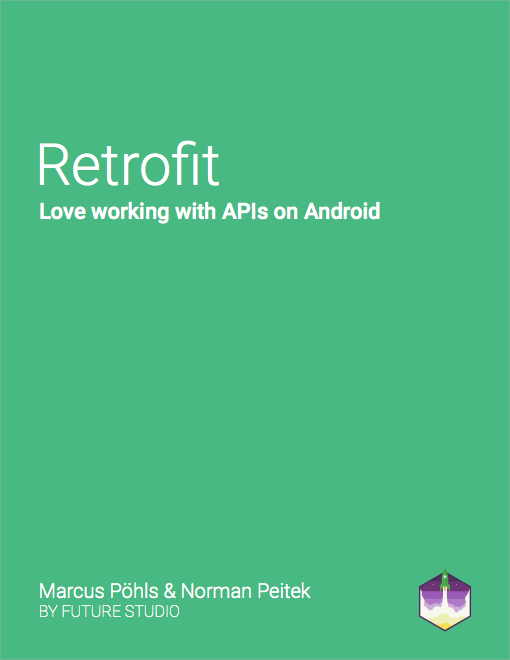
Learn how to create effective REST clients on Android with Retrofit. Boost your productivity and enjoy working with complex APIs.
Retrofit: Love working with APIs on Android is available for sale on Leanpub.comGet Articles Directly to Your Inbox
Subscribe to receive a bi-weekly summary of our latest articles about
Android, Node.js, open source, and more!
