在Node v8+,支持一种调试方式:
我们还需要结合一个Chrome扩展插件:Node.js-V8-Inspector
如何使用?
我们来用一个简单的项目来讲解如何调试。
创建一个文件server.js:

Debugger attached表示已经在浏览器中启动了。
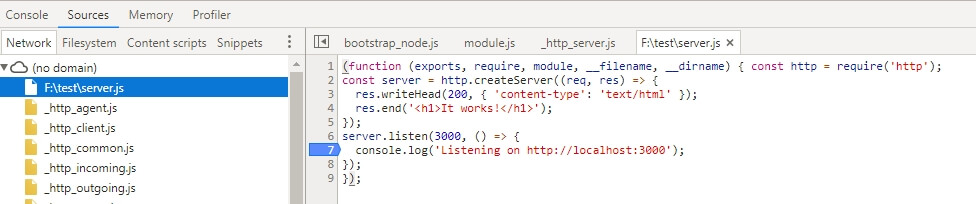
接下来,就可以开始熟悉的JS调试了:
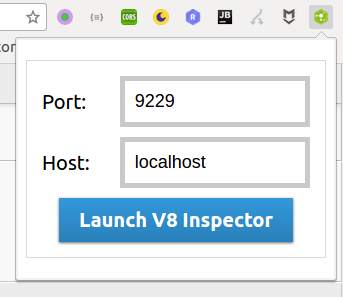
打开浏览器,找到Node.js-V8-Inspector的图标,点击运行:
可能遇到的问题:
1. 端口占用
默认是:127.0.0.1:9229
这时我们需要指定端口:
node --inspect server.js我们还需要结合一个Chrome扩展插件:Node.js-V8-Inspector
如何使用?
我们来用一个简单的项目来讲解如何调试。
创建一个文件server.js:
const http = require('http');
const server = http.createServer((req, res) => {
    res.writeHead(200, { 'content-type': 'text/html' });
    res.end('<h1>It works!</h1>');
});
server.listen(3000, () => {
    console.log('Listening on http://localhost:3000');
});
$ node --inspect server.jsDebugger attached表示已经在浏览器中启动了。
接下来,就可以开始熟悉的JS调试了:
打开浏览器,找到Node.js-V8-Inspector的图标,点击运行:
可能遇到的问题:
1. 端口占用
默认是:127.0.0.1:9229
这时我们需要指定端口:
$ node --inspect=127.0.0.1:3030 server.js