Donut is a library for arranging views circularly like a donut.
You can use it so easily, and it will be a wonderful experience for you.
This library is inspired by EMCarousel.
Contents
Features





- Animated item selection
- Add items with animation
- Support auto cell alignment center
- Support 3D inclination angle (x, z)
- Support animation curve (linear, easeInOut, easeIn, easeOut)
- Support Interface Builder
- Support
Swift3 - And more...
Run example app in your browser
Usage
1. Frame Size And Center Diff
It is better to set frame of a UIViewController's view to frame of the donutView.
If you want to move center point of the donutView, please use setCenterDiff(CGPoint(x: #X_Diff, y: #Y_Diff)).
2. Set Configures
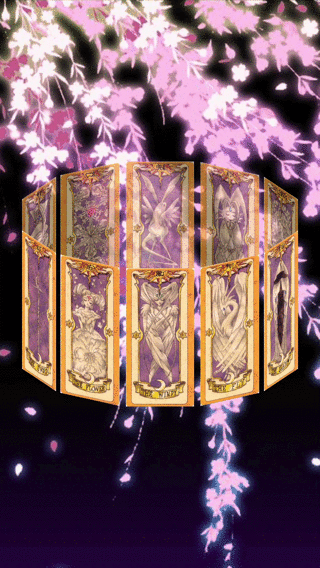
Inclinations
If you want to change the inclinations of DonutView, please use setCarouselInclination(angleX: #AngleX, angleZ: #AngleZ).
You can change it about X and Z angles.
| #AngleX = -.pi / 8.0 | #AngleZ = -.pi / 4.0 |
|---|---|
 |
 |
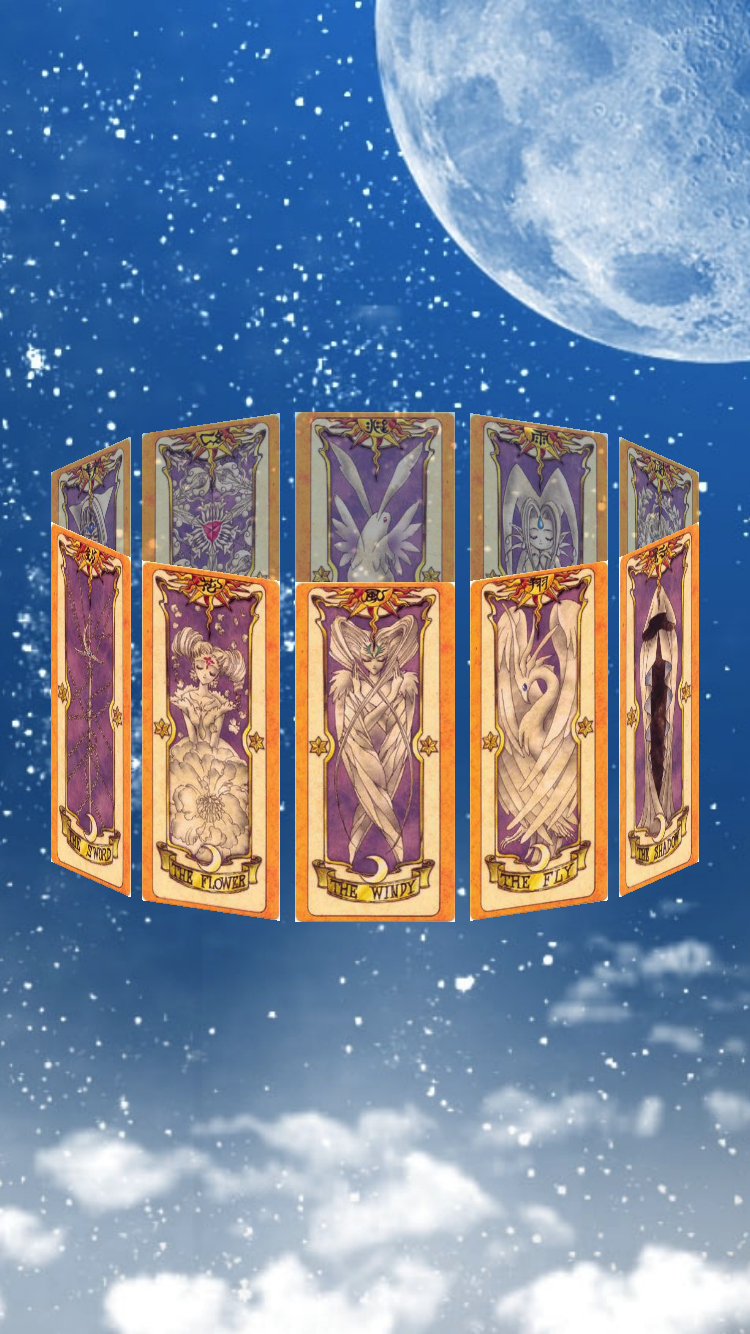
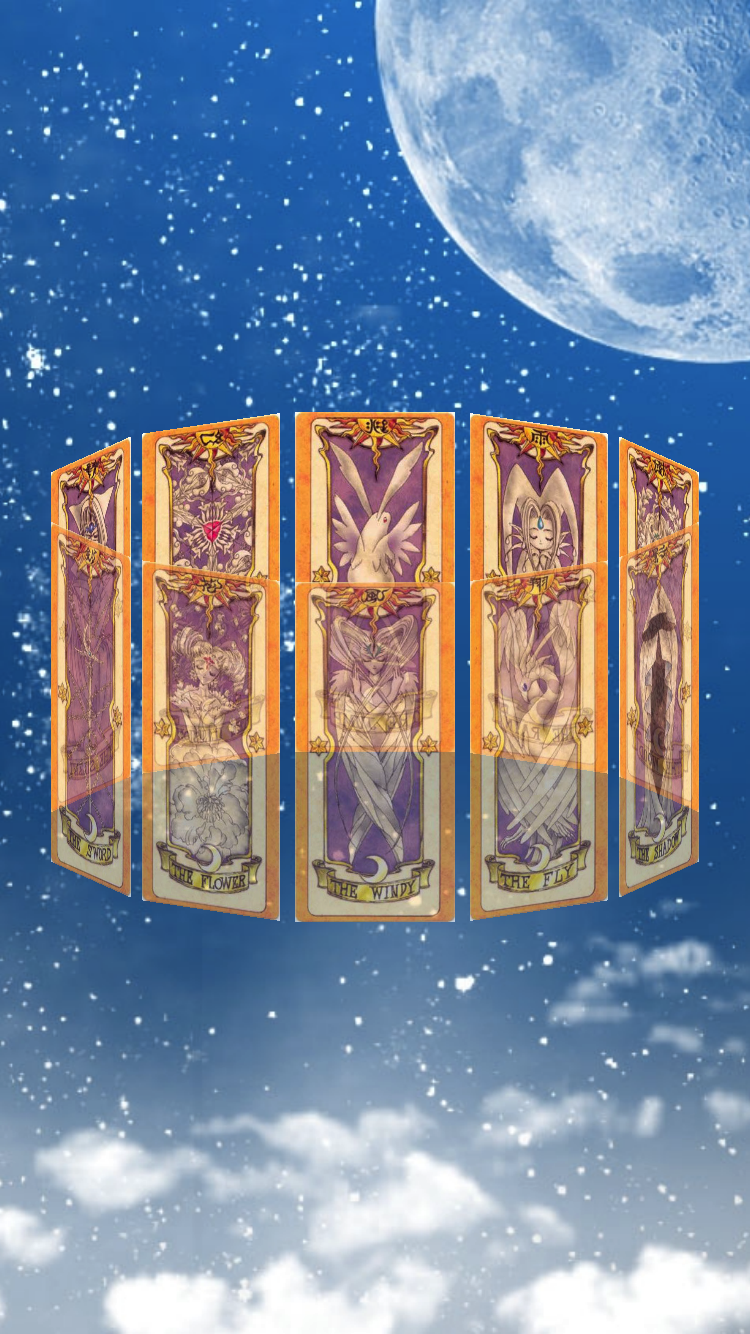
Cells Alpha
If you want to change the alpha of front or back DonutViewCells, please use setFrontCellAlpha(#AlphaFront) or setBackCellAlpha(#AlphaBack).
| #AlphaFront = 1.0, #AlphaBack = 0.7 | #AlphaFront = 0.7, #AlphaBack = 1.0 |
|---|---|
 |
 |
Selectable
You can set whether DonutView is selectable or not by setSelectableCell(Bool).
If the cells is selectable, the selected cell is scrolled to the center.
Auto Cell Alignment Center
You can set whether the alignment of DonutView is center or not by setCellAlignmentCenter(Bool).
| true | false |
|---|---|
 |
 |
Back Cells Interaction Enabled
You can set whether the interaction of DonutView's back cells is enable or not by setBackCellInteractionEnabled(Bool).
Only Cells Interaction Enabled
You can set whether the interaction of DonutView is enable only cells or not by setOnlyCellInteractionEnabled(Bool).
Animation Curve
If you want to change the animation curve of DonutView, please use setAnimationCurve(UIViewAnimationCurve).
You can set an animation curve from below list.
public enum UIViewAnimationCurve : Int {

    case easeInOut  // slow at beginning and end

    case easeIn     // slow at beginning

    case easeOut    // slow at end

    case linear
}
3. DonutViewDelegate (if you need)
If you want to know at changed center cell or selected cell, you can use below delegate methods.
optional func donutView(_ donutView: DonutView, didChangeCenter cell: DonutViewCell)
optional func donutView(_ donutView: DonutView, didSelect cell: DonutViewCell)
4. Add Cells
You can add one or more cells inherited from DonutViewCell to DonutView.
Attention Please!: Before adding a cell, you need to set the frame size for the added cell!!!
If you want to add cell, please use addCell(_ cell: DonutViewCell) or addCells(_ cells: [DonutViewCell]).
class ViewController: UIViewController, DonutViewDelegate {
  private let donutView = DonutView()

  override func viewDidLoad() {
        super.viewDidLoad()

        donutView.frame = view.bounds                   // It's better
        donutView.setCenterDiff(CGPoint(x: 0, y: 0))    // Set center diff
        donutView.setFrontCellAlpha(1.0)                // Set front cells alpha
        donutView.setBackCellAlpha(0.7)                 // Set back cells alpha
        donutView.setSelectableCell(true)               // Set selectable
        donutView.setCellAlignmentCenter(true)          // Set auto cell alignment center
        donutView.setBackCellInteractionEnabled(false)  // Set back cells interaction
        donutView.setOnlyCellInteractionEnabled(true)   // Set only cells interaction
        donutView.setAnimationCurve(.linear)            // Set animation curve
        donutView.addCells(getCardCells())              // Add cells

        donutView.delegate = self                       // Set delegate
        view.addSubview(donutView)
  }

  // MARK: - DonutViewDelegate

  func donutView(_ donutView: DonutView, didChangeCenter cell: DonutViewCell) {
      print("current center cell: \(cell)")
  }

  func donutView(_ donutView: DonutView, didSelect cell: DonutViewCell) {
      print("selected cell: \(cell)")
  }
}
See Example, for more details.
Requirements
- Xcode 8.0+
- Swift 3.0+
- iOS 9.0+
Installation
CocoaPods
Donut is available through CocoaPods.
To install it, simply add the following line to your Podfile:
pod "Donut"Carthage
Add the following line to your Cartfile:
github "cokaholic/Donut"Manually
Add the Donut directory to your project.
Author
Keisuke Tatsumi
License
Donut is available under the MIT license.
See the LICENSE file for more info.