插槽意义和实现
- 意义: 让组件具备更强的通用性,组件内容不限制是某种元素,而是由使用组件的人来决定渲染的内容
- 实现:
Vue 通过 <slot> 标签完成,而 React 有以下两种方案实现
children插槽
- 每个组件都可以获取到
props.children,其包含组件的开始标签和结束标签之间的内容
- 首先在父组件的子组件标签中插入内容
 class App extends Component {
   render() {
     return (
       <div className='app'>
         {/* 父组件中插入内容 */}
         <NavBar>
           <button>左边按钮</button>
           <h2>中间标题</h2>
           <i>右边文字</i>
         </NavBar>
       </div>
     )
   }
 }
- 然后在子组件内部通过
this.props.children 获取,它是个包含所有插入元素的数组
 class NavBar extends Component {
   render() {
     const { children } = this.props

     return (
       <div className='nav-bar'>
         <div className="left">{children[0]}</div>
         <div className="center">{children[1]}</div>
         <div className="right">{children[2]}</div>
       </div>
     )
   }
 }

- 注意: 当子组件标签中只有一个元素时,
this.props.children 就是其本身,并非数组
- 如果需要限制使用者是传一个元素还是传多个元素,可以通过
propTypes 做类型限制
static propTypes = {
children: propTypes.array
}
static propTypes = {
children: propTypes.element
}
props插槽
props 除了可以用于组件通信外,还允许直接传递 React 元素,用于实现插槽- 在父组件的子组件标签上将插入内容,按照
属性名={React元素} 进行传递
 class App extends Component {
   render() {
     return (
       <div className='app'>
         {/* 父组件中插入内容 */}
         <NavBar
           leftSlot={<button>左边按钮</button>}
           centerSlot={<h2>中间标题</h2>}
           rightSlot={<i>右边文字</i>}
         />
       </div>
     )
   }
 }
- 在子组件内部的
this.props 获取传递的内容
 class NavBar extends Component {
   render() {
     const { leftSlot, centerSlot, rightSlot } = this.props
     return (
       <div className='nav-bar'>
         <div className="left">{leftSlot}</div>
         <div className="center">{centerSlot}</div>
         <div className="right">{rightSlot}</div>
       </div>
     )
   }
 }
作用域插槽(render props)
- 在
Vue 中的子组件实现插槽之后,可以向外暴露内部的数据,当父组件使用该插槽时就可以拿到对应的数据,这就是 Vue 的作用域插槽
Vue 的作用域插槽本质是将插槽内容包裹在一个拥有单个参数的函数里,而 React 也可以运用这个原理,实现作用域插槽- 首先在子组件标签中通过
props 传入一个返回 React 元素的函数
 class App extends Component {
   render() {
     return (
       <div className='app'>
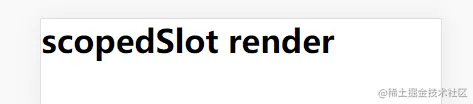
         <NavBar scopedSlot={(data)=><h1>{data}</h1>}/>
       </div>
     )
   }
 }
- 在子组件中调用
scopedSlot 函数,并传入参数
 class NavBar extends Component {
   render() {
     const { scopedSlot } = this.props
     return (
       <div className='nav-container'>
         {scopedSlot('scopedSlot render')}
       </div>
     )
   }
 }